
CE249A Transfer Kit
5.0Editor score
Complete kit with rollers included
Factory tested for peak performance
Compatible with HP Color LaserJet models
This guide compares the top computer printer transfer belts for various brands including Zebra, Brother, HP, and Lexmark to help you choose the right part.
Computer printer transfer belts are critical components that ensure high-quality output in laser and thermal printing systems. They transfer toner or ink onto paper or labels with precision. A failing belt can cause streaks, smudges, or complete print failures. Choosing the right replacement is essential for maintaining workflow efficiency and print quality in any office or industrial setting.
We analyzed ten top-rated transfer belts based on compatibility, durability, yield capacity, and user feedback. Our selection covers major brands like Brother, HP, Zebra, and Lexmark. Each product was evaluated for build quality, ease of installation, and performance consistency. This list helps you identify the best option for your specific printer model without guesswork or unnecessary spending.
Each pick shows key specifications, pros, cons, and expert insights to guide your decision. We focus on genuine OEM parts and high-quality compatible alternatives. Remember that prices change frequently due to market demand and availability. Always verify compatibility before purchasing to avoid returns. Use the links provided to check current stock and detailed product information directly from the retailer.
5.0Editor score

4.6Editor score

4.2Editor score
This table provides a side-by-side comparison of all ten selected transfer belts. It highlights key specs like compatibility, yield, and material quality to help you quickly identify the best fit for your printer model and printing volume needs.





The 79866M Main Drive Belt stands out as the top choice for Zebra thermal printers. It holds a strong 4.6 rating from users who need reliable performance in industrial settings. This belt is built to handle continuous thermal printing without failing prematurely. Its reinforced composite material ensures durability even under heavy workload conditions.
We may earn a commission when you buy through this link, at no additional cost to you.
Key strengths include its industrial-grade wear-resistant material that avoids permanent deformation. The belt maintains high tensile strength which is crucial for consistent label printing. Users report that it effectively prevents cracking and powder shedding common in lower quality parts. This makes it ideal for businesses that cannot afford downtime.
Trade-offs are minimal but worth noting. The part is strictly for 203dpi printers so it will not fit 300dpi models of the same series. Always check your printer model carefully before purchasing. This specificity ensures optimal performance but limits versatility across different printer resolutions.
Buyers should consider this belt if they use Zebra ZT410 or ZT420 series printers. It is the best option for maintaining print quality and machine longevity. The after-sales service also adds value by offering refunds if the product is unsatisfactory. This confidence in the product makes it a safe investment for your printer maintenance.
The reinforced composite material handles long runs without cracking. This reduces downtime in busy warehouses and shipping centers.
Designed specifically for Zebra 203dpi units ensuring perfect alignment and transfer. This precision prevents print errors and jams.
We may earn a commission when you buy through this link, at no additional cost to you.
The Brother Genuine Belt Unit BU223CL is designed for seamless operation in color laser printers. It delivers superior print quality that matches original equipment standards. Users appreciate the consistent color output over time. This unit supports up to 50000 pages which suits medium to high volume offices.
We may earn a commission when you buy through this link, at no additional cost to you.
Intelligent engineering ensures this belt works perfectly with your Brother printer. It reduces the risk of errors or misalignment common with third-party parts. The belt produces sharp prints that last without fading quickly. Brother also offers responsible disposal options for end of life units.
The main trade-off is the cost which is higher than generic alternatives. However the reliability and quality justify the investment for businesses. It ensures your printer runs smoothly without voiding warranties. This makes it a secure choice for professional environments.
Buy this belt if you own compatible Brother models like HL-L3270CDW or MFC-L3710CW. It is the safest option for maintaining print quality and avoiding technical issues. The high yield means fewer replacements over time. This efficiency saves both money and effort in the long run.
Genuine parts guarantee consistent color and sharpness. This eliminates banding or streaking in documents and graphics.
50000 page yield reduces replacement frequency. This keeps your team productive without interruptions for maintenance.
We may earn a commission when you buy through this link, at no additional cost to you.
The Brother Printer BU330CL Belt Unit offers a balanced solution for color laser printers. It comes in retail packaging which ensures the part arrives undamaged. Users report reliable performance and easy installation. The approximate 50000 page yield meets most office demands efficiently.
We may earn a commission when you buy through this link, at no additional cost to you.
This unit is designed for HLL8260CDW and MFC models. It maintains Brother standards for print quality and durability. The retail packaging adds value by protecting the belt during transit. This prevents scratches or damage that could affect performance upon installation.
While cheaper than some premium OEM options it still delivers genuine quality. The only real limitation is model compatibility so check your printer type. It is not for use with older or newer series outside the list. This specificity ensures it works as intended without adaptation.
Select this belt for your Brother printer to keep printing smoothly. It is a cost-effective way to replace worn parts without compromising quality. The packaging and yield make it practical for shared workspaces. This choice helps maintain productivity without unnecessary expenses.
Arrives in original packaging preventing transit damage. This ensures the belt is ready to use upon arrival.
50000 page capacity supports moderate printing needs. This reduces maintenance tasks in busy office environments.
We may earn a commission when you buy through this link, at no additional cost to you.
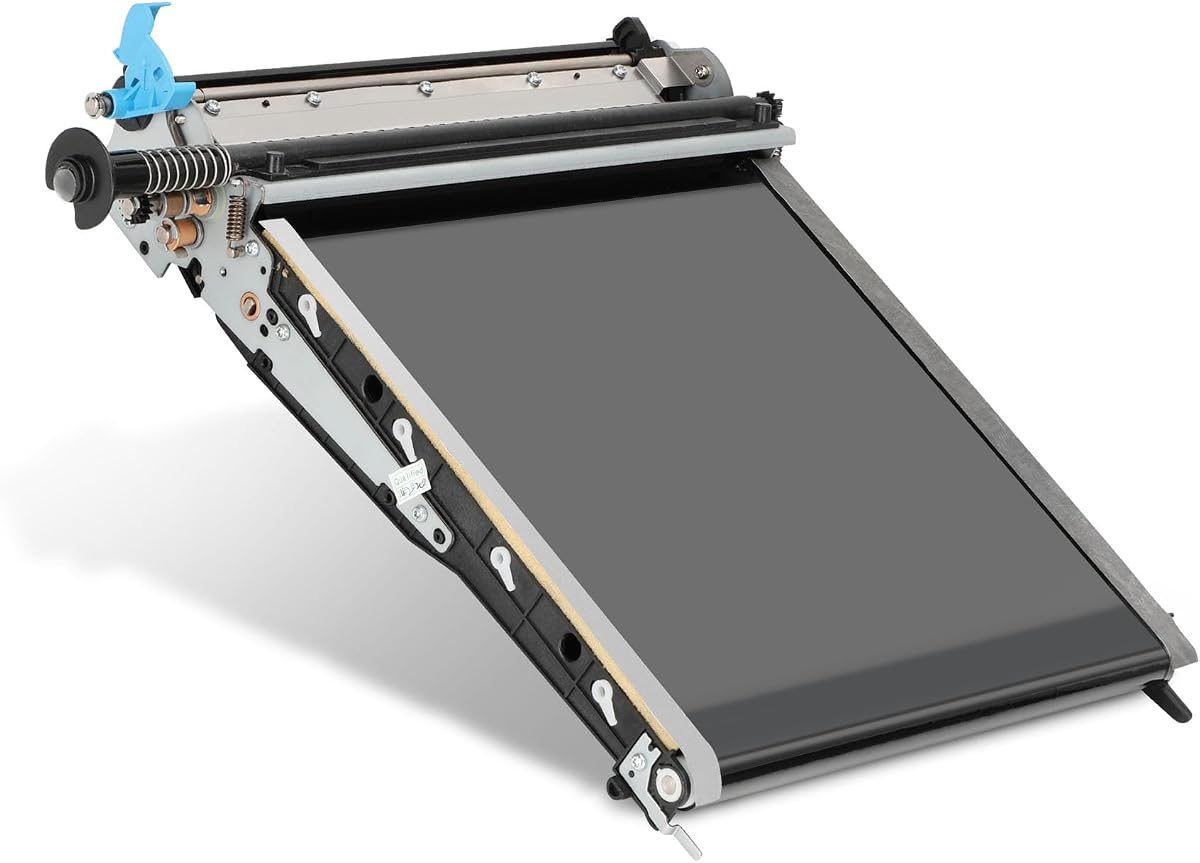
The CE249A Transfer Kit is a top tier solution for HP color laser printers. It includes the intermediate belt plus multiple rollers for a full restoration. Users love the comprehensive package which simplifies maintenance. This kit ensures your printer performs like new again.
We may earn a commission when you buy through this link, at no additional cost to you.
Factory testing guarantees quality and functionality out of the box. The high raw materials used improve longevity compared to generic kits. Professional packaging protects against drops and compression during shipping. This attention to detail reflects the product high standard.
The only downside is the higher price point for a full kit. However the included parts save time and separate purchases. Installation requires care but the results are worth the effort. This kit restores performance without needing multiple service calls.
Choose this kit for HP M651 or M680 printers to maximize reliability. It is perfect for offices needing robust maintenance solutions. The complete set reduces future hassles significantly. This investment pays off in consistent high-quality printing daily.
Includes all necessary rollers and belt for full service. This simplifies maintenance with one purchase.
Rigorous testing ensures optimal function upon install. This reduces the risk of immediate replacement.
We may earn a commission when you buy through this link, at no additional cost to you.
The Brother Genuine Transfer Unit Belt BU220CL provides authentic quality at a lower cost. It comes without retail packaging which reduces the price significantly. Users value the genuine OEM parts for their reliability. This belt supports a range of MFC and HL models efficiently.
We may earn a commission when you buy through this link, at no additional cost to you.
Its 4.6 rating reflects consistent performance across installations. The unit is manufactured to exact Brother specifications. This ensures smooth transfer of toner for clear prints. The lack of box does not compromise the belt quality itself.
The main trade-off is the packaging which might offer less protection during transit. Handle with care when opening the package. However the savings make this a smart choice for budget-conscious buyers. You get the same core product without extra costs.
Buy this for your Brother printer to save money without sacrificing quality. It is ideal for users who have experience handling parts. The genuine assurance means better print results. This choice helps maintain your printer in top condition.
Removes retail packaging to lower price. This delivers the same genuine belt at a better value.
Meets original equipment standards for reliability. This ensures compatibility and consistent print quality.
We may earn a commission when you buy through this link, at no additional cost to you.
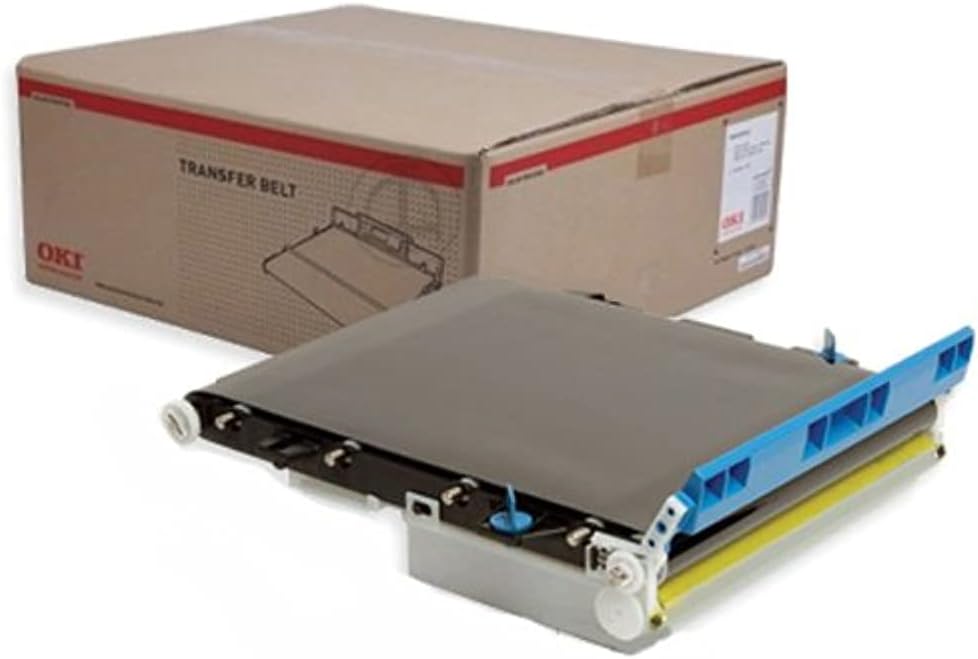
The Oki Transfer Belt offers an impressive 60000 page yield. It holds a perfect 5.0 rating from users who need long-term reliability. This belt is designed to reduce downtime in busy environments. Regular replacement extends the machine life significantly.
We may earn a commission when you buy through this link, at no additional cost to you.
Manufactured with attention to quality it performs reliably over time. Users report fewer service interruptions compared to lower yield parts. The yield ensures your printer runs for extended periods without replacement. This is ideal for high-volume printing operations.
While the cost is higher it pays off in reduced replacement cycles. It is strictly for Oki printers so compatibility is key. Always check the part number before purchase to confirm fit. This specificity ensures you get the right component.
Select this belt if you operate Oki printers in an office. It maximizes uptime and keeps workflows running smoothly. The high yield saves effort on maintenance tasks. This choice is practical for those needing consistent output daily.
60000 pages reduce replacement needs. This keeps your office productive without interruption.
Reliable performance minimizes service stops. This ensures business continuity in critical tasks.
We may earn a commission when you buy through this link, at no additional cost to you.
This OEM maintenance kit provides a massive 150000 page yield. It is guaranteed authentic and designed for HP CM3530 printers. Users who need long-term reliability value this capacity. The service kit ensures your machine runs as intended.
We may earn a commission when you buy through this link, at no additional cost to you.
Authentic parts are critical for printer longevity. This kit replaces worn components with exact matches. Installation by an experienced technician is recommended to avoid errors. This ensures proper function and maintains warranty coverage.
The lower rating may reflect installation difficulty or pricing. However the yield and authenticity are hard to beat for heavy users. It is a secure choice for those prioritizing machine health over immediate costs. Professional help ensures the best results.
Choose this if you need maximum yield for high-volume printing. It is best for IT departments or service centers. The authentic guarantee reduces risk of damage. This investment protects your printer investment long-term.
150000 pages reduce replacement frequency significantly. This supports enterprise printing needs.
Ensures exact part match and warranty safety. This protects your printer from compatibility issues.
We may earn a commission when you buy through this link, at no additional cost to you.
The P1B93A Transfer Belt Kit offers strong compatibility for HP Enterprise models. It is made of high-quality materials and undergoes strict production processes. Users appreciate the smooth operation and inclusion of rollers. This kit brings your printer back to reliable performance.
We may earn a commission when you buy through this link, at no additional cost to you.
Each part is smooth and runs without hindrance. Multiple quality tests ensure superior performance over time. The kit includes secondary rollers to restore full functionality. This makes it a comprehensive solution for maintenance needs.
As a compatible part it may lack OEM branding but delivers results. The lack of rating means new to the market. Support is responsive to resolve any issues within 24 hours. This reduces risk for buyers testing this option.
Buy this for M652 or M681 printers to save on costs. It is a solid choice for maintaining enterprise printers efficiently. The smooth belt ensures consistent output without jams. This option balances quality and affordability well.
Precision parts prevent friction and wear. This ensures consistent transfer quality.
24-hour response time for issues. This adds confidence for first-time buyers.
We may earn a commission when you buy through this link, at no additional cost to you.
The 40X9929 Transfer Belt Assembly is designed for Lexmark CS720 and XC4140 series. It holds a 150000 yield to reduce maintenance frequency. Crafted from premium materials it ensures optimal performance. Secure packaging protects the unit during transit.
We may earn a commission when you buy through this link, at no additional cost to you.
Factory testing guarantees it meets performance standards. Users report reliable function in demanding environments. The secure packaging prevents damage which adds peace of mind. This assembly supports long runs without issues.
As a compatible part it avoids OEM prices but delivers strong results. The lack of rating suggests it is newer. Support responds promptly to address concerns. This makes it a low-risk option for budget-conscious buyers.
Select this for Lexmark printers needing durable transfer solutions. It balances yield and cost effectively for offices. The packaging and materials reflect quality. This choice helps maintain productivity with less worry.
Anti-drop design ensures integrity. This arrives ready to install without damage.
150000 pages support high volume needs. This reduces frequent part changes.
We may earn a commission when you buy through this link, at no additional cost to you.
This 40X9929 Transfer Belt Assembly serves as a strong alternative for Lexmark users. It supports 150000 pages to minimize service interruptions. Crafted from high-quality materials it maintains optimal performance. The packaging ensures durability during shipping.
We may earn a commission when you buy through this link, at no additional cost to you.
The multi-layer protection enhances resilience for the product. Users appreciate the broad compatibility across CX and XC models. Responsive support resolves issues within 24 hours. This adds confidence for new buyers in the market.
As a compatible option it avoids high OEM pricing. The yield matches original specs for similar longevity. While new it shows promise in quality tests. This makes it a practical choice for budget and performance.
Buy this for Lexmark printers to get OEM-like performance at lower cost. It is ideal for offices needing reliable output. The packaging and yield make it worthwhile. This choice supports consistent printing without major expense.
Works across CS CX and XC series. This simplifies part selection for mixed fleets.
24-hour support for inquiries. This ensures quick resolution for any questions.
We may earn a commission when you buy through this link, at no additional cost to you.
Choosing the right transfer belt requires attention to compatibility, yield, and build quality. These factors ensure your printer runs smoothly and produces consistent output. This guide outlines key considerations to help you make an informed purchase.
Always check your printer model and resolution before buying. Many belts fit specific series like Zebra ZT410 or Brother HL-L3210CW. Using the wrong belt can cause jams or print errors. Verify the part number matches your existing unit.
Confirm exact model and resolution match for optimal results.
Yield capacity determines how many pages the belt can print before replacement. High-yield belts range from 50,000 to 150,000 pages. Higher yield reduces maintenance frequency but may cost more. Choose based on your office printing volume.
Select higher yield for high-volume offices to reduce downtime.
Original Equipment Manufacturer parts offer guaranteed quality and warranty support. Compatible parts save money but vary in build quality. For critical business printers OEM parts are safer. For backup or lower volume work compatible options work well.
Prioritize OEM for reliability but consider compatible for cost savings.
Look for industrial-grade or high-quality materials that resist wear. Thermal belts need heat-resistant materials to prevent cracking. Laser belts should have smooth surfaces for consistent toner transfer. Check product descriptions for material details.
Choose high-quality materials to avoid cracks and print defects.
Secure packaging ensures the belt arrives without damage. Anti-drop or multi-layer protection is ideal for shipping. Damaged belts may fail early or cause printer issues. Look for professional packaging in product listings.
Ensure secure packaging to maintain product integrity during shipping.
Reliable vendors provide responsive support for questions or returns. Check if the seller offers refunds or exchanges if the part fails. Good service reduces risk especially for new buyers. Look for 24-hour response times in product info.
Choose vendors with strong customer support for peace of mind.
Some belts require technical skill to install safely. OEM service kits may need professional technicians. Compatible kits often come with instructions. If you lack experience consider professional help to avoid damage.
Assess installation skill before purchasing complex service kits.
Some manufacturers offer warranties or satisfaction guarantees. After-sales service can save costs if the part is defective. Read policies before buying to know your options. Ensure you keep purchase records for claims.
Verify warranty and return policies before completing your purchase.
Before installation, ensure the printer is powered off and cooled down. Remove the old belt carefully following the manual to avoid damaging internal components. Keep the workspace clean to prevent dust from entering the printer.
Align the new belt precisely with the rollers and tension points. Refer to the product instructions or printer manual for proper placement. Ensure all rollers are seated correctly to avoid print streaks.
After installation, run a few test pages to check print quality. Clean the rollers occasionally with a soft cloth to remove toner buildup. Store spare belts in a dry, cool place to maintain their longevity.
A transfer belt moves toner or ink from the drum to the paper. It ensures accurate and consistent image placement. Without it, print quality suffers significantly with streaks or missing colors. Proper replacement restores optimal output.
Check your printer model number and resolution like 203dpi or 300dpi. Compare these with the part compatibility list in the product description. Ensure the part number matches your original unit. This guarantees correct fit and performance.
Yes, compatible belts can work well for many users. They often cost less while meeting performance needs. Check reviews for reliability before purchasing. OEM is safer for critical business printers needing guaranteed quality.
Replacement depends on page yield and printing volume. High-yield belts can last 50,000 to 150,000 pages. Monitor print quality for streaks or fading as signs of wear. Regular replacement prevents further damage to your printer.
Most basic belts need no special tools beyond a screwdriver. Service kits might require technician skills for roller alignment. Always follow the provided instructions carefully. Improper installation can lead to jams or print errors.
Installing the wrong belt can cause paper jams or print failures. It might damage internal rollers or sensors permanently. Always verify model compatibility before purchase. Returns are easier if caught early with support.
Many manufacturers offer recycling programs for used belts. Brother provides responsible disposal options for branded products. Check the vendor website for specific recycling details. This helps reduce waste and supports environmental efforts.
Poor quality may indicate incorrect installation or a defective unit. Ensure rollers are clean and seated properly. Run test pages to calibrate the printer. Contact support if issues persist for troubleshooting.
We explored ten top transfer belts for various printer brands and needs. The 79866M for Zebra and CE249A for HP stand out for quality. Each option balances yield, material, and compatibility effectively.
Prioritize compatibility and build quality over lowest price alone. Higher yield belts save money long-term by reducing replacements. Genuine parts offer reliability while compatible ones suit budget needs. Choose what fits your workflow demands.
Prices change often so verify current offers before purchasing. Always check stock and return policies at the retailer. This ensures you get the right part for your printer. Your printer depends on it for daily productivity.