
ScreenBeam ECB6200S02 Network AdapterAdd-On Only
4.2Editor score
Affordable add-on solution
Bonded MoCA 2.0 support
Simple plug and play setup
This expert guide compares the top ten coax to Ethernet adapters for reliable home networking, gaming, and streaming using existing coaxial cables.
Modern homes demand faster and more reliable internet connections than ever before. Wireless signals often struggle with interference and distance issues throughout large houses. Finding a solution that leverages existing infrastructure can save time and money on extensive cabling projects.
We evaluated ten leading coax to Ethernet adapters based on speed, compatibility, and ease of installation. Our analysis focuses on real-world performance metrics and user feedback to ensure you get a dependable networking solution. Each product offers unique features suited for different home setups.
This guide highlights the best options for upgrading your network without drilling walls. You will find detailed reviews and comparisons to help you make an informed decision. Please note that availability and pricing can change frequently so verify details before purchasing.
4.2Editor score

4.8Editor score

4.6Editor score
The following table provides a side-by-side comparison of the top ten adapters to help you quickly identify key specifications and compatibility details for your specific home networking needs.



This TRENDnet adapter kit stands out as the top choice for reliable home networking. With a rating of 4.8 stars users praise its consistent performance and ease of setup. It leverages MoCA 2.5 technology to deliver speeds up to 2.5 Gbps over existing cables.
We may earn a commission when you buy through this link, at no additional cost to you.
The key strength lies in its robust performance for gaming and streaming. It reduces latency significantly compared to Wi-Fi ensuring smooth video calls and online play. The compact design fits easily in entertainment centers without cluttering your space.
While it is highly compatible with most cable providers it does not work with satellite systems. This is a standard limitation for MoCA devices but users should verify their wiring before buying. It is not a modem so you still need an active internet connection.
Anyone looking to upgrade their network without drilling holes should consider this kit. It offers the best balance of speed and reliability for modern smart homes. We recommend it for households needing stable connections in multiple rooms.
The low latency ensures your actions on screen match real time inputs perfectly without lag.
NDAA and TAA compliance makes this ideal for organizations requiring secure hardware procurement.
We may earn a commission when you buy through this link, at no additional cost to you.
The Kiwee adapter is the ultimate choice for future-proofing your home network. It features unique dual 2.5 Gigabit Ethernet ports allowing multiple devices to connect at full speed. This versatility makes it perfect for homes with multiple wired needs in one room.
We may earn a commission when you buy through this link, at no additional cost to you.
Its standout quality is the ability to connect multiple high bandwidth devices simultaneously. You can hook up a gaming console and a computer without needing an extra switch. The MoCA 2.5 technology ensures interference-free performance even during peak usage times.
The premium price reflects the advanced hardware included in the box. While excellent for most setups it might be overkill for basic browsing needs. Ensure your router can handle multiple gigabit speeds to get the most out of this adapter.
Tech enthusiasts and power users will appreciate the flexibility and speed offered. It turns existing coax wiring into a high performance wired backbone effortlessly. We recommend this for homes with significant wired networking demands.
Connect two high-speed devices at once without buying additional network switches.
Harness the latest standard for ultra-fast and interference-free networking performance.
We may earn a commission when you buy through this link, at no additional cost to you.
This add-on adapter offers a cost-effective way to expand your MoCA network. It is designed to work with existing ScreenBeam starter kits providing flexibility for additional rooms. Users find it delivers reliable 1Gbps speeds that surpass typical wireless performance.
We may earn a commission when you buy through this link, at no additional cost to you.
The main benefit is extending wired access without buying a whole new system. It supports up to 16 nodes on one network making it scalable for larger homes. The setup is straightforward just connect coax and ethernet to your devices.
Since it is an add-on it requires a compatible starter kit to function properly. This adds to the total cost if you do not already own one. It is slower than newer 2.5 Gbps models but sufficient for most streaming needs.
Budget-conscious shoppers with existing ScreenBeam gear will find this very useful. It provides a solid performance boost at a low price point. We recommend it for adding connectivity to spare rooms easily.
Add more network points without replacing your current MoCA infrastructure.
Built with quality components trusted by service providers for stability.
We may earn a commission when you buy through this link, at no additional cost to you.
This is an excellent starting point for building a coaxial network at home. The kit includes two adapters and everything needed to connect two rooms instantly. It leverages MoCA 2.5 technology to deliver fast and reliable wired internet speeds.
We may earn a commission when you buy through this link, at no additional cost to you.
Users appreciate the convenience of having all necessary cables included in the box. It bypasses Wi-Fi congestion for tasks like 4K streaming and remote work. The compatibility with most routers makes setup very straightforward for average users.
Comcast Xfinity users should check their gateway settings to ensure full compatibility. Some modems may conflict causing disconnects so contacting your ISP might be necessary. It is not compatible with satellite systems which is a common constraint.
New users looking to try coax networking will find this kit ideal. It removes the guesswork of sourcing separate cables or adapters. We recommend it as a hassle-free entry into wired home networking.
Get everything needed for setup including power and coax cables right in the box.
Use existing cables for dedicated speed avoiding wireless signal issues.
We may earn a commission when you buy through this link, at no additional cost to you.
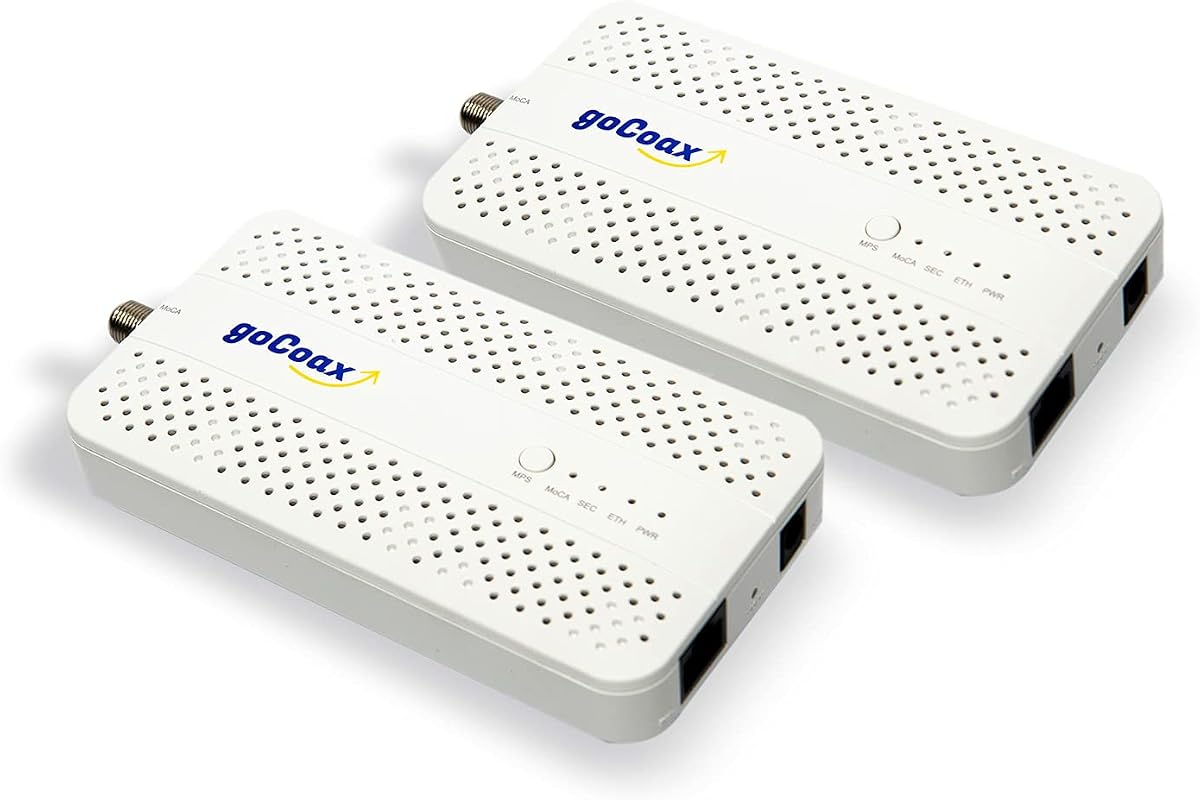
goCoax adapters are designed by specialists who focus purely on MoCA technology. This kit offers blazing fast speeds with minimal latency ideal for competitive gaming. It turns existing coax cables into a wired backbone without needing new wires.
We may earn a commission when you buy through this link, at no additional cost to you.
The latency is significantly lower than typical Wi-Fi connections ensuring instant response times. This makes it perfect for video conferencing and real-time online gaming. It supports up to 16 nodes so you can expand throughout the house.
It works with most major cable and fiber providers like Comcast and Verizon. However users must ensure they have existing coax wiring connected through a splitter. PoE filters are recommended for security but are sold separately.
Gamers and streamers needing rock solid connections will love this option. It is easy to set up and delivers consistent performance across different ISPs. We recommend it for those prioritizing speed and reliability.
Experience under 3ms latency for competitive gaming without lag.
Works with major cable providers without vendor lock-in issues.
We may earn a commission when you buy through this link, at no additional cost to you.
This Hitron adapter provides a reliable way to extend your network to any room. It is strictly a network adapter not a modem so it needs your existing internet connection. It delivers up to 2.5 Gbps speeds over standard coax cabling.
We may earn a commission when you buy through this link, at no additional cost to you.
A key advantage is the inclusion of free technical support for setup issues. Many users face wiring challenges and the team helps verify coax network compatibility. The kit includes two adapters and all cables for quick installation.
It does not work with AT&T Fiber due to signal interference issues. Also ensure your home was not wired for satellite as that cuts coax lines. Verify wiring before buying to avoid returns or compatibility problems.
Households with cable or other fiber services will find this great value. It simplifies extending wired access to distant rooms efficiently. We recommend checking your setup before purchasing to ensure compatibility.
Free support team helps verify wiring and optimize network performance.
Includes everything you need to start extending your network immediately.
We may earn a commission when you buy through this link, at no additional cost to you.
This converter is specialized for industrial and surveillance applications. It transmits both power and data over existing coaxial cables efficiently. The built-in heat sink ensures reliable performance even under demanding operational conditions.
We may earn a commission when you buy through this link, at no additional cost to you.
It works well with PoE standards like 802.3af and 802.3at for cameras. The design allows you to power devices without extra outlets near the camera. It is ideal for upgrading analog systems to IP without rewiring everything.
Keep in mind it supports only point to point connections not whole home networks. It is best for specific setups like elevators or security camera systems. Ensure you have a PoE switch to power the receiver side properly.
Security installers and industrial users will find this very versatile. It simplifies cabling for powered devices significantly. We recommend it for CCTV upgrades using existing coax infrastructure.
Sends electrical power and internet data over a single coax cable.
Industrial design ensures durability and reliable heat dissipation.
We may earn a commission when you buy through this link, at no additional cost to you.
This kit is specifically designed for unused or dark coax wiring in your home. It transforms idle wiring into a reliable gigabit network for devices. It supports speeds up to 1.2Gbps which is plenty for gaming and streaming.
We may earn a commission when you buy through this link, at no additional cost to you.
It provides a secure wired connection that avoids wireless interference issues. The setup is very simple requiring no configuration or technical skills. It is perfect for houses with unused wall outlets that can be repurposed.
Do not use this with active cable TV or internet services. It works on dark coax only so check your wiring plan before buying. It avoids conflicts with other network traffic by using dedicated unused lines.
Users with old coax lines who want extra wired ports will love this. It saves the cost of running new cables through walls. We recommend it for homes with unused coax infrastructure.
Turn idle dark coax lines into a fast Ethernet network.
Get a wired connection that is free from wireless interference.
We may earn a commission when you buy through this link, at no additional cost to you.
This adapter kit is designed to power and connect PoE devices seamlessly. It supports IEEE 802.3at standards delivering up to 30W over Ethernet. This makes it perfect for Wi-Fi access points and IP cameras needing power and data.
We may earn a commission when you buy through this link, at no additional cost to you.
The high speed data connection ensures stable performance for demanding tasks. It reduces the need for extra power outlets near your network equipment. This simplifies installations in large homes or offices significantly.
It is a great choice for mesh systems needing power over Ethernet. The low latency helps with streaming and gaming without interruptions. Ensure your devices are compatible with PoE+ to use this feature fully.
Network installers needing to power devices remotely will find this valuable. It combines power and data in one easy connection. We recommend it for access points and cameras requiring reliable PoE.
Power devices up to 30W without extra electrical outlets.
Get 2.5G data speeds for stable and fast connectivity.
We may earn a commission when you buy through this link, at no additional cost to you.
This single unit offers an easy way to add wired internet to one room. It features a gigabit LAN port that supports speeds up to 1Gbps. The compact design fits neatly on desks or entertainment centers.
We may earn a commission when you buy through this link, at no additional cost to you.
It is backed by three years of manufacturer protection for peace of mind. The support team is available during business hours to assist with setup. It uses MoCA 2.5 technology for reliable communication over coax.
Remember you need at least two units for a working network. It does not work with satellite TV services like Directv or Dish. Verify your wiring is active coax before purchasing to avoid issues.
Homeowners needing to extend a network to a single room should consider this. It is cost effective for one-time additions. We recommend checking if you have an extra unit if pairing is needed.
Get backed with three years of warranty support and coverage.
No configuration required for quick and easy network setup.
We may earn a commission when you buy through this link, at no additional cost to you.
Choosing the right adapter depends on your home wiring, internet service provider, and device needs. We break down the key factors to help you select the perfect solution for your setup.
MoCA 2.5 adapters offer faster speeds up to 2.5Gbps compared to older 2.0 models which cap at 1Gbps. Newer standards provide better performance for high bandwidth activities like 4K streaming and gaming. If your network supports it always choose 2.5 for future proofing.
Always check your router capabilities and home internet plan before deciding.
Most adapters require existing coax wiring interconnected through a splitter. Satellite wiring is often isolated so MoCA adapters usually do not work with DirecTV or Dish networks. Verify your outlets are connected to the main home network before purchasing.
Check your home wiring type with your ISP to confirm it is MoCA ready.
Some providers like AT&T Fiber use different frequencies that conflict with MoCA signals. Comcast and Verizon Fios generally support MoCA but specific gateway settings might need adjustment. Always verify compatibility with your ISP to avoid connection issues.
Contact your ISP if you experience random disconnects after installation.
MoCA networks typically support up to 16 nodes which is sufficient for most homes. If you have many wired devices choose a kit that allows easy expansion with extra units. Kits usually include two adapters for basic setup in two rooms.
Count how many rooms need wired access before buying to avoid extra purchases.
If you need to power devices like access points or cameras look for adapters with PoE+ support. This sends power and data over one cable reducing electrical outlet needs. Standard adapters may not provide power so check specs if powering devices.
Ensure your devices are PoE compatible to utilize this feature effectively.
Many kits include coax and Ethernet cables to simplify the setup process. Others may sell these separately so check what is in the box before ordering. Having everything included saves time and ensures correct connectors for your cables.
Review the package contents list to confirm you have all necessary tools.
Prices vary based on features like speed and PoE support. Budget models offer solid performance for basic needs while premium kits add future proofing. Set a clear budget to narrow down your options easily.
Compare value rather than just lowest price to ensure quality and longevity.
Most modern adapters are plug and play requiring no complex configuration. Look for models described as user friendly to avoid frustration during setup. A quick start guide helps ensure you connect everything correctly the first time.
Follow the included guide to ensure your network configures in seconds.
To start setup connect one adapter to your router using an Ethernet cable and a coax wall outlet. Connect the second adapter to your target device like a TV or gaming console using another Ethernet cable and coax outlet. Ensure the coax cables are securely screwed in to avoid signal loss.
Power on both adapters and wait for the status lights to stabilize. This process usually takes a few seconds to auto-configure the network between rooms. Verify your devices now have internet access by checking the network status on your computer or console.
Keep adapters in a cool well-ventilated area to prevent overheating over time. Avoid placing them directly on top of each other or inside enclosed spaces. Regularly check for firmware updates from the manufacturer to maintain optimal performance and security.
Yes most adapters are designed specifically for cable internet providers like Comcast and Spectrum. They use the existing coax infrastructure that cable companies already install. Just ensure your router and modem support the MoCA standard for best results.
Typically no because satellite providers often cut or isolate coax wiring inside homes. This prevents MoCA signals from passing through to different rooms. You should verify your coax wiring is interconnected before trying these adapters with satellite setups.
Many starter kits include both coax and Ethernet cables for convenience. However single units often require you to source these separately. Check the package description carefully to see what is included before purchasing.
Yes they generally provide faster and more stable speeds than Wi-Fi especially in areas with interference. They also offer lower latency which is crucial for gaming and video calls. Wired coax connections avoid wireless congestion completely.
No you need a minimum of two adapters to create a network connection between locations. One connects near your router and the other near your device. Buying a starter kit is usually more cost effective than purchasing separately.
MoCA adapters typically support up to 16 nodes on a single network. This allows you to extend wired connections to almost every room in your home. Additional adapters can be added as needed for larger houses.
If the frequency conflicts it may cause random disconnects or signal issues. Some ISPs like AT&T Fiber use different bands that might not work with standard MoCA. Check with your provider before buying to ensure compatibility.
No they are network adapters that extend your existing network. You still need a modem and router for internet service to work properly. They simply turn coax ports into Ethernet ports for other devices.
We recommend the TRENDnet adapter kit for most users seeking top performance and reliability. Its speed and ease of use make it a standout choice for modern home networks. The Kiwee dual port adapter is excellent for those needing multiple wired connections per room.
Consider your specific wiring situation and internet provider before making a final decision. Ensure your home has the right coax infrastructure to support these adapters effectively. Checking with your ISP can save you from compatibility headaches later.
Prices and availability change so verify current details on the retailer site before ordering. With the right adapter you can enjoy fast stable internet throughout your home without new wiring. Happy networking.