
msi PRO MP341CQ E12
4.2Editor score
34-inch UWQHD resolution
120Hz refresh rate
Adaptive-Sync support
Finding a cheap ultrawide monitor can transform your workspace without breaking the bank. These displays offer expansive screen real estate ideal for multitasking, gaming, and creative work. We focus on models that balance affordability with essential features like high refresh rates and vibrant color accuracy.
We evaluated ten top-rated models based on panel quality, connectivity options, and ergonomic design. Our analysis covers specifications, user feedback, and real-world performance to ensure you get the most value. Each pick represents a distinct strength in the budget ultrawide category.
Every product listing includes key specs and direct links to verify current availability. Prices fluctuate often so checking the latest deals is crucial before purchasing. Use this guide to narrow down your options and invest in a monitor that meets your specific needs today.
4.2Editor score

4.4Editor score

4.6Editor score
As an Amazon Associate we earn from qualifying purchases.
Compare the top 10 cheap ultrawide monitors side by side to see how they stack up in resolution, refresh rate, and connectivity options. This table highlights the key differences to help you choose the right model for your setup.


The SANSUI 34-inch curved gaming monitor stands out as the top pick for budget buyers seeking performance. With a 200Hz refresh rate and 1ms response time it delivers fluid visuals ideal for competitive gaming. The UWQHD resolution ensures sharp text and vibrant colors making it versatile for work and play.
We may earn a commission when you buy through this link, at no additional cost to you.
Its AI built-in features like blue light reduction and crosshair assist enhance the user experience. The VA panel provides deep blacks and high contrast which improves image depth. Connectivity includes HDMI 2.1 allowing future-proofing for next-gen consoles and high bandwidth needs.
While it lacks built-in speakers the trade-off is acceptable given the price point. The VA panel may show minor motion blur in fast scenes but this is typical for this technology. The ergonomic stand offers tilt adjustments to help reduce neck strain during long sessions.
This monitor is perfect for gamers and professionals who prioritize refresh rates and resolution over audio features. Its balance of performance and affordability makes it the best overall choice in the cheap ultrawide category. We recommend it for anyone wanting a high-quality wide screen without overspending.
The 200Hz refresh rate and adaptive sync ensure smooth gameplay with minimal input lag.
UWQHD resolution delivers crisp text and detailed images for productivity and media.
We may earn a commission when you buy through this link, at no additional cost to you.
The msi PRO MP341CQ E12 offers exceptional value for budget-conscious users. It features a 34-inch UWQHD panel with 120Hz refresh rate providing smooth visuals for both work and casual gaming. The inclusion of built-in speakers adds convenience without needing external audio devices.
We may earn a commission when you buy through this link, at no additional cost to you.
Certified for flicker-free and low blue light it helps reduce eye strain during long usage. Adaptive Sync technology ensures tear-free performance by matching refresh rates with your GPU. The IPS panel ensures wide viewing angles and consistent color reproduction across the screen.
Although the refresh rate is lower than gaming focused models it remains sufficient for most tasks. The stand is basic with tilt adjustments but VESA compatibility allows for easy mounting on arms. Build quality is solid for the price making it a reliable choice.
This model is ideal for students and office workers needing a spacious display without high costs. Its combination of resolution refresh rate and eye care features makes it the best budget option. We recommend it for anyone seeking a practical and affordable ultrawide experience.
TUV Rheinland certification ensures reduced eye strain for extended work sessions.
Multiple inputs including HDMI and DisplayPort support flexible device connections.
We may earn a commission when you buy through this link, at no additional cost to you.
The LG 34WR55QK-B brings premium features to the affordable ultrawide market. Its curved WQHD panel delivers immersive visuals with HDR10 support enhancing contrast and color vibrancy. The USB Type-C connection simplifies setup with single cable display and power delivery for laptops.
We may earn a commission when you buy through this link, at no additional cost to you.
Color accuracy is exceptional with up to 99% sRGB coverage making it suitable for creative tasks. The ergonomic stand allows height and tilt adjustments for a comfortable viewing position. The virtually borderless design maximizes screen space and complements modern desks.
While the price is higher than basic models the added features justify the cost. The 100Hz refresh rate is smooth for general use though not optimized for competitive gaming. The reader mode reduces blue light making it comfortable for long document reading sessions.
This monitor is best for professionals and creatives needing reliable color and connectivity. Its blend of performance ergonomics and design makes it the best premium choice. We recommend it for those willing to invest slightly more for a superior experience.
USB Type-C with 65W power delivery reduces cable clutter for laptops.
High sRGB coverage ensures accurate color representation for design work.
We may earn a commission when you buy through this link, at no additional cost to you.
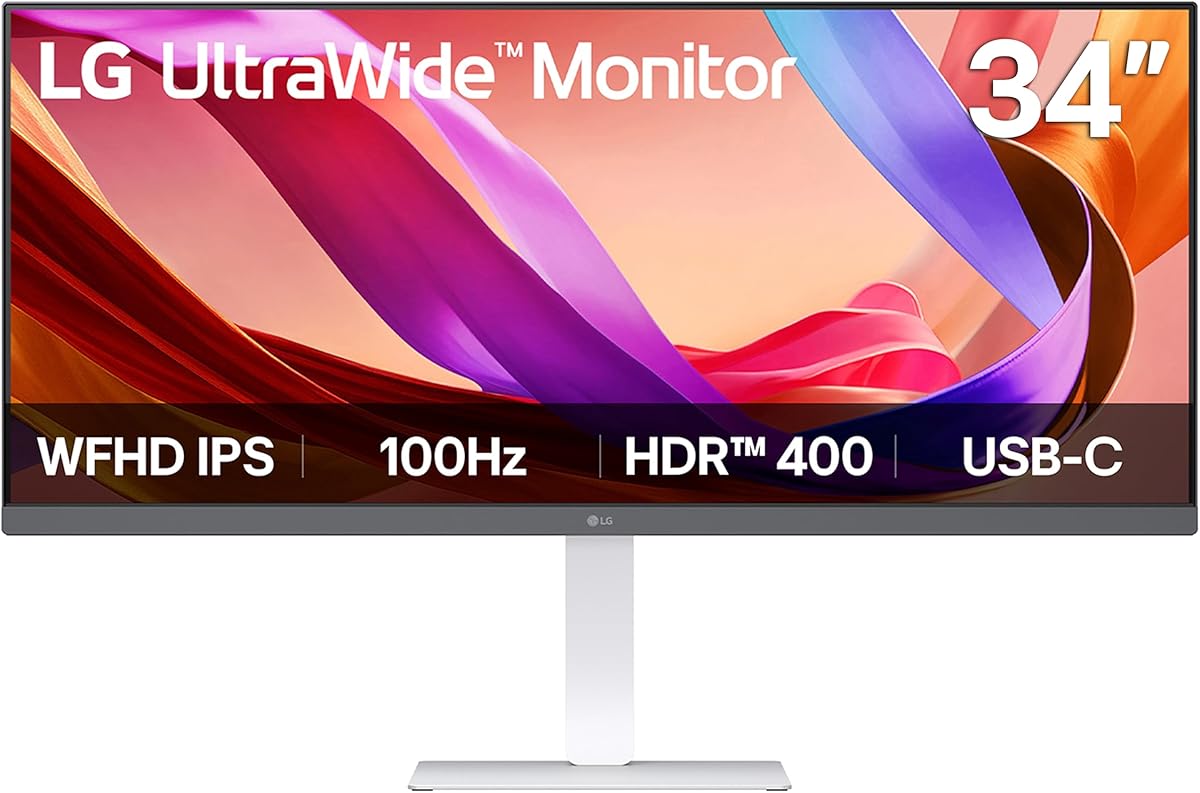
The LG 34U530A-W provides a clean white design suited for minimalist setups. It features a 34-inch WFHD IPS panel delivering smooth 100Hz visuals and wide viewing angles. The USB Type-C port simplifies connections for laptops and modern devices with single cable usage.
We may earn a commission when you buy through this link, at no additional cost to you.
VESA DisplayHDR 400 improves contrast making images pop in daily tasks. The switch app enables easy screen splitting for multitasking enhancing workflow efficiency. The stand offers height tilt and swivel adjustments ensuring ergonomic comfort during long work hours.
Resolution is lower than UWQHD but sufficient for general productivity and media. HDR brightness is moderate but adequate for indoor use without glare issues. The IPS panel ensures consistent colors across different viewing positions on the desk.
This model fits well in home offices needing a stylish and functional screen. Its multitasking tools and ergonomic adjustments make it a strong productivity choice. We recommend it for users prioritizing aesthetics and ease of use over raw resolution.
Switch app allows screen splitting for seamless multitasking across apps.
Adjustable stand reduces neck strain with full range of motion.
We may earn a commission when you buy through this link, at no additional cost to you.
The LG 34U650A-B focuses on delivering reliable performance for creative professionals. Its curved WQHD IPS panel offers vibrant colors with up to 99% sRGB coverage. USB Type-C supports up to 96W power delivery allowing full laptop charging through one cable.
We may earn a commission when you buy through this link, at no additional cost to you.
HDR10 support enhances dynamic range for better visuals in supported content. The slim stand with a square base saves desk space while providing stable support. Reader Mode adjusts display tones for comfortable reading during extended document sessions.
Color accuracy remains consistent across wide viewing angles thanks to the IPS panel. The 100Hz refresh rate is smooth for content consumption and general work tasks. The curved screen wraps around the field of view for a more immersive experience.
This monitor is ideal for designers and video editors needing accurate colors and connectivity. Its high power delivery USB-C makes it perfect for laptop users. We recommend it for professionals seeking a reliable and visually pleasing workspace tool.
96W USB-C charging supports most laptops without needing extra power bricks.
IPS panel ensures colors stay accurate from any viewing angle.
We may earn a commission when you buy through this link, at no additional cost to you.
The SAMSUNG ViewFinity S50GC combines high resolution with practical features at a great price. Its Ultra WQHD panel provides sharp details and ample screen space for multitasking. HDR10 support adds depth to visuals making media consumption more engaging.
We may earn a commission when you buy through this link, at no additional cost to you.
AMD FreeSync keeps frame rates synchronized to reduce tearing during gaming sessions. An ambient light sensor adjusts brightness automatically to match room conditions reducing eye strain. The virtually bezel-free design maximizes screen real estate and improves aesthetics.
Built-in PIP and PBP modes allow viewing multiple sources simultaneously on one screen. The stand is simple with tilt adjustments but fits most standard desk setups. Color reproduction is solid for general use though not certified for professional grading.
This model suits users needing high resolution and smart features without breaking the budget. Its eye care technology makes it a strong choice for long work days. We recommend it for anyone wanting a well-rounded monitor for daily tasks.
Ambient light sensor adjusts brightness to reduce strain and fatigue.
PIP and PBP modes enable seamless multitasking across different devices.
We may earn a commission when you buy through this link, at no additional cost to you.
The Samsung ViewFinity S50GC offers a sleek design tailored for modern workspaces. Its QHD resolution ensures crisp text and detailed graphics essential for design projects. The thin bezels create an immersive viewing experience and fit well in dual setups.
We may earn a commission when you buy through this link, at no additional cost to you.
HDR10 support and 3000:1 contrast ratio provide deep blacks and bright highlights. AMD FreeSync minimizes stuttering for smooth motion in videos and light gaming. The ambient light sensor optimizes brightness levels automatically to suit lighting conditions.
Color consistency is reliable across the panel making it a decent choice for creators. The stand offers tilt adjustments to improve viewing angles for comfort. Inputs include HDMI and DisplayPort for versatile device connectivity.
This monitor is best for designers and students needing a stylish and functional screen. Its eye care features and smart brightness adjustments enhance daily productivity. We recommend it for those valuing aesthetics and reliable performance.
Thin bezels create an immersive experience and modern look.
100Hz refresh rate ensures fluid visuals for video and multitasking.
We may earn a commission when you buy through this link, at no additional cost to you.
The CRUA 34 Inch 165Hz UWQHD IPS is a standout for budget gamers. Its high refresh rate delivers fast smooth visuals essential for competitive gaming. The IPS panel ensures vibrant colors and wide viewing angles improving image quality.
We may earn a commission when you buy through this link, at no additional cost to you.
Multiple HDMI and DisplayPort inputs allow seamless switching between devices. PIP and PBP modes enhance productivity by displaying content from two sources on one screen. Built-in speakers provide basic audio for calls and media without extra hardware.
Contrast ratio is lower than VA panels but acceptable for general use. The stand offers tilt adjustments and VESA compatibility for flexible mounting. Build quality is solid for the price point making it a reliable choice.
This monitor is ideal for gamers needing high refresh rates without overspending. Its mix of gaming features and productivity tools makes it versatile. We recommend it for budget-conscious buyers prioritizing smooth motion.
165Hz refresh rate ensures smooth visuals for competitive gaming.
PIP/PBP modes allow viewing multiple apps simultaneously on one screen.
We may earn a commission when you buy through this link, at no additional cost to you.
The Acer Nitro ED300C X1 offers incredible value for budget entry-level users. Its 29.5-inch curved screen wraps around the field of view for immersion. The 200Hz refresh rate and 1ms response time make it highly responsive for competitive games.
We may earn a commission when you buy through this link, at no additional cost to you.
AMD FreeSync Premium ensures smooth gameplay by synchronizing refresh rates with your GPU. The WUFHD resolution is lower but suitable for gaming and general tasks. Vast tilt adjustments help optimize viewing comfort and reduce neck strain.
While the resolution is lower than 1440p it performs well for fast-paced gaming. The build is lightweight and fits easily on smaller desks. Color reproduction is decent though not intended for professional creative work.
This model is perfect for gamers on a tight budget needing speed over resolution. Its low cost and high refresh rate make it a unique option. We recommend it for users prioritizing performance and price above all else.
200Hz refresh rate delivers incredibly fluid motion for competitive titles.
Curved screen design enhances depth and focus during gaming.
We may earn a commission when you buy through this link, at no additional cost to you.
The KTC 34 Inch Ultrawide Curved delivers excellent specs for the price. Its HVA panel provides high contrast ratios for deep blacks and detailed shadows. The 180Hz refresh rate ensures smooth motion ideal for fast-paced gaming and multimedia.
We may earn a commission when you buy through this link, at no additional cost to you.
Color gamut coverage is wide making visuals vibrant and engaging. The ergonomic stand offers tilt and height adjustments for customized comfort. Multiple HDMI and DisplayPort inputs allow easy connection of multiple devices.
HDR support enhances brightness and contrast though peak levels are moderate. The curved design wraps around the viewer for a more immersive experience. Build quality is robust with a clean finish suitable for modern desks.
This monitor is great for gamers and media lovers needing high refresh and contrast. Its balance of speed and color makes it a strong budget choice. We recommend it for anyone seeking a high-performance wide screen at an accessible price.
HVA panel ensures deep blacks for rich visual depth.
180Hz refresh rate eliminates stutter for fluid gameplay.
We may earn a commission when you buy through this link, at no additional cost to you.
Choosing the right cheap ultrawide monitor requires balancing resolution, refresh rate, and panel type. This guide explains key factors to consider before making a purchase.
Panel type affects color accuracy and contrast. IPS panels offer wide viewing angles and vibrant colors making them ideal for creative work. VA panels provide higher contrast ratios for deeper blacks which benefits movies and gaming. TN panels are faster but have poorer colors and angles.
Resolution determines sharpness and workspace size. UWQHD at 3440×1440 is the standard for 34-inch models providing crisp text and ample room. WFHD at 2560×1080 is more affordable but less sharp for productivity tasks.
Refresh rate measures how often the screen updates per second. Higher rates like 144Hz or 200Hz deliver smoother motion for gaming. Response time indicates how quickly pixels change color; lower values reduce ghosting and blur in fast scenes.
Ports determine what devices you can connect. HDMI and DisplayPort are essential for computers and consoles. USB Type-C adds versatility by supporting video and power delivery which simplifies laptop setups.
Adjustable stands reduce strain during long sessions. Look for tilt height and swivel options to find a comfortable viewing angle. VESA mounting compatibility allows use of wall or arm mounts for flexibility.
Protective technologies reduce eye fatigue over time. Flicker-free screens prevent invisible flickers that cause headaches. Blue light filters shift colors to warmer tones ideal for reading and document work.
A sturdy build ensures longevity. Check warranty terms for support against defects. Brands with responsive customer service provide peace of mind for expensive electronics.
Tools like PIP and PBP allow multiple inputs on one screen. This feature boosts productivity by letting you monitor several sources simultaneously. Software utilities may also assist in window management.
Connect your monitor using the included cables such as HDMI or DisplayPort. Ensure your graphics card supports the monitor's resolution and refresh rate settings.
Adjust the stand height and tilt to reduce glare and neck strain. Align the top edge of the screen slightly below eye level for optimal comfort.
Clean the screen with a soft microfiber cloth and avoid chemical cleaners. Use software settings to manage brightness and color profiles for different tasks.
The SANSUI 34-inch Curved Gaming Monitor offers a 200Hz refresh rate and 1ms response time. It balances high performance with affordability making it ideal for competitive gaming.
Yes ultrawide monitors provide ample screen space for multitasking. Splitting windows side by side allows you to work on multiple applications without switching screens.
IPS panels offer better colors and viewing angles while VA panels provide deeper blacks. Choose IPS for creative work and VA for media consumption and dark environments.
Yes modern graphics cards are recommended for high refresh rates and resolutions. Ensure your GPU supports at least HDMI 2.0 or DisplayPort 1.2 for 1440p performance.
HDMI and DisplayPort are essential for most devices. USB Type-C is beneficial for laptops supporting video and power delivery in a single cable connection.
Use built-in blue light filters and flicker-free technologies. Adjust brightness to match your room lighting and take regular breaks to rest your eyes.
This guide highlights top picks like the SANSUI 34-inch model for overall performance and the msi PRO MP341CQ E12 for budget buyers. Each option offers unique strengths tailored to different needs.
Prioritize refresh rates for gaming and resolution for productivity when selecting a model. Consider eye care features and ergonomic stands to ensure comfort during long sessions.
Prices fluctuate frequently so verify current deals before purchasing. Investing in the right ultrawide monitor enhances both work efficiency and entertainment quality significantly.