
Razer Laptop Cooling Pad Adaptive Smart
4.4Editor score
Smart fan speed control
Airtight pressure chamber
3-port USB hub
Finding the right cooling fan for MSI Gaming Laptop is essential for maintaining peak performance during intense gaming sessions. These devices help prevent thermal throttling and extend the lifespan of your hardware significantly.
We compared ten top-rated cooling pads based on fan speed, noise levels, compatibility, and extra features like USB hubs. Our analysis focuses on real-world performance and build quality for MSI users.
Each pick highlights specific strengths such as smart control, ergonomic design, or raw cooling power. Prices and availability change frequently so verify current details before making your final purchase decision today.
4.4Editor score

5.0Editor score

4.4Editor score
As an Amazon Associate we earn from qualifying purchases.
This side-by-side comparison evaluates each cooling fan for MSI Gaming Laptop option across key performance metrics including fan count, RPM, noise levels, and special features to help you decide quickly.


The Razer Laptop Cooling Pad Adaptive Smart stands out as a premium option for those seeking intelligent thermal management. With a rating of 4.4 stars it offers a unique blend of automation and control tailored for high performance laptops.
We may earn a commission when you buy through this link, at no additional cost to you.
Its standout feature is the smart cooling technology that adjusts fan speeds automatically based on system load. The airtight pressure chamber ensures no cool air leakage while the 140mm brushless fan spins up to 3000 RPM for significant temperature reduction.
While powerful the need for Razer Synapse software might be a drawback for some users who prefer plug-and-play solutions. Additionally the price point is higher than most alternatives which could be a consideration for budget conscious shoppers.
This cooling fan for MSI Gaming Laptop is ideal for users who want maximum control and automated performance without constant manual adjustments. It is especially suited for those investing in a premium setup for gaming or creative work.
The system automatically tunes fan speeds from idle to full load ensuring smooth operation without excessive noise or manual intervention.
Included foam seals create an airtight chamber that maximizes cool air pressure and circulation directly into the laptop intake.
We may earn a commission when you buy through this link, at no additional cost to you.
The havit HV-F2056 offers excellent value for money making it a top contender for budget conscious buyers seeking reliable cooling. Its 4.4 star rating reflects consistent performance and user satisfaction across various use cases.
We may earn a commission when you buy through this link, at no additional cost to you.
Three ultra-quiet fans create a noise-free environment while the two adjustable height settings provide ergonomic comfort. The metal mesh surface ensures stability and the extra USB ports allow you to connect more devices without clutter.
Build quality is functional but lacks the premium feel of higher end models. Additionally there is no software control or advanced features so you rely on the hardware switches for operation which is straightforward but limited.
This cooling fan for MSI Gaming Laptop is perfect for students or casual users who need basic thermal relief without breaking the bank. It is a practical choice for anyone prioritizing silence and portability over advanced features.
The three fans operate at low noise levels allowing you to focus on work or entertainment without distracting hum.
Two height settings let you adjust the angle for better posture and reduced strain during long usage sessions.
We may earn a commission when you buy through this link, at no additional cost to you.
This cooling pad earns our editor choice award due to its exceptional performance and perfect 5 star rating. It is specifically engineered for MSI gaming laptops delivering powerful heat dissipation that rivals built-in cooling systems.
We may earn a commission when you buy through this link, at no additional cost to you.
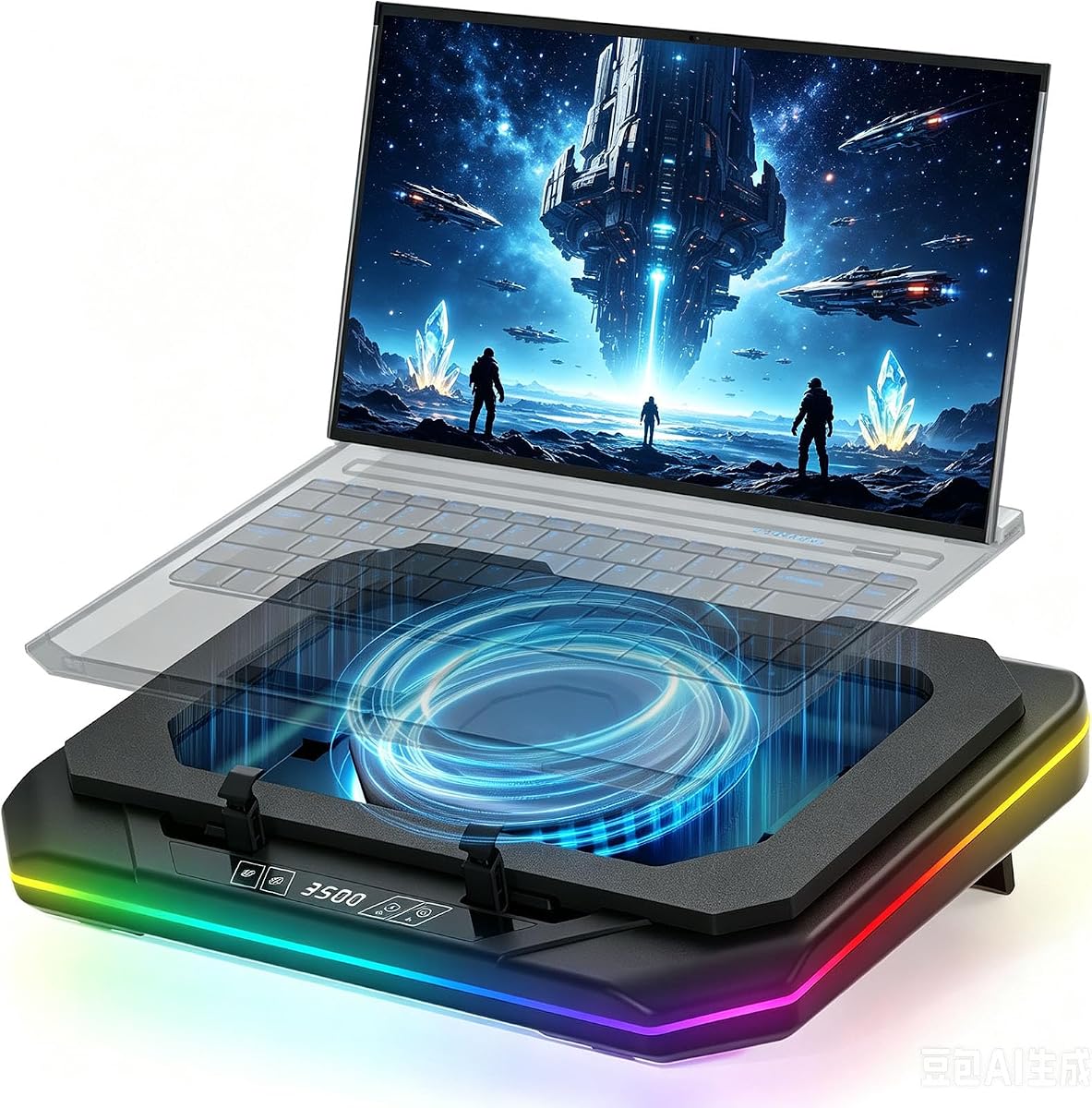
The super powerful turbofan runs between 800 and 3500 RPM reducing CPU and GPU temperatures by up to 40 degrees in just 90 seconds. Sealed wind pressure and RGB lighting add both function and style to your setup.
At maximum speed the noise can reach 60 dB which is louder than normal conversation so noise sensitive users should adjust settings carefully. The specialized fit means it works best with specific MSI models rather than universal laptops.
As a cooling fan for MSI Gaming Laptop it is unmatched for high load scenarios like gaming or rendering. It is ideal for serious gamers who prioritize performance and aesthetics over quiet operation.
Lab-tested performance shows a significant drop of up to 40 degrees in under two minutes of operation.
Six adjustable lighting modes create a cool gaming atmosphere that matches your desk setup perfectly.
We may earn a commission when you buy through this link, at no additional cost to you.
Designed specifically for the MSI Vector series this cooling pad delivers targeted thermal relief with a perfect 5 star rating. It shares the same powerful turbofan technology as other premium models ensuring rapid heat dissipation.
We may earn a commission when you buy through this link, at no additional cost to you.
The turbofan operates up to 3500 RPM with sealed wind pressure reducing temperatures by 40 degrees quickly. RGB lighting and USB hubs enhance the setup making it functional and visually appealing for gamers.
Noise levels can be high at maximum settings so you may need to adjust fan speed for quieter use. Compatibility is limited to specific MSI models which means you must verify fit before purchasing.
For MSI Vector owners this cooling fan for MSI Gaming Laptop is a top choice to maintain performance. It is best for users who want dedicated cooling for their specific device without compromise.
Engineered specifically for Vector models to ensure optimal airflow alignment with intake vents.
Runs up to 3500 RPM providing aggressive cooling for demanding gaming and creative workloads.
We may earn a commission when you buy through this link, at no additional cost to you.
The Kootek cooling pad offers versatile cooling with five quiet fans and a dual USB hub making it a practical choice for many laptops. Its 4.4 star rating confirms reliable performance and user satisfaction across different brands.
We may earn a commission when you buy through this link, at no additional cost to you.
With six adjustable height settings it doubles as an ergonomic stand improving posture during long sessions. The blue LED lights and dual USB hub add convenience while the universal design fits laptops from 12 to 17 inches.
While functional the build quality is standard plastic which may not feel as durable as metal alternatives. Lack of software control means you adjust via physical switches which is simple but offers less precision.
This cooling fan for MSI Gaming Laptop is great for general use where versatility matters more than specialized features. It is ideal for users who want multiple fan options and extra connectivity without high costs.
Five fans provide even coverage across the laptop surface reducing hot spots effectively during use.
Six height settings let you find the perfect angle for comfortable typing and viewing positions.
We may earn a commission when you buy through this link, at no additional cost to you.
The ChillCore cooling pad is designed for large laptops with nine fans and supports models up to 19.3 inches. Its 4.2 star rating indicates good performance though slightly less consistent than top rated competitors.
We may earn a commission when you buy through this link, at no additional cost to you.
An LCD display shows fan speed making control intuitive and the 8 height stands offer ergonomic flexibility. Ten RGB light modes add visual flair while the dual USB ports maintain connectivity for your peripherals.
The number of fans can increase bulk and weight which may affect portability. The lower rating compared to others might suggest some variance in build quality or cooling efficiency across different units.
For those with large gaming laptops this cooling fan for MSI Gaming Laptop offers extensive coverage and customization. It is a good choice for users who prioritize fan count and RGB aesthetics in their setup.
Nine fans ensure broad airflow coverage for larger 17 to 19 inch gaming laptops specifically.
Ten RGB modes and an intuitive display let you personalize lighting and fan control easily.
We may earn a commission when you buy through this link, at no additional cost to you.
The llano V12 Ultra brings intelligent thermal management with its Myth.cool software and AI temperature control features. Rated 4.5 stars it balances automated performance with manual adjustments for flexible cooling.
We may earn a commission when you buy through this link, at no additional cost to you.
The turbofan reaches up to 2800 RPM cutting CPU and GPU temps by up to 22C in 90 seconds. Three adjustable heights and a dust filter ensure comfort and longevity while RGB lighting adds style.
Using the software requires downloading updates which might deter users who prefer hardware only solutions. The higher price reflects the advanced features but budget shoppers might find simpler options more appealing.
This cooling fan for MSI Gaming Laptop is excellent for users who want automated cooling without manual tweaking. It suits professionals and gamers who value software integration and advanced thermal management features.
Myth.cool software auto adjusts fan speed based on workload providing efficient thermal management.
A dedicated 36W adapter ensures the turbofan runs at full speed without draining laptop battery.
We may earn a commission when you buy through this link, at no additional cost to you.
The llano V12 offers a robust design with a large turbofan and precise scroll wheel control for immediate adjustments. With a 4.4 star rating it provides solid cooling performance suitable for intense gaming sessions.
We may earn a commission when you buy through this link, at no additional cost to you.
Its turbofan reduces temps by up to 44C in 90 seconds while dust filtration extends laptop lifespan. The scroll wheel allows precise airflow adjustments and RGB lighting enhances the gaming aesthetic effectively.
While effective the noise can reach up to 70dB at high settings which may be noticeable in quiet environments. Also the USB ports are for data not charging so you still need a charger for power.
As a cooling fan for MSI Gaming Laptop this model is great for users who want direct physical control and durability. It is a strong pick for gamers who value build quality and quick adjustments during play.
The scroll wheel enables instant and precise adjustments to fan speed without needing software.
High density removable filters capture debris to prevent internal dust buildup over time.
We may earn a commission when you buy through this link, at no additional cost to you.
This cooling pad features a patented design that directs airflow efficiently reducing CPU and GPU temps by up to 20C. Rated 4.5 stars it is one of the quietest options with speeds as low as 35 dBA.
We may earn a commission when you buy through this link, at no additional cost to you.
You can adjust fan speed from 800 to 2600 RPM and it includes memory foam for gaming laptops or an active heat sink mode for ultrabooks. RGB lighting and USB ports add convenience without compromising performance.
Note that the USB-C cable is included but a wall charger is sold separately for full turbo power. This might be an inconvenience if you need immediate full speed cooling without checking accessories.
As a cooling fan for MSI Gaming Laptop it is excellent for those who prioritize quiet operation alongside performance. It is ideal for users who need a versatile pad for both work and gaming environments.
As low as 35 dBA ensures a noise-free environment even while providing significant cooling benefits.
Sealed foam for gaming laptops or remove it for active heat sink use with ultrabooks.
We may earn a commission when you buy through this link, at no additional cost to you.
The llano V12 cooling stand delivers reliable performance with a large turbofan and real-time LED display for monitoring. Its 4.4 star rating indicates consistent user satisfaction with cooling and build quality.
We may earn a commission when you buy through this link, at no additional cost to you.
Touch-sensitive buttons make adjustments instant and the LED display shows fan speed accurately. Included dust filter and non-slip baffles ensure protection and stability while the design fits laptops from 15 to 21 inches.
It lacks advanced features like software control or multiple RGB modes found in higher end models. While effective it is more basic in functionality which may limit customization for power users.
As a cooling fan for MSI Gaming Laptop it is a solid choice for users who want simplicity and durability. It is well suited for those who prefer straightforward cooling with minimal software or settings.
LED display provides accurate real-time fan speed so you can track performance at a glance.
The package includes an extra dust filter for convenience keeping your cooling system clean longer.
We may earn a commission when you buy through this link, at no additional cost to you.
Selecting the right cooling fan for MSI Gaming Laptop involves evaluating several technical aspects to ensure compatibility and performance. This guide breaks down the key factors to consider before purchasing.
Ensure the cooling fan for MSI Gaming Laptop supports your exact laptop size and intake vents. Universal models work for many but specialized pads align better with MSI specific vents for efficiency.
Check dimensions and weight limits to confirm the pad fits your desk and laptop securely.
Higher RPM generally means better cooling but also more noise. Look for adjustable speeds so you can balance performance and quietness based on your current task.
Prioritize models with variable speed controls for flexible use across different scenarios.
If you work in quiet environments or prefer minimal distraction look for fans rated below 35 to 40 dB. High performance pads can reach 60 dB which is noticeable during conversations.
Check decibel ratings to ensure the noise level matches your comfort and environment needs.
Cooling fans often double as stands so adjustable height settings are valuable for posture. Look for options with multiple angle adjustments to reduce strain on your neck and back.
Select a model with adjustable tilt to find the most comfortable viewing angle.
Many pads require dedicated power adapters while others run via USB. USB powered units are convenient but may not deliver full turbo speeds without a strong port or wall adapter.
Confirm power requirements match your laptop and outlet availability for optimal performance.
A built-in dust filter can significantly extend the life of both the cooler and your laptop. Removable filters allow for easy cleaning and maintenance over time.
Look for models with high-density removable filters to keep airflow clear.
Metal construction offers better durability and stability compared to plastic. Check for sturdy frames and non-slip pads to prevent your laptop from sliding during use.
Prioritize robust materials if you need a long lasting and reliable cooling solution.
USB hubs and RGB lighting add convenience and style but may increase cost. Decide if these extras are worth the price for your specific needs before purchasing.
Evaluate whether hubs and lighting add real value to your setup before buying.
Place the cooling fan on a flat stable surface and align your laptop intake vents with the fan's airflow direction. Ensure there is enough clearance around the edges for optimal air circulation.
Use the USB or power adapter to connect the pad and turn on the fan. Adjust the height and angle for your comfort then set the fan speed based on current workload and noise preferences.
Regularly clean the dust filter with a soft brush or vacuum to maintain performance. Check that the laptop sits securely and adjust if you notice slipping or instability during heavy use.
Most cooling fans are universal and work with laptops from various brands. However specialized pads designed specifically for MSI models may have better alignment with vents and performance for those devices.
Depending on the model and conditions a quality cooling fan can reduce CPU and GPU temperatures by 20 to 40 degrees. Results vary based on ambient room temperature and laptop load.
A wall adapter typically provides more consistent power allowing the fans to run at full speed without draining your laptop battery. USB power is convenient for portability but may limit fan performance.
Cleaning the dust filter every two to four weeks is recommended to maintain airflow and cooling efficiency. Frequency depends on your environment and how much dust is present in the air.
Some cooling fans can be loud at maximum speed but many offer adjustable settings. Choose models with variable speeds and lower decibel ratings to minimize noise during gaming sessions.
Yes keeping your laptop cool reduces thermal stress on internal components which can extend their lifespan. Consistent cooling prevents overheating and may reduce long term hardware degradation.
Choosing the right cooling fan for MSI Gaming Laptop requires balancing performance compatibility and noise. Our top picks like the Razer and llano pads offer premium features while options like havit provide budget friendly solutions.
Consider your specific needs such as silent operation or maximum cooling power when making a decision. Prioritize models that fit your laptop size and offer adjustable settings for flexibility.
Prices and availability can change so review the current details before finalizing your purchase. Select the cooling fan that best matches your workflow and budget for optimal long term performance.