
Inwa Computer Speakers
4.2Editor score
Compact clip-on design
USB powered simplicity
Clear stereo sound output
This guide compares the top clip on speakers for laptop users, evaluating sound quality, connectivity, and ease of use to help you find the perfect audio
Finding the right clip on speakers for laptop can transform your audio experience without cluttering your workspace. These compact devices attach directly to your monitor or laptop screen, delivering enhanced sound while saving valuable desk space for your daily tasks.
We evaluated ten top-rated models based on sound quality, connectivity options, build durability, and ease of installation. Our comparison focuses on real-world performance for office work, gaming, and media consumption across various operating systems and monitor types.
Each pick highlights key strengths and potential limitations to help you match the right speaker to your specific needs. Keep in mind that product availability and pricing can change frequently, so always check the latest details before making your final purchase decision.
4.2Editor score

4.5Editor score

4.2Editor score
The following table provides a side-by-side comparison of all ten products featured in this guide, highlighting their core specifications and key features to help you quickly identify the best fit for your setup.


This clip on speaker delivers a balanced audio experience with clear highs and solid bass thanks to its dual passive radiators. It earns our top spot for its innovative adaptive channel switching that ensures left and right audio remain correct regardless of mounting position.
We may earn a commission when you buy through this link, at no additional cost to you.
The touch control interface offers a modern feel compared to traditional knobs, allowing quick volume adjustments and muting. Its USB-C adapter ensures compatibility with newer laptops that lack standard USB-A ports, making it versatile for Mac and Windows users alike.
While it lacks wireless connectivity, the wired design ensures zero latency for video calls and media playback. The only minor trade-off is the reliance on a USB port which might be limited on some ultrabooks without hubs.
This model is ideal for professionals who need reliable sound without desk clutter. Its ability to clip securely on monitors while providing rich audio makes it a top recommendation for home office setups.
The built-in G-sensor automatically detects if the speaker is mounted on top or bottom of the monitor and adjusts audio channels accordingly.
Includes a USB-C adapter to support newer devices like MacBooks and iPads without needing additional dongles or converters.
We may earn a commission when you buy through this link, at no additional cost to you.
OHAYO stands out as a premium choice with dual Bluetooth and USB connectivity allowing flexible setup options for different environments. Its G-sensor technology ensures perfect stereo imaging while the included microphone supports clear communication during online meetings.
We may earn a commission when you buy through this link, at no additional cost to you.
The RGB lighting adds a customizable aesthetic touch with five modes that sync with audio rhythm. This feature enhances gaming or entertainment setups without compromising audio quality. The volume roller provides precise control from zero to one hundred percent.
While it requires USB power even in Bluetooth mode which limits portability slightly the sound quality remains consistent with sixteen watts of output. The price reflects the extra features but justifies the investment for users wanting both style and function.
This speaker is perfect for gamers and streamers who want visual flair alongside quality audio. Its versatility in connecting to both wired and wireless sources makes it a robust solution for multi-device workflows.
Switch easily between Bluetooth for wireless streaming and USB mode for stable wired connections with a simple button press.
Choose from five RGB modes including off option to match your workspace ambiance or highlight your gaming setup.
We may earn a commission when you buy through this link, at no additional cost to you.
Inwa offers excellent value with a straightforward design that focuses on delivering clear audio without unnecessary frills. Its spring clip mechanism attaches securely to most monitors while the three button controls make volume adjustments quick and intuitive.
We may earn a commission when you buy through this link, at no additional cost to you.
With ten watts of power this compact speaker delivers surprisingly loud sound suitable for small offices or home desks. The USB powered setup means no extra batteries are needed keeping your workspace clean and organized without extra cables.
The build quality feels sturdy despite the lower price point ensuring longevity for daily use. While it lacks advanced features like Bluetooth or RGB lighting it covers all the essentials for users prioritizing function over form.
This model is best for students or budget-conscious buyers needing reliable laptop audio. Its simplicity and ease of use make it a practical choice for anyone upgrading from built-in laptop speakers.
Enjoy loud stereo sound and easy controls without paying for premium features you might not need.
The spring clip grips monitors up to one point one eight inches thick keeping the speaker stable during use.
We may earn a commission when you buy through this link, at no additional cost to you.
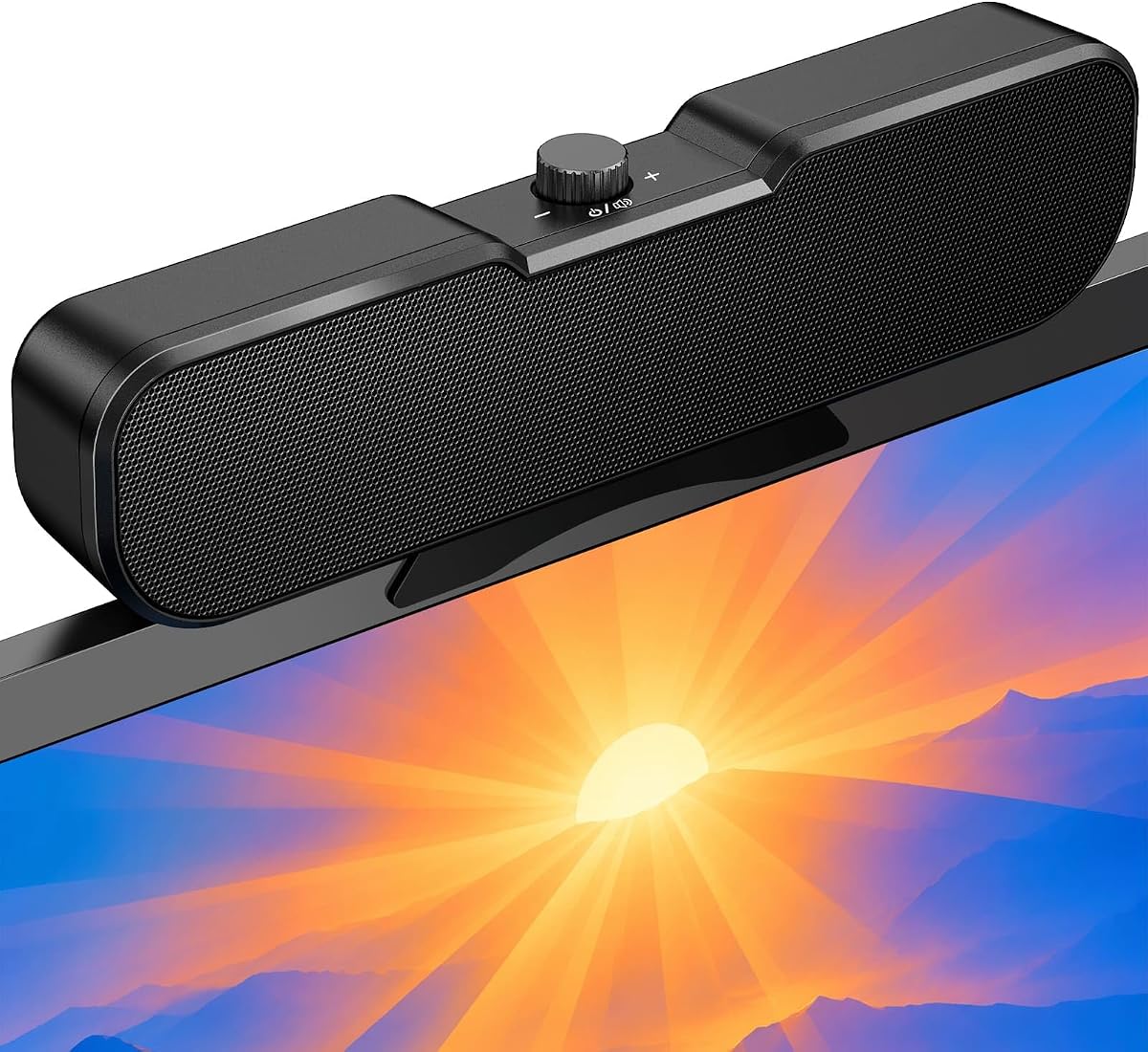
Cirqon emphasizes simplicity with a single volume knob that handles power and audio adjustments making it very user friendly. The sturdy clamp ensures the speaker stays put on your monitor while the compact design saves valuable desk space effectively.
We may earn a commission when you buy through this link, at no additional cost to you.
Its USB and USB-C compatibility covers a wide range of devices from laptops to tablets without needing extra adapters. The cable tie included keeps your workspace organized by managing the wire length neatly without loose ends.
While it lacks extra features like RGB or Bluetooth the sound remains clear and distortion free even at high volumes. The trade-off is fewer controls but many users prefer straightforward operation over complex menus.
This speaker is ideal for users who want a plug-and-play experience without learning curves. Its focus on core audio performance and easy adjustment makes it a solid choice for general office use.
Power on and adjust volume with one twist saving you from fumbling with multiple buttons during use.
Includes USB-C adapter to work seamlessly with modern laptops and older PCs alike.
We may earn a commission when you buy through this link, at no additional cost to you.
This model prioritizes audio fidelity with dual super-magnetic drivers and a passive radiator that deliver deep bass and clear highs. Its plug-and-play simplicity means you spend less time setting up and more time enjoying your content.
We may earn a commission when you buy through this link, at no additional cost to you.
The absence of physical volume buttons encourages you to use system controls which streamlines the interface on your desk. This design choice keeps the speaker profile minimal and maintains a clean look on your monitor edge.
While adjusting volume via software might feel less direct the sound quality compensates with consistent performance across different file types. It works well for media consumption where audio balance matters more than quick muting.
Ideal for music lovers and podcast listeners this speaker offers premium sound at a mid-range price. Its USB-C adapter ensures it fits modern laptops while the clip mount keeps it out of the way.
Passive radiators amplify low frequencies for a fuller audio experience even in small speakers.
No extra buttons mean a cleaner look and reliance on system volume for control.
We may earn a commission when you buy through this link, at no additional cost to you.
This speaker excels in user control with a dedicated mute button and a smooth volume wheel that offers precise adjustments. Its spring-loaded clip fits a wider range of monitor thicknesses making it compatible with more setups than average.
We may earn a commission when you buy through this link, at no additional cost to you.
Compatibility extends to iPhones and iPads via the included Type-C adapter which is rare for monitor speakers. This broad device support ensures you can use it across your entire ecosystem without swapping cables constantly.
The tactile feedback from the volume wheel improves usability compared to touch buttons that can be finicky. While wired only the cable management is handled well with a standard length that fits most desk layouts.
Perfect for Mac users and those who need quick muting during calls this model balances functionality and design. Its robust clip and wide compatibility make it a reliable choice for diverse work environments.
Press the M-button to mute instantly during conference calls without navigating system menus.
Supports iPhone and iPad connectivity via Type-C so you can share sound across devices.
We may earn a commission when you buy through this link, at no additional cost to you.
Inwa's narrow clip sits flush with your monitor edge ensuring it does not block your view during use. The adjustable angle feature lets you direct sound precisely toward you which enhances the listening experience significantly.
We may earn a commission when you buy through this link, at no additional cost to you.
With one-touch controls for power and volume it keeps the top panel uncluttered and easy to access. The 5W drivers deliver balanced audio that is sufficient for speech and light media playback without distortion.
The USB to USB-C adapter ensures modern laptop compatibility while the slim design saves space on crowded desks. While it lacks high power output it compensates with clear mids and highs perfect for calls.
This model is best for minimalists who want audio without visual intrusion. Its focus on ergonomics and clear communication makes it ideal for video conferencing and text-based work.
Adjust the angle to direct sound exactly where you need it for better listening without moving the speaker.
Ultra narrow clip ensures your screen remains unobstructed while keeping the speaker stable.
We may earn a commission when you buy through this link, at no additional cost to you.
This speaker uses adaptive technology to ensure audio channels stay correct regardless of where you clip it. The deep bass provided by passive radiators adds depth to movies and music making it more immersive than typical laptop speakers.
We may earn a commission when you buy through this link, at no additional cost to you.
Touch controls offer a sleek modern interaction style that is responsive and easy to use even in the dark. The USB-C adapter broadens compatibility significantly allowing use with newer MacBooks and Android tablets without extra gear.
While it requires up-to-date drivers for optimal performance most users report smooth operation after initial setup. The only limitation is the reliance on a wired USB connection which reduces portability compared to Bluetooth options.
Best for users who move the speaker between top and bottom of their monitor frequently this model adapts instantly. Its rich sound and easy controls make it a reliable choice for daily media consumption.
Sensor detects mounting position and swaps audio channels automatically so left and right stay correct.
Passive radiators boost low-end frequencies so bass hits harder even in a small form factor.
We may earn a commission when you buy through this link, at no additional cost to you.
OHAYO combines the best of both worlds with seamless switching between Bluetooth and wired modes. The G-sensor ensures stereo imaging stays accurate no matter how you clip it while the microphone supports clear two-way communication.
We may earn a commission when you buy through this link, at no additional cost to you.
Its RGB lighting modes sync with audio to create an engaging visual experience that adds life to your workspace. The volume roller allows precise control from silent to max without sudden jumps in loudness.
While USB power is required even in Bluetooth mode ensuring stable transmission the sound quality remains consistent and reliable. The price reflects the feature set but offers great value for those needing versatile connectivity.
Ideal for multimedia users and professionals who switch devices often this speaker handles it all. Its robust feature set and reliable performance make it a top pick for modern office setups.
Long press the mode button to toggle between Bluetooth streaming and wired PC use effortlessly.
RGB light bar pulses with audio rhythm adding a dynamic element to your gaming or music time.
We may earn a commission when you buy through this link, at no additional cost to you.
Cirqon focuses on getting sound out quickly with a single knob for power and volume that is easy to locate. The sturdy clamp fits securely on most monitors and allows the speaker to stand independently if needed.
We may earn a commission when you buy through this link, at no additional cost to you.
Its USB-C adapter ensures it works with modern laptops right out of the box without drivers. The compact footprint keeps your desk tidy while the cable tie helps manage slack for a clean look.
Sound is clear and loud enough for daily tasks though it lacks the bass depth of more expensive models. The simplicity means fewer points of failure which is great for long-term reliability and budget users.
Best for users who prioritize ease of setup over features this speaker delivers solid performance. Its straightforward design and reliable build make it a practical choice for home or office desks.
Plug in and use immediately without installing drivers or configuring settings in your system.
Upgraded non-slip grip holds firm on monitors up to zero point nine eight inches thick.
We may earn a commission when you buy through this link, at no additional cost to you.
Selecting the right clip on speakers involves balancing sound quality, connectivity options, and mounting compatibility to fit your specific laptop setup.
Look for speakers with dual drivers and passive radiators to ensure clear highs and deep bass. Higher wattage ratings generally mean louder volume without distortion which is crucial for larger rooms or noisy offices.
Prioritize models with at least ten watts of power for satisfying audio that outperforms built-in laptop speakers.
Choose between USB-only models for stability and Bluetooth options for wireless flexibility. USB ensures zero latency which is ideal for gaming and video calls while Bluetooth allows device switching without cables.
If you switch between devices often select a hybrid model that supports both USB and Bluetooth for maximum versatility.
Check the clamp thickness range to ensure it fits your monitor or laptop edge. Some clips work best on curved screens while others are designed for flat profiles up to one inch thick.
Ensure the clip has silicone pads to prevent scratches and provide a secure grip during daily use.
Physical knobs or buttons allow quick volume adjustments without interrupting your workflow. Touch controls offer a modern feel but may be less precise than mechanical options for fine-tuning volume.
Models with mute buttons are especially helpful for professionals who join frequent video conferences and need privacy.
Modern laptops often lack USB-A ports so verify the speaker includes a USB-C adapter or supports Type-C directly. This ensures compatibility with MacBooks iPads and newer Android devices without extra dongles.
Check that the speaker supports your operating system whether Windows macOS or Linux for plug-and-play functionality.
Sturdy clamps and reinforced joints prevent damage when attaching or detaching the speaker from your monitor. A lightweight design reduces strain on your screen while still feeling solid to the touch.
Look for brands offering technical support or warranties to ensure long-term reliability and quick issue resolution.
Some models offer RGB lighting to match your setup style while others keep a minimalist look. RGB should not distract during work but can enhance gaming or entertainment environments effectively.
Decide if visual flair matters to you or if a simple black design better suits your workspace.
Compare features relative to price to ensure you are not overpaying for unnecessary extras. A lifetime support promise or product guarantee adds confidence to your purchase decision.
Focus on core audio performance and mounting stability over aesthetic features unless those specifically enhance your experience.
Attach the speaker to your monitor or laptop edge using the clip ensuring the silicone pads face the surface for grip. Test stability before placing heavy objects near it to prevent tipping.
Connect the USB cable to your computer and verify audio settings recognize the new playback device. Adjust system volume to fifty percent then use the speaker controls for fine-tuning to avoid distortion.
Clean the speaker with a soft dry cloth regularly to remove dust and maintain sound quality. Store it in a safe place if removing it frequently to prevent wear on the clip mechanism.
Most models support standard flat monitors up to one inch thick but some curved screens may not clamp securely. Always check the specified thickness range before purchasing to ensure a firm fit on your display.
No most clip on speakers are plug-and-play devices that work immediately after connecting to a USB port. Just ensure your computer's audio drivers are up to date for optimal performance.
Some models offer Bluetooth connectivity for wireless use while others require a wired USB connection. Check the product details to confirm if wireless support is included in the model you choose.
Clip on speakers are designed to sit on the edge of the monitor so they do not obstruct your view. Ultra-narrow models ensure even less visual impact during regular use.
Volume can be adjusted via physical knobs buttons or wheels on the speaker itself. Some models rely on system volume controls so check the product features for direct control options.
Yes many models include USB-C adapters to support MacBooks and iPads without extra gear. Verify the compatibility list to ensure it works with your specific device model.
It is not recommended to clip onto thin laptop screens as it may cause tipping or damage. Use these speakers with external monitors or desktop setups for safe and stable mounting.
Check your system audio mixer to ensure the correct playback device is selected. Also adjust the speaker controls and ensure the USB port is providing sufficient power for operation.
The OHAYO Computer Speakers lead as the top pick for their dual connectivity and rich audio features ideal for diverse needs. Inwa offers a budget-friendly option with clear sound while Cirqon delivers ease of use for daily tasks.
Prioritize sound quality and mounting fit when selecting your model to ensure a smooth integration with your current setup. Consider whether you need wireless options or physical controls based on your workflow demands.
Remember to verify your monitor thickness and port availability before purchasing to avoid compatibility issues. Check current availability as models may update or change features over time.