
YUNZII B98 PRO
4.8Editor score
QMK VIA Customization
8000mAh Battery Life
Gasket Mount Structure
Discover the 10 best creamy keyboards for 2026. We compare top wireless and mechanical models for sound quality, build, and features to find your perfect
Creamy keyboards have become a staple for enthusiasts seeking a smooth typing sound and feel. These devices combine gasket mounts and lubricated switches to deliver a satisfying thock that reduces fatigue. Whether you game or type daily, finding the right model matters for comfort and productivity.
We evaluated ten top-rated models based on build quality, connectivity, and sound profile. Our comparison includes wireless options with tri-mode support and hot-swappable designs for customization. Each product was assessed for its ability to deliver that coveted creamy sound without sacrificing durability or performance.
This guide highlights key features like battery life, RGB lighting, and layout options. You will see detailed pros and cons to help you decide quickly. Note that prices and availability can change, so verify current details before making your final purchase decision online today.
4.8Editor score

4.6Editor score

4.6Editor score
This side-by-side comparison details the specifications of all ten selected keyboards. We focus on layout, connectivity, and switch types to help you choose the right model for your needs.




The AULA F75 is a standout choice for those seeking a creamy mechanical feel without breaking the bank. With a 4.6 rating, it delivers a balanced performance that fits both work and gaming scenarios effectively.
We may earn a commission when you buy through this link, at no additional cost to you.
Its tri-mode connectivity allows seamless switching between devices, while the pre-lubed switches ensure a smooth typing experience. The gasket mount design contributes significantly to the desired sound profile and comfort.
While the driver software is necessary for full customization, the interface is intuitive enough for most users. The battery life remains solid even with RGB enabled, making it a reliable daily driver.
This keyboard is ideal for users who value customization and connectivity. If you need a versatile board that sounds great and connects to multiple devices, the AULA F75 is a strong recommendation.
The pre-lubed linear switches provide a consistent and smooth keystroke that reduces finger fatigue during long typing sessions.
Supporting Bluetooth 5.0, 2.4GHz, and USB-C ensures you can connect to almost any device without latency issues.
We may earn a commission when you buy through this link, at no additional cost to you.
The YUNZII B98 PRO offers top-tier features for enthusiasts who demand deep customization and premium build quality. Its 4.8 rating reflects the high standard of engineering and user satisfaction it achieves.
We may earn a commission when you buy through this link, at no additional cost to you.
Powered by QMK/VIA firmware, this keyboard allows for extensive remapping and macro creation. The gasket mount and internal filling create a rich, creamy sound that is consistent across all keys.
The 8000mAh battery is a significant advantage, ensuring weeks of use between charges. While the price is higher, the features justify the cost for power users who need reliability.
This model is perfect for advanced users who want full control over their setup. If you prioritize sound quality and battery life, the YUNZII B98 PRO is the ultimate choice.
QMK and VIA support mean you can create complex layers and macros that adapt to your specific workflow needs.
The large battery capacity ensures uninterrupted sessions, reducing the need for frequent charging cycles.
We may earn a commission when you buy through this link, at no additional cost to you.
The HUO JI E-Yooso proves that a great creamy experience does not require a high price tag. With a 4.6 rating, it delivers solid performance for its cost category effectively.
We may earn a commission when you buy through this link, at no additional cost to you.
It features a gasket structure with sound-absorbing foams that significantly reduce cavity noise. The hot-swappable PCB allows you to experiment with different switches without soldering.
The lack of wireless connectivity is the main trade-off, but the performance remains strong for desk-bound users. The build quality is robust enough to withstand daily heavy use.
This keyboard is excellent for those on a budget who still want a custom feel. If you do not need wireless features, this offers exceptional value.
Five layers of foams work together to eliminate hollow sounds, leaving a pure and satisfying typing noise.
The hot-swappable design means you can change switches to adjust the feel or sound of your keyboard easily.
We may earn a commission when you buy through this link, at no additional cost to you.
The AULA S99 focuses on functionality with a robust macro system designed for gamers and productivity users. Its 4.2 rating highlights its strengths in programmability rather than mechanical feel.
We may earn a commission when you buy through this link, at no additional cost to you.
It supports full-key macro customization which allows complex actions to be triggered with a single click. The dual-mode knob adds convenience for volume and lighting control during tasks.
While it uses a membrane switch rather than mechanical, the wireless connectivity is reliable for general use. The ergonomic stand helps reduce wrist strain during long work sessions.
This keyboard is best for users who prioritize macro programming over mechanical switches. If you need specific shortcut functionality, the S99 is a practical solution.
Recording complex command sequences to a single key streamlines workflows in games and professional software.
Support for Bluetooth and wireless dongles ensures you can switch between devices without physical cables.
We may earn a commission when you buy through this link, at no additional cost to you.
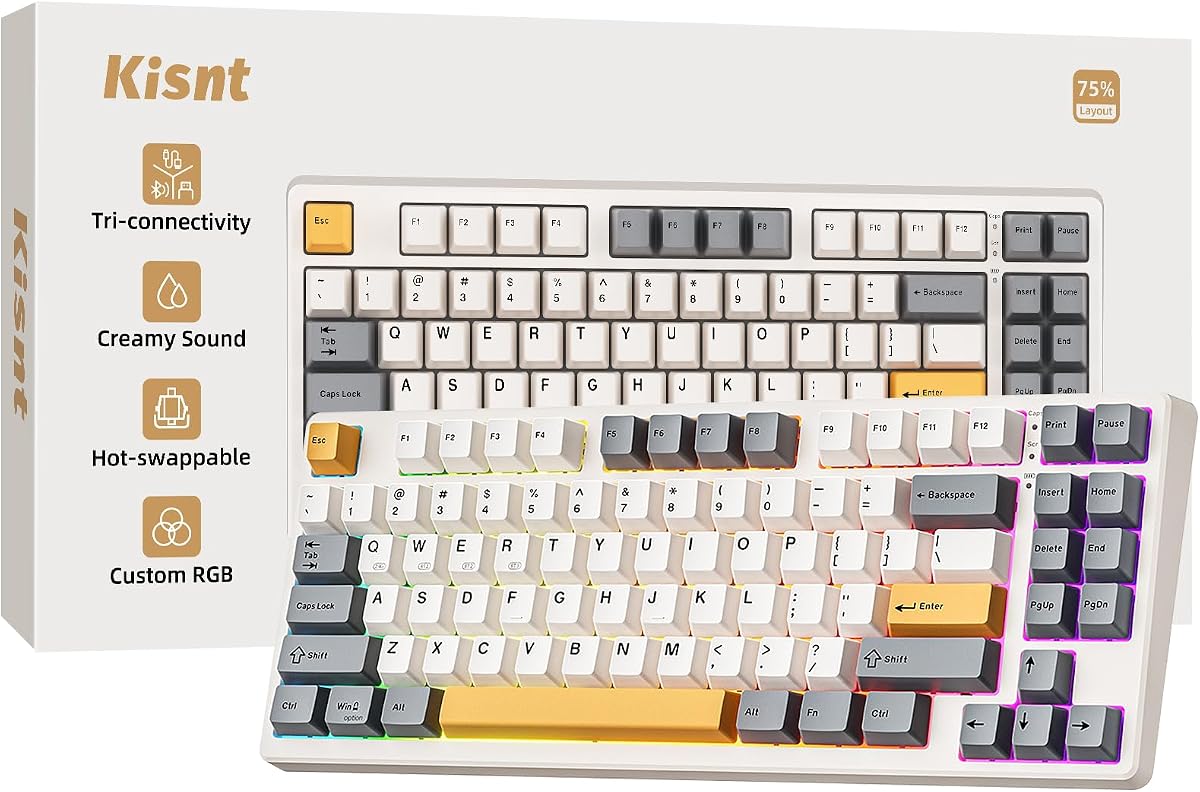
The Kisnt KN85 is designed for users who want a compact footprint without sacrificing key features. Its 4.6 rating reflects its appeal to those seeking a clean desk setup.
We may earn a commission when you buy through this link, at no additional cost to you.
The gasket mount design dampens vibrations to produce a soft, mellow sound suitable for shared spaces. The tri-mode connectivity allows seamless integration into mixed device environments.
While it lacks a number pad, the space saving is significant for mouse movement. The battery life remains robust even with RGB enabled for visual appeal.
This keyboard is perfect for those with limited desk space or minimalists. If you need a portable yet powerful board, the KN85 is a great fit.
Removing the numpad frees up room for large mouse movements which benefits gaming and design work.
The linear switches and gasket mount work together to ensure the keyboard remains quiet during use.
We may earn a commission when you buy through this link, at no additional cost to you.
The Redragon K745 PRO brings gasket mount technology to a full-size keyboard which is rare at this price. Its 4.6 rating shows strong performance in sound and build quality.
We may earn a commission when you buy through this link, at no additional cost to you.
Four extra hotkeys provide quick access to functions like mute or calculator, enhancing productivity. The see-through PBT keycaps allow RGB to shine through without looking cheap.
The tri-mode connectivity ensures you can use it with PC, tablet, or phone as needed. While it takes up space, the comfort and sound are superior to standard boards.
This is ideal for users who need a full layout but want a modern feel. If you require a number pad and sound quality, this is a strong choice.
PBT keycaps prevent shine and greasy build-up over time ensuring the board looks new longer.
Five layers of damping pads soften the typing experience to reduce wrist fatigue effectively.
We may earn a commission when you buy through this link, at no additional cost to you.
The SOLAKAKA A99 Pro stands out with an LCD screen that displays real-time status like battery and time. With a 4.5 rating, it combines practicality with a rich typing experience.
We may earn a commission when you buy through this link, at no additional cost to you.
The metal knob allows easy adjustment of volume and settings without navigating complex menus. The hot-swappable design ensures you can customize the switches to your liking easily.
While the driver needs a wired connection, the setup process is straightforward. The battery life is substantial allowing for long wireless usage without interruption.
This keyboard is best for users who want visual feedback and control. If you need detailed stats and a unique interface, the A99 Pro delivers well.
The display shows system info quickly so you can adjust settings without opening extra applications.
Using a web driver simplifies the customization process without requiring large software installations.
We may earn a commission when you buy through this link, at no additional cost to you.
The AULA 99 Key Pink focuses on aesthetic appeal with a design that fits modern setups. Its 4.2 rating reflects its popularity among users who value style and affordability.
We may earn a commission when you buy through this link, at no additional cost to you.
It includes a dual-mode rotary knob for controlling volume and lighting modes easily. The RGB lighting adds a visual flair that enhances the overall desk vibe.
Although it uses membrane switches, the wireless connectivity is reliable for general tasks. The compact layout saves space while retaining essential keys for work.
This keyboard is ideal for users prioritizing style and budget. If you need a pink board with essential features, this is a solid option.
The pink design and RGB lighting create a cohesive and attractive desk aesthetic for creative users.
The rotary knob provides quick access to lighting changes without needing software or complex key combos.
We may earn a commission when you buy through this link, at no additional cost to you.
The AULA F75 White & Blue offers distinct switch options for a customized feel. With a 4.6 rating, it matches the performance of other top models in the lineup.
We may earn a commission when you buy through this link, at no additional cost to you.
Pre-lubed Reaper switches provide a smooth and creamy sound right out of the box. The tri-mode connectivity ensures compatibility with various devices and usage scenarios.
The battery life is good but may need charging if RGB is used heavily. The macro support allows for efficient workflow improvements in complex tasks.
This is a great choice for users who like variety and customization. If you need a compact board with flexible options, this model fits well.
Factory lubed switches reduce friction and noise for a premium typing experience immediately.
The 75% layout keeps essential keys like arrows while saving significant desk space for mouse movement.
We may earn a commission when you buy through this link, at no additional cost to you.
The Redragon K768 PRO focuses on endurance with a battery that lasts significantly longer than rivals. Its 4.8 rating reflects strong user satisfaction with its power and comfort.
We may earn a commission when you buy through this link, at no additional cost to you.
One-knob simplicity allows you to manage media and lighting without memorizing key combos. The gasket mount structure ensures a soft typing feel during long sessions.
The PBT keycaps resist fading and shine over time ensuring the keyboard remains durable. While it lacks a full numpad, the layout is balanced for general use.
This keyboard is perfect for those who hate charging often. If battery life and simplicity are your priorities, the K768 PRO is a top choice.
The large battery ensures days or weeks of wireless use without needing a power cable.
PBT keycaps and gasket build provide longevity and a premium feel for daily use.
We may earn a commission when you buy through this link, at no additional cost to you.
Selecting the right keyboard involves evaluating several key factors to match your needs. This section explains what to look for when choosing a creamy keyboard.
Mechanical switches define the typing experience significantly. Linear switches offer a smooth path without tactile bumps which is ideal for a creamy feel. Tactile switches may provide feedback but often feel heavier. Look for pre-lubed options to ensure the smoothest ride possible without needing modifications.
Always check if the switches are factory lubed to avoid extra work.
Tri-mode connectivity provides flexibility by supporting Bluetooth, 2.4GHz wireless, and wired USB-C. This allows you to connect to multiple devices like PCs and phones easily. Wired mode ensures zero latency for gaming while wireless offers convenience for office use.
Prioritize tri-mode support if you switch between devices frequently.
The keyboard layout affects how much desk space you save. A 75% layout keeps arrow keys but removes the numpad for a compact fit. A 96% layout retains the numpad in a smaller frame. Full-size boards offer the most keys but take up room.
Choose based on whether you need a number pad or more mouse space.
Hot-swappable keyboards let you change switches without soldering. This feature is essential for enthusiasts who want to test different switch types later. It extends the lifespan of the board as you can replace worn parts easily.
Ensure the PCB supports both 3-pin and 5-pin switches for maximum compatibility.
Wireless keyboards need a reliable battery to function properly. Models with 8000mAh batteries last much longer than those with 4000mAh. Look for capacity specs that match your usage habits if you dislike frequent charging.
Higher capacity is better for long uninterrupted sessions.
Gasket mount construction helps achieve the desired creamy sound by isolating the plate. Layers of foam or silicon inside the case reduce hollow noises effectively. Metal or heavy cases also contribute to a premium feel and stability.
Look for mentions of internal dampening or gasket mounts in the description.
RGB lighting adds aesthetic value to your desk setup. Some models offer per-key customization while others have preset modes. Brightness controls are helpful if you use the keyboard in dark environments.
Be aware that RGB usage can reduce battery life in wireless models.
Programming software allows you to remap keys and create macros for efficiency. QMK or VIA support offers deep customization for advanced users. Check if the driver is web-based or requires a large download.
Choose a board with software you find easy to use.
Clean your keyboard regularly by turning it upside down to remove dust. Use a soft brush to clean between the keys gently. Avoid using harsh chemicals that might damage the plastic or coatings.
For wireless models, keep the device charged to maintain connectivity. If you do not use it for long periods, turn it off to preserve battery life. Recharge it using the included cable to avoid damage.
Avoid eating over the keyboard to prevent crumbs from getting inside. If keys feel sticky, check for debris and clean them carefully. Regular maintenance ensures the board stays responsive and durable.
A creamy sound is achieved through a combination of gasket mounts and internal dampening. These elements reduce vibration and hollow noise. Lubricated switches also smooth out the keystroke to create a consistent tone.
Yes, modern wireless keyboards with 2.4GHz connectivity offer low latency comparable to wired models. They work well for most games provided the battery is charged. For competitive play, ensure the mode is set correctly.
A hot-swappable keyboard allows you to replace switches without soldering. This means you can easily change the feel or sound of the board. It is a great feature for those who want to experiment.
A wrist rest can help prevent strain during long typing sessions. It provides a comfortable surface for your wrists to rest on. While not mandatory, it is recommended for ergonomic setups.
Enter pairing mode by holding the Bluetooth key combination on the board. Then select the keyboard name on your device list. Ensure the keyboard is powered on and within range for connection.
Most models in this list have standard stem switches which allow keycap changes. Check the stem type before buying new caps. PBT keycaps are recommended for better texture and durability.
Lag may occur if the battery is low or the wireless signal is weak. Try switching to wired mode or moving closer to the receiver. Ensure no interference exists from other wireless devices nearby.
Mechanical keyboards can be loud depending on the switch type. Linear switches are generally quieter than tactile ones. Using a gasket mount can also reduce noise significantly.
We have reviewed ten top models that offer the creamy typing experience enthusiasts crave. Whether you prefer the AULA F75 for its value or the YUNZII B98 PRO for its premium features, there is a fit for everyone.
Prioritize your needs like battery life, layout, or connectivity before making a decision. If sound quality is your main focus, look for gasket mounts and pre-lubed switches. Customization options also play a major role in satisfaction.
Remember to verify current prices and availability as they can change. These keyboards offer a great balance of performance and cost for daily use. Investing in the right model will improve your typing experience significantly.