
Overhead Camera Mount Desk Stand
4.4Editor score
Includes C clamp and phone holder
360 degree adjustable ball head
High quality steel and ABS build
Finding the right clamp on webcam arm can transform your workspace by providing flexible viewing angles and saving valuable desk space for remote work or content creation.
We compared ten leading models based on build quality, clamp strength, arm length, and compatibility with popular webcams and action cameras to ensure reliable performance.
Each pick highlights key features and trade-offs so you can make an informed decision while keeping in mind that availability and shipping terms may change over time.
4.4Editor score

5.0Editor score

4.5Editor score
As an Amazon Associate we earn from qualifying purchases.
The following table offers a side by side comparison of key specifications and features across all ten models to help you quickly identify the best fit for your needs.
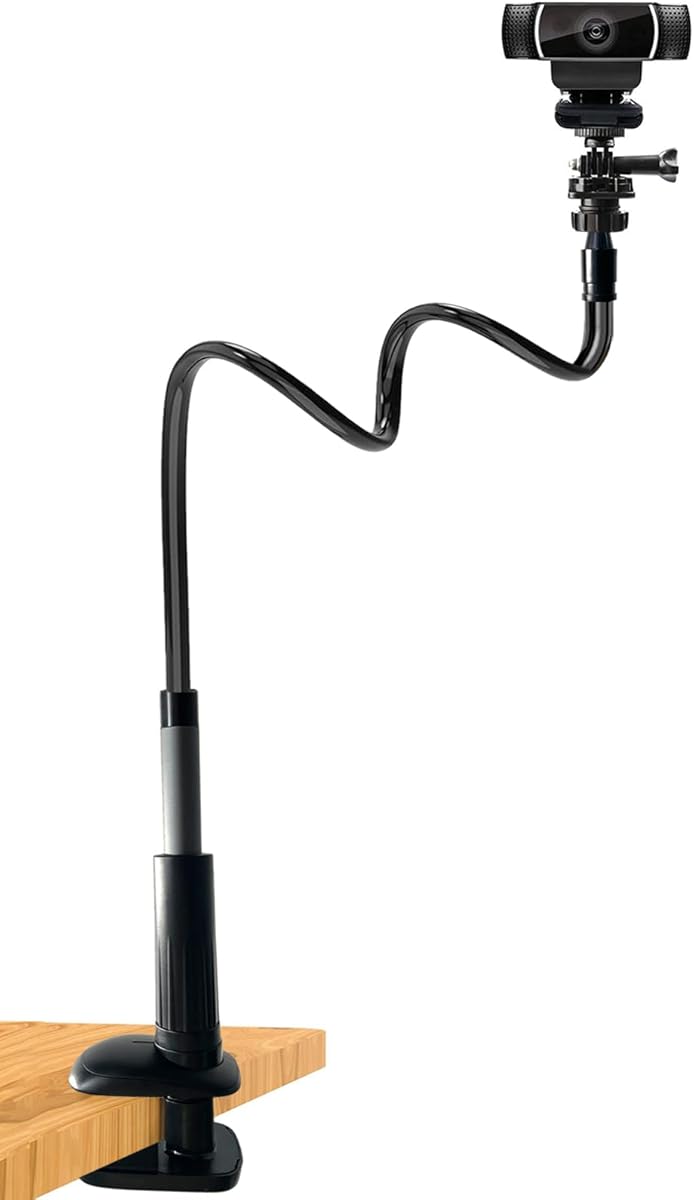


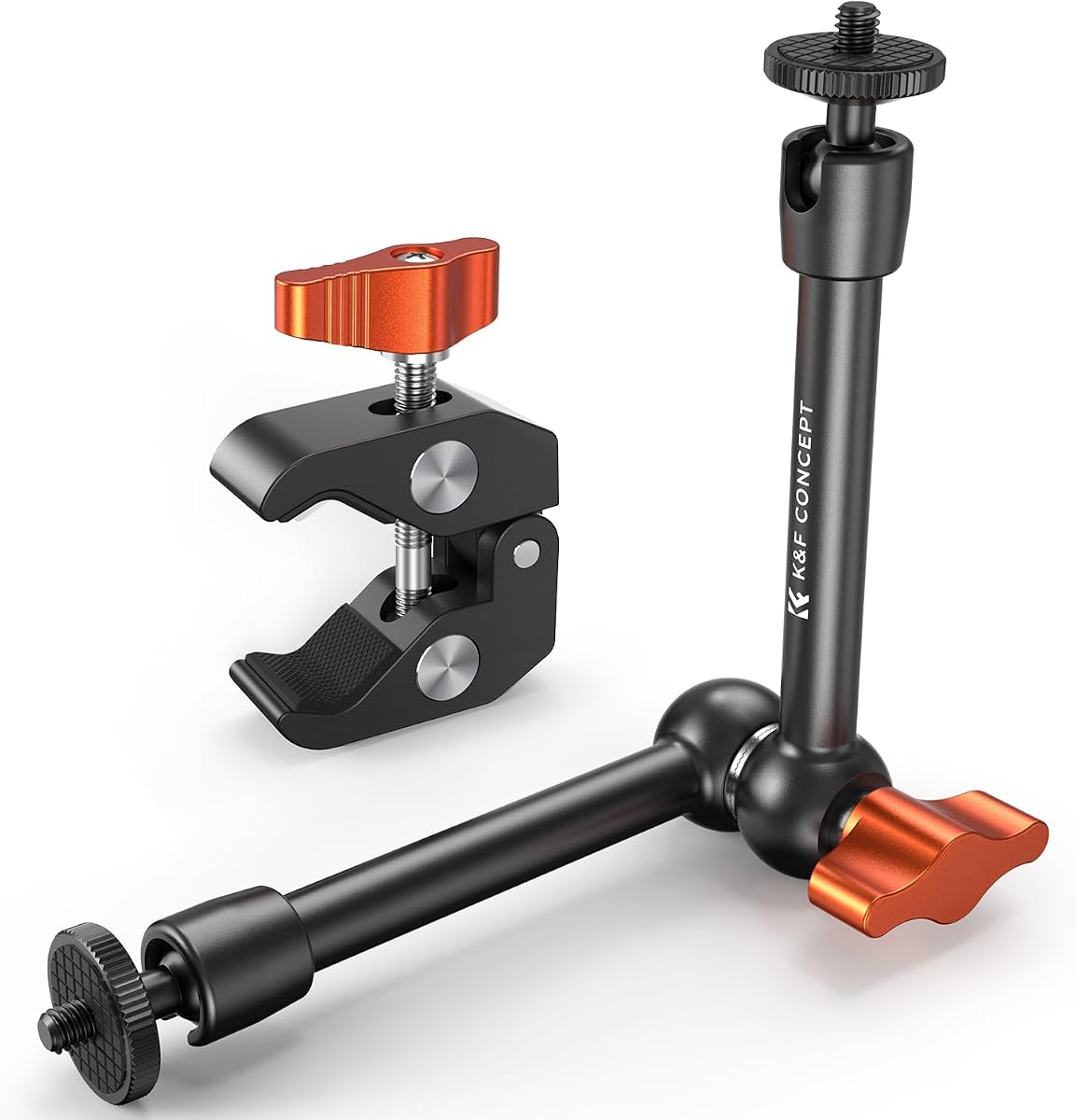


This webcam stand offers a unique combination of a flexible gooseneck arm and a sturdy clamp base, earning top marks for versatility and ease of use in home offices.
We may earn a commission when you buy through this link, at no additional cost to you.
The 36.6 inch length allows you to position your camera at eye level even on deep desks, while the aluminum magnesium alloy core ensures the arm holds its shape without sagging over time.
Some users might find that bending the arm into complex shapes requires careful handling to avoid losing tension, but this is a minor trade-off for the freedom it provides.
If you need a reliable mount that works with webcams and phones alike, this model delivers exceptional value and performance for daily video calls and content creation tasks.
The long gooseneck lets you adjust height and angle easily to reduce neck strain during long meetings or recording sessions.
Thickened ABS material with silicone padding ensures the clamp grips tightly without scratching your desk or table surface.
We may earn a commission when you buy through this link, at no additional cost to you.
For users seeking a simple and affordable solution, this overhead mount provides essential features like a C clamp and ball head without breaking the budget.
We may earn a commission when you buy through this link, at no additional cost to you.
The kit includes everything needed for setup, allowing you to attach webcams or phones quickly for streaming, online classes, or product demonstrations.
While it may not support heavier gear or very long reach, it performs reliably for standard webcams and offers good value for casual creators.
This model is ideal for those who want a straightforward clamp on webcam arm without extra complexity or high costs.
You receive the clamp, arm, and holders in one package so you can start using it immediately.
The desktop stand height can be adjusted to fit different table sizes and viewing preferences.
We may earn a commission when you buy through this link, at no additional cost to you.
This premium model offers professional grade build quality with an aluminum alloy arm and multiple ball heads for precise positioning in complex setups.
We may earn a commission when you buy through this link, at no additional cost to you.
The anti twist pin design ensures that your device stays securely in place even if bumped, making it suitable for high value gear and critical recordings.
Although it costs more than simpler options, the stability and flexibility it provides justify the investment for serious streamers and videographers.
Choose this mount if you need a reliable and versatile arm that can handle various mounting scenarios with confidence.
The aluminum alloy construction ensures longevity and rigidity even during long recording sessions.
Compatible with flat desks and round poles like tripods or stabilizer handles.
We may earn a commission when you buy through this link, at no additional cost to you.
This kit offers a robust solution for overhead photography and streaming with a 22 inch arm and three ball heads for maximum flexibility.
We may earn a commission when you buy through this link, at no additional cost to you.
The super clamp grips both flat and cylindrical surfaces securely, allowing you to attach the arm to various desk edges or poles.
While the metal construction is durable, the weight might make initial positioning slightly challenging compared to lighter plastic alternatives.
It is a solid choice for users who prioritize stability and adjustability in a professional environment.
The 22 inch length allows you to position your camera further away from your desk edge for better framing.
Rotatable clamping blocks with silicone pads ensure a firm hold without damaging your furniture.
We may earn a commission when you buy through this link, at no additional cost to you.
Designed for content creators, this arm offers exceptional flexibility with anti deflection joints that keep your shot steady even during movement.
We may earn a commission when you buy through this link, at no additional cost to you.
The inclusion of a phone clamp makes it a versatile choice for those who switch between webcams and smartphones for live streams.
Its load capacity is moderate, so it is best suited for lighter devices rather than heavy DSLR setups.
If you need an adjustable arm that can handle dynamic shooting angles without losing stability, this model is a strong candidate.
The design minimizes sagging and ensures your device stays exactly where you set it.
Compatible phone clamps allow you to use your smartphone as a camera directly.
We may earn a commission when you buy through this link, at no additional cost to you.
With a maximum reach of 30 inches, this stand is ideal for placing your camera at the perfect height even on deep office desks.
We may earn a commission when you buy through this link, at no additional cost to you.
The upgraded thick base adds necessary weight and rigidity to reduce wobble during use, which is crucial for clear video feeds.
While it is not designed for heavy professional cameras, it works well for most webcams and action cameras used in everyday scenarios.
Choose this model if reach is your top priority and you need a simple, effective solution for daily video calls.
The 30 inch height ensures you can position the camera at eye level regardless of desk depth.
The upgraded base minimizes movement and protects your device from accidental tipping.
We may earn a commission when you buy through this link, at no additional cost to you.
This model balances durability and flexibility with a silicone wrapped aluminum arm that provides a solid feel without sacrificing adjustability.
We may earn a commission when you buy through this link, at no additional cost to you.
The desk clamp is specifically designed for flat surfaces, offering a strong grip that protects your furniture from scratches.
It includes both 1/4 and 3/8 inch screws, making it compatible with a wide range of cameras and accessories.
If you want a sturdy arm that feels premium and offers reliable stability, this is a great choice.
High quality materials ensure the arm lasts long without bending out of shape.
Multiple thread options allow you to connect various types of cameras easily.
We may earn a commission when you buy through this link, at no additional cost to you.
Ideal for smaller desks or tight spaces, this short magic arm provides solid flexibility without taking up much room.
We may earn a commission when you buy through this link, at no additional cost to you.
The all metal design ensures durability, while the dual ball head allows you to angle your camera precisely in any direction.
It is perfect for attaching lights or microphones near your workspace rather than large video cameras.
If you need a compact, reliable clamp arm for accessory mounting, this kit serves your needs well.
The shorter length keeps your workspace tidy while maintaining a sturdy metal build.
Adjust the camera to any angle with the dual ball head design.
We may earn a commission when you buy through this link, at no additional cost to you.
This model stands out for its impressive weight capacity, making it suitable for heavier cameras that other arms might struggle to support.
We may earn a commission when you buy through this link, at no additional cost to you.
The anti scratch cushions and sturdy clamp ensure your device remains secure without risking damage to its surface.
It is best used for static scenes where high stability is more important than extreme flexibility.
If you need a strong arm that can handle heavier gear with confidence, this kit is worth considering.
Supports up to 2 kg which is useful for heavier cameras and accessories.
Rubber pads on the clamp protect both your furniture and your camera from wear.
We may earn a commission when you buy through this link, at no additional cost to you.
This lightweight and flexible mount is designed for action cameras and small webcams that need to be positioned in tight or awkward spaces.
We may earn a commission when you buy through this link, at no additional cost to you.
Its gooseneck design allows you to bend it into almost any shape, offering creative angles that rigid arms cannot provide.
It has a low weight limit, so it is best reserved for lighter devices that do not require heavy duty support.
For users who need a compact and versatile clamp for action cams or webcams, this model is an excellent pick.
The flexible neck allows you to reach angles that standard rigid arms cannot.
Ideal for action cameras and lightweight webcams that do not need heavy support.
We may earn a commission when you buy through this link, at no additional cost to you.
Selecting the right clamp on webcam arm depends on understanding your specific needs, available space, and the devices you plan to mount.
Arm length determines how far you can position your camera from the edge of your desk. Longer arms such as those extending to 30 inches are ideal for deep desks or when you need to place the camera directly above a keyboard or table.
Choose a length that matches your desk depth to ensure the camera can reach your optimal viewing height without stretching too far.
A sturdy clamp is essential to prevent wobbling and protect your furniture. Look for models made from durable materials like aluminum alloy or thick ABS plastic that can hold their shape over time.
Ensure the clamp has a wide opening range to fit various desk thicknesses and includes non slip pads to avoid scratching surfaces.
Each arm has a maximum load capacity. Check the weight of your camera or device to ensure the arm can support it securely without sagging or slipping.
Lightweight arms may be fine for webcams but can struggle with heavier DSLRs or phone holders, so verify the limits before buying.
Some arms are rigid while others use ball joints or goosenecks. Ball joints allow for precise 360 degree adjustments, while goosenecks offer more freedom for complex shapes.
Consider whether you need fixed stability or the ability to reposition frequently during your work.
Verify that the arm includes standard 1/4 inch screw threads or adapters for your specific camera or phone model.
Accessories like phone clamps and extension rods can expand the versatility of the mount for future upgrades.
Models that require no tools for setup save time and effort. Look for intuitive knobs and clamps that can be tightened by hand.
A simple installation process ensures you can start using your mount right away without frustration.
Premium arms often use all metal designs or reinforced aluminum to ensure longevity. Check reviews for mentions of joint stability and resistance to wear over time.
Investing in a durable model can prevent the need for replacements and provide reliable service for years.
Prices vary based on materials and features. Determine your budget but avoid the cheapest options that compromise on stability or strength.
Consider long term value by choosing a model that meets your current and future needs.
Begin by securing the clamp firmly to a flat and stable surface. Ensure it is tightened enough to prevent movement but not so tight that it damages the desk or clamp base.
Adjust the arm gently into the desired position. For gooseneck models, bend the arm slowly into an S or Z shape to maintain stability and prevent sagging.
Clean the arm regularly with a soft cloth to remove dust and debris. Avoid using harsh chemicals that might degrade rubber pads or silicone coatings.
Most clamp on webcam arms use a standard 1/4 inch screw thread, which is common for webcams, DSLRs, and action cameras. Some models include adapters for phones and microphones. Always check the product specifications to ensure compatibility with your specific device.
Weight capacity varies by model, ranging from 500 grams to 2 kg. Lightweight arms are suitable for small webcams and action cameras, while heavier duty models can support larger cameras. Check the listed load limit before purchase.
Most modern arms include non slip rubber or silicone pads to protect surfaces. However, excessive tightening or clamping on fragile surfaces can still cause marks. Always test the clamp on a small area first.
Yes, many models offer long arms and ball heads designed for overhead shots. Ensure the arm is stable and securely clamped to avoid vibrations during recording or streaming.
To prevent sagging, avoid exceeding the weight limit and use the arm's locking mechanisms properly. For flexible arms, shape them into stable configurations like S or Z curves.
Most clamp on webcam arms are designed for tool free installation. They typically use hand tightened knobs or clamps that can be secured in minutes.
The right clamp on webcam arm can transform your workspace by improving ergonomics and video quality. Our top picks cover a range of budgets and needs for reliable performance.
Prioritize stability, clamp strength, and arm length to match your desk setup and camera weight. Investing in a durable model ensures long term satisfaction and better quality recordings.
Always verify current availability and shipping terms before purchasing since stock levels can change. Choose the model that best fits your workflow and budget.