
Dell OptiPlex 7010 Desktop Package
3.8Editor score
Affordable Price Point
Reliable Core i5 Performance
Complete Desktop Bundle
Finding the right desktop computer for a child involves balancing performance, ease of use, and durability. Parents need systems that handle homework, creative projects, and entertainment without breaking the bank or causing frustration.
We have analyzed ten highly-rated desktop computers suitable for young users. Our comparison focuses on processor speed, memory capacity, storage options, and overall build quality to ensure reliable performance for various tasks.
Each pick highlights specific strengths like screen size, connectivity, and included accessories. Prices and availability can change quickly, so always verify current listings before making your final purchasing decision for your family.
3.8Editor score

4.5Editor score

4.3Editor score
As an Amazon Associate we earn from qualifying purchases.
The following table provides a quick side-by-side look at the key specifications and features of each desktop computer included in this guide to help you compare options efficiently.




This HP All-in-One desktop ranks as our top choice for kids due to its simplicity and performance. It features a sharp 21.5 inch display and runs on Windows 11, making it ideal for schoolwork and browsing.
We may earn a commission when you buy through this link, at no additional cost to you.
The Intel N100 processor ensures smooth operation for everyday tasks like video calls and writing assignments. The included docking hub adds versatility, while the anti-glare screen protects eyes during long study sessions.
While the storage is sufficient for most users, power users might need external drives for large media libraries. However, the speed and ease of setup outweigh this minor limitation for typical home use.
We recommend this model for families seeking a clean, all-in-one solution that requires minimal assembly and offers a professional look for a child’s workspace.
The all-in-one design means fewer cables and a quicker setup process, letting kids start using the computer almost immediately after unboxing.
The anti-glare display reduces strain, making it a safe choice for children who spend extended periods reading or doing homework on screen.
We may earn a commission when you buy through this link, at no additional cost to you.
The HP Elite Desktop offers significant value with its large amount of RAM and storage. This makes it suitable for kids who need to run multiple applications or store many games and media files.
We may earn a commission when you buy through this link, at no additional cost to you.
With 16GB of RAM, this system handles multitasking better than many competitors in its price range. The 1TB hard drive provides plenty of space for documents and downloads without constant cleanup.
The use of a traditional HDD means boot times might be slower compared to SSD models. Additionally, since this is a renewed product, physical condition can vary slightly upon arrival.
This desktop is a strong choice for families who prioritize internal storage capacity and memory over raw speed and are comfortable with refurbished electronics.
The high 16GB RAM allows running browser tabs and educational apps simultaneously without lag, which is essential for modern online learning.
The bundle comes with an RGB keyboard and mouse, adding a fun aesthetic that many kids appreciate without extra cost.
We may earn a commission when you buy through this link, at no additional cost to you.
This Dell OptiPlex model stands out for its massive 2TB storage capacity. It is perfect for families with extensive media libraries or older kids who download large files frequently.
We may earn a commission when you buy through this link, at no additional cost to you.
The 16GB of RAM ensures the system remains responsive even with heavy multitasking. Combined with the included 22-inch monitor, it forms a complete workstation ready for immediate use.
The processor is from an older generation, which might struggle with very heavy creative software. However, for general computing and gaming, it remains reliable and cost-effective.
We suggest this option for users who need significant disk space and are on a tight budget, as it offers great hardware specs for the price.
With 2TB of space, you won’t need to worry about deleting files quickly, making it ideal for kids who collect digital art or games.
Despite its robust specs, the price remains accessible, making it a smart buy for families looking to maximize value without overspending.
We may earn a commission when you buy through this link, at no additional cost to you.
This HP desktop balances performance and convenience with a fast SSD and a built-in webcam. It is an excellent choice for video conferencing and modern educational tools.
We may earn a commission when you buy through this link, at no additional cost to you.
The 500GB SSD ensures the system boots up quickly and applications load in seconds. The inclusion of a webcam and speaker setup makes it ready for remote learning right out of the box.
While the storage capacity is smaller than some HDD options, the speed is a significant upgrade. Kids will appreciate the snappy performance when opening programs or saving files.
We recommend this model for families needing a modern, connected setup that prioritizes speed and multimedia capabilities over bulk storage space.
Built-in webcam and audio mean no extra hardware is needed for Zoom or online classes, simplifying the learning process significantly.
The SSD technology reduces wait times, letting kids focus on their work rather than watching loading screens.
We may earn a commission when you buy through this link, at no additional cost to you.
For budget-conscious families, this Dell package offers the best value without compromising core functionality. It provides a complete desktop experience at a very competitive price point.
We may earn a commission when you buy through this link, at no additional cost to you.
The Quad Core i5 processor is powerful enough for typical homework and web browsing tasks. The bundle includes a monitor, keyboard, and mouse, so you get everything you need in one box.
The 19-inch screen is smaller than modern standards, which might feel cramped for some users. However, for basic usage, it remains a solid and reliable option for kids starting their computer journey.
This is the ideal pick for parents who want a dependable system for essential tasks without spending a lot of money on high-end features.
Buying this package saves money compared to sourcing components separately, ensuring you have all the necessary parts from day one.
The included DVD drive allows you to use older educational discs or software that might not be available digitally online.
We may earn a commission when you buy through this link, at no additional cost to you.
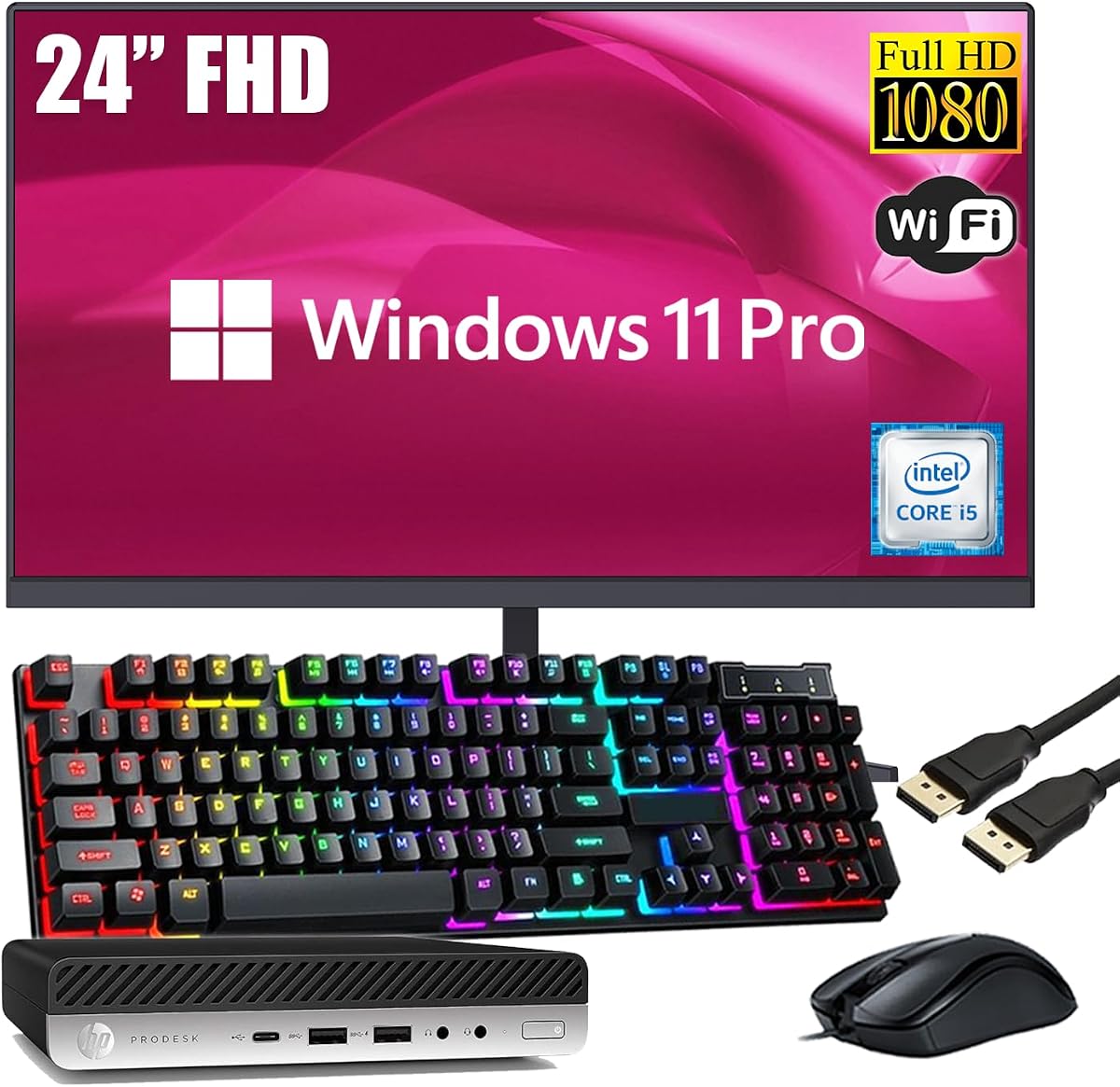
The HP ProDesk Mini is perfect for small desks or shared spaces where physical footprint matters. Despite its size, it delivers reliable performance for everyday computing tasks.
We may earn a commission when you buy through this link, at no additional cost to you.
The 256GB SSD ensures quick responsiveness, while the 24-inch monitor provides ample screen real estate. This combination makes it a great choice for modern study environments.
The mini form factor limits internal expansion, so you cannot easily add more components later. However, for most home users, the included specs are sufficient for several years of use.
We recommend this system for families with limited desk space who still want a full-sized monitor and a solid performance machine.
The mini tower takes up minimal room, freeing up space for books and stationery which is crucial for a tidy study area.
Includes USB-C ports for fast data transfer and modern device compatibility, ensuring the system stays relevant longer.
We may earn a commission when you buy through this link, at no additional cost to you.
This Lenovo All-in-One combines a sleek design with high memory capacity. The 16GB RAM allows for smooth multitasking, making it great for older kids doing more complex school projects.
We may earn a commission when you buy through this link, at no additional cost to you.
The 24-inch IPS display offers wide viewing angles and vibrant colors, enhancing the visual experience. Wireless peripherals add to the convenience, keeping the desk area clean and organized.
The storage is somewhat limited compared to HDD models, but the speed of the PCIe SSD compensates for this. Users may need cloud storage or external drives for large video projects.
We suggest this model for families who want a modern, high-performance machine that looks stylish and handles heavy software tasks efficiently.
Wireless input devices and the all-in-one design eliminate cable clutter, creating a professional environment that inspires focus.
The IPS panel ensures colors are accurate, which is beneficial for kids interested in digital art or photo editing.
We may earn a commission when you buy through this link, at no additional cost to you.
The Lenovo 23.8" All-in-One stands out with its premium borderless display and fast storage. It offers a high-end look and feel that many families prefer for a dedicated study area.
We may earn a commission when you buy through this link, at no additional cost to you.
Powered by the Intel Core i3-N305, it delivers efficient performance for productivity and media consumption. The 512GB SSD provides ample space for a modern user, reducing the need for external drives.
The price point is higher than budget models, but you pay for the design and component quality. Non-upgradeable components mean you get the specs you buy, so choosing the right configuration is key.
This is the best pick for families prioritizing aesthetics and build quality, looking for a desktop that serves as a focal point in a home office.
The three-sided borderless design minimizes bezels, allowing kids to focus entirely on their content without distractions from the frame.
A 512GB SSD is enough for most students to store projects and media for years without worrying about running out of space quickly.
We may earn a commission when you buy through this link, at no additional cost to you.
The Dell Optiplex 9020 is a classic choice known for durability and straightforward performance. It includes a full productivity bundle, making it ready for work and play immediately.
We may earn a commission when you buy through this link, at no additional cost to you.
With an i5 processor and 20-inch monitor, it handles basic computing tasks well. The Windows 11 Pro license adds professional features that might be useful for older students or remote learning.
Older DDR3 RAM and HDD storage mean it is not the fastest on the list. However, for simple tasks like writing reports or web research, it remains a dependable and cost-effective solution.
We recommend this model for families who want a straightforward desktop that just works, without needing cutting-edge speed or modern aesthetics.
The productivity bundle ensures you have everything needed to start typing and browsing, reducing initial setup time significantly.
Windows 11 Pro offers enhanced security and management tools, providing a safer environment for kids accessing the internet daily.
We may earn a commission when you buy through this link, at no additional cost to you.
The Lenovo IdeaCentre offers a balanced mix of features that suits general home use. The 512GB SSD ensures the system is responsive, while the all-in-one form factor saves valuable desk space.
We may earn a commission when you buy through this link, at no additional cost to you.
It includes a USB Calliope keyboard and wireless mouse, enhancing the user experience right out of the box. The display quality is sharp, making it easy to read text and view images clearly.
While 8GB RAM is sufficient for most tasks, heavy multitasking might slow it down slightly. This limitation is acceptable for typical student use where efficiency is more critical than raw power.
This model is a solid recommendation for families seeking a reliable, fast, and modern desktop that looks good and performs well for daily needs.
With a 512GB SSD, users get the best of both worlds: plenty of space and the speed of flash storage for a smooth experience.
The included keyboard and mouse are designed for comfort, making typing assignments and navigating the web less tiring for young users.
We may earn a commission when you buy through this link, at no additional cost to you.
Choosing a desktop computer for a child requires balancing technical needs with budget and usability. This guide breaks down the essential factors you should consider before making a purchase.
The processor determines how fast the computer can handle tasks. For kids, an Intel Core i3 or i5 is usually sufficient for homework and browsing. Newer models like the N100 offer efficiency for basic tasks while saving energy.
Prioritize processors with at least four cores to ensure smooth performance during video calls and online classes.
RAM allows the computer to multitask effectively. 8GB is the minimum for smooth operation, but 16GB is better for kids who run multiple apps or creative software. More RAM prevents lag when switching between tabs and programs.
Look for systems with 16GB RAM if you want future-proofing and better performance for complex school projects.
Storage holds your files and apps. SSDs are much faster than traditional HDDs, leading to quicker boot times and file access. While HDDs offer more space for less money, SSDs provide a superior user experience.
Aim for a minimum of 256GB SSD storage to ensure speed without sacrificing the ability to store essential documents and media.
The screen is where the child spends most of their time. A size between 21 and 24 inches is comfortable for most desks. Look for Full HD resolution and anti-glare coatings to protect eyes during long study sessions.
Choose a display with IPS technology for better viewing angles and color accuracy, which is helpful for art or video work.
Modern peripherals require various ports. Ensure the desktop has enough USB ports for keyboards, mice, and printers. Wi-Fi 6 support ensures fast and stable internet connection for streaming and downloading.
Check for HDMI-out or other video ports if you plan to connect an additional monitor later for a dual-screen setup.
Windows 11 is the latest standard, offering improved security and interface features. It supports modern apps and tools used in schools. Ensure the system comes pre-installed to avoid complex setup steps.
Pro versions include extra management tools but Home versions are usually sufficient for personal and family use.
Children can be hard on electronics, so build quality matters. Renewed products offer value but should come with a warranty to protect against defects. Check the seller reputation for refurbished items to ensure quality control.
Always verify the warranty terms and return policy to ensure peace of mind after purchase.
Some bundles include keyboards, mice, and monitors. This saves money and ensures compatibility. Wireless peripherals reduce clutter, while RGB options can make the setup more fun and engaging for kids.
Confirm if the monitor is included in the price to avoid unexpected extra costs when buying a tower-only system.
Start by placing the computer on a stable, flat surface with good ventilation to prevent overheating. Keep liquids away from the workspace to avoid accidental spills that could damage internal components.
Regularly update the operating system and installed software to protect against security threats. Teach your child to save work frequently and use cloud storage to prevent data loss in case of technical issues.
Clean the screen and keyboard with a soft, dry cloth regularly. Avoid using harsh chemicals on the display to maintain clarity and prevent scratches over time. Proper maintenance extends the life of the device significantly.
Desktop computers often offer better performance and durability for the price compared to laptops. They are ideal for stationary study spaces where portability is not needed. However, if a child needs to take their school work to a different location, a laptop might be more practical.
For most school tasks and web browsing, 8GB of RAM is sufficient. However, if your child uses creative software or plays games, 16GB will provide a smoother experience. It is a good investment to future-proof the machine for a few years.
Yes, buying renewed computers from reputable sellers is safe and cost-effective. These units are tested for functionality and often come with warranties. Just ensure the seller has good reviews and offers a return policy in case of issues.
Most modern Windows systems come with built-in antivirus protection called Windows Defender. This is usually sufficient for general use, but you may consider additional third-party software if you need advanced parental controls or specific security features.
Upgradeability depends on the specific model. Traditional towers often allow upgrades, but All-in-One computers usually have fixed components. Check the specifications before buying if you plan to enhance the system's capabilities over time.
A screen size between 21 and 24 inches is typically ideal for children. It provides enough space for documents and videos without being too large for a desk. Ensure the display has a comfortable viewing distance to reduce eye strain.
We have reviewed ten excellent desktop options ranging from budget-friendly bundles to premium All-in-One systems. Each picks offers unique strengths depending on whether you prioritize speed, storage, or design.
Consider your child's specific needs when selecting a model. If they need space for games or media, choose a system with a large hard drive. For general schoolwork, a fast SSD and modern processor will serve them well.
Prices and availability fluctuate often, so check the current listings before making a decision. By choosing wisely, you can provide a reliable tool that supports your child's learning and creativity for years to come.