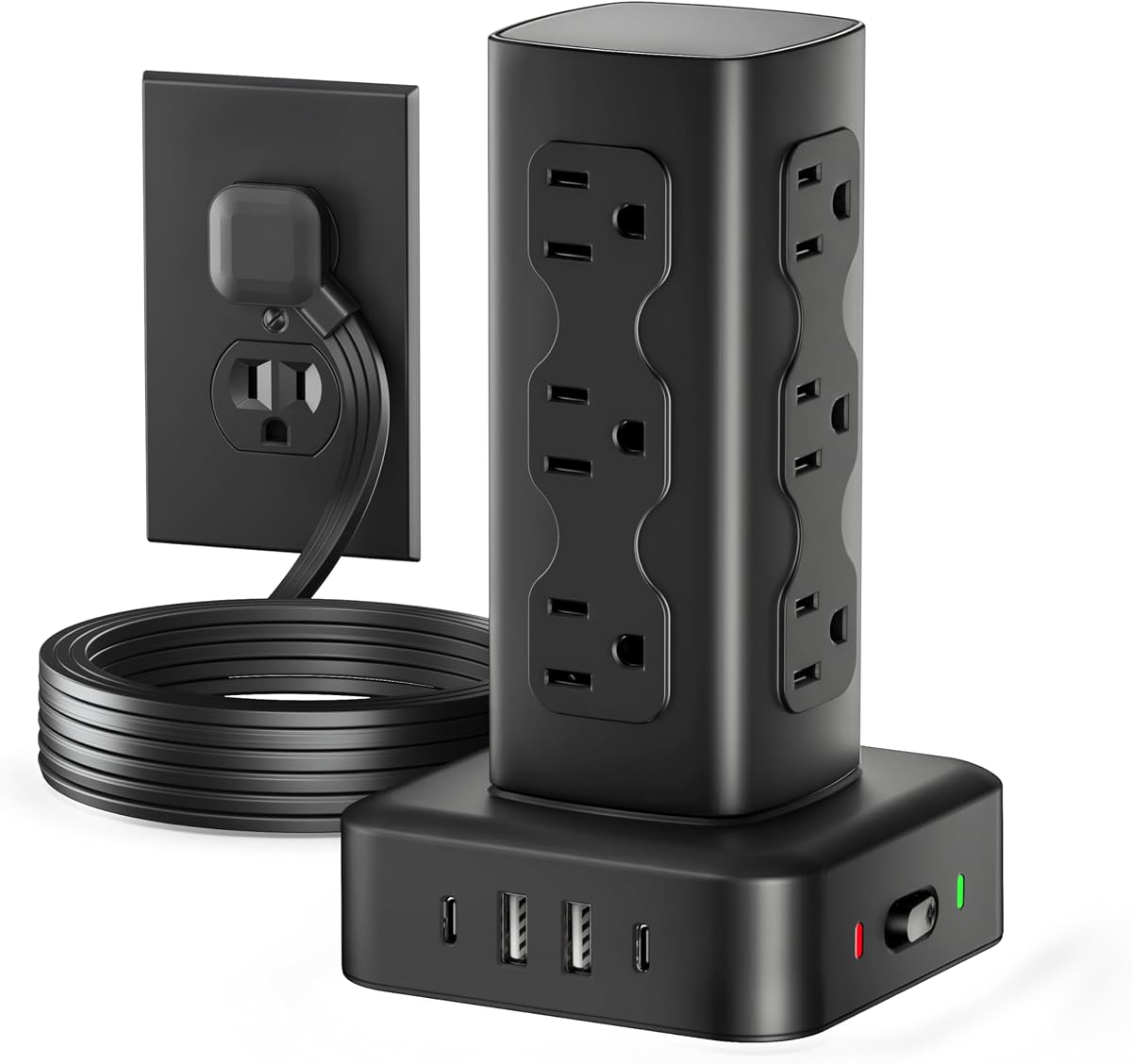
Power Strip Tower with 12 AC Outlets
4.7Editor score
12 AC outlets and 4 USB ports
2000-joule surge protection included
Ultra-thin 0.31 inch flat plug
This expert guide compares the top 10 charging towers for home and office, evaluating port counts, surge protection, cord length, and design features to help
Finding the right charging tower can transform a cluttered workspace into an organized hub. Modern towers offer vertical designs that maximize floor space while providing multiple outlets and USB ports for all your devices.
We evaluated ten top-rated models based on outlet count, USB capabilities, surge protection ratings, and physical design. Each product was analyzed for safety features, cord length, and overall build quality to ensure reliable performance.
This guide highlights the strengths of each tower to help you match a model to your specific needs. Note that product availability and features may change, so verify current details before purchasing.
4.7Editor score

4.7Editor score

4.5Editor score
The following comparison table provides a side-by-side overview of all ten charging towers selected for this guide. Review the key specifications to find the model that best fits your space and device requirements.


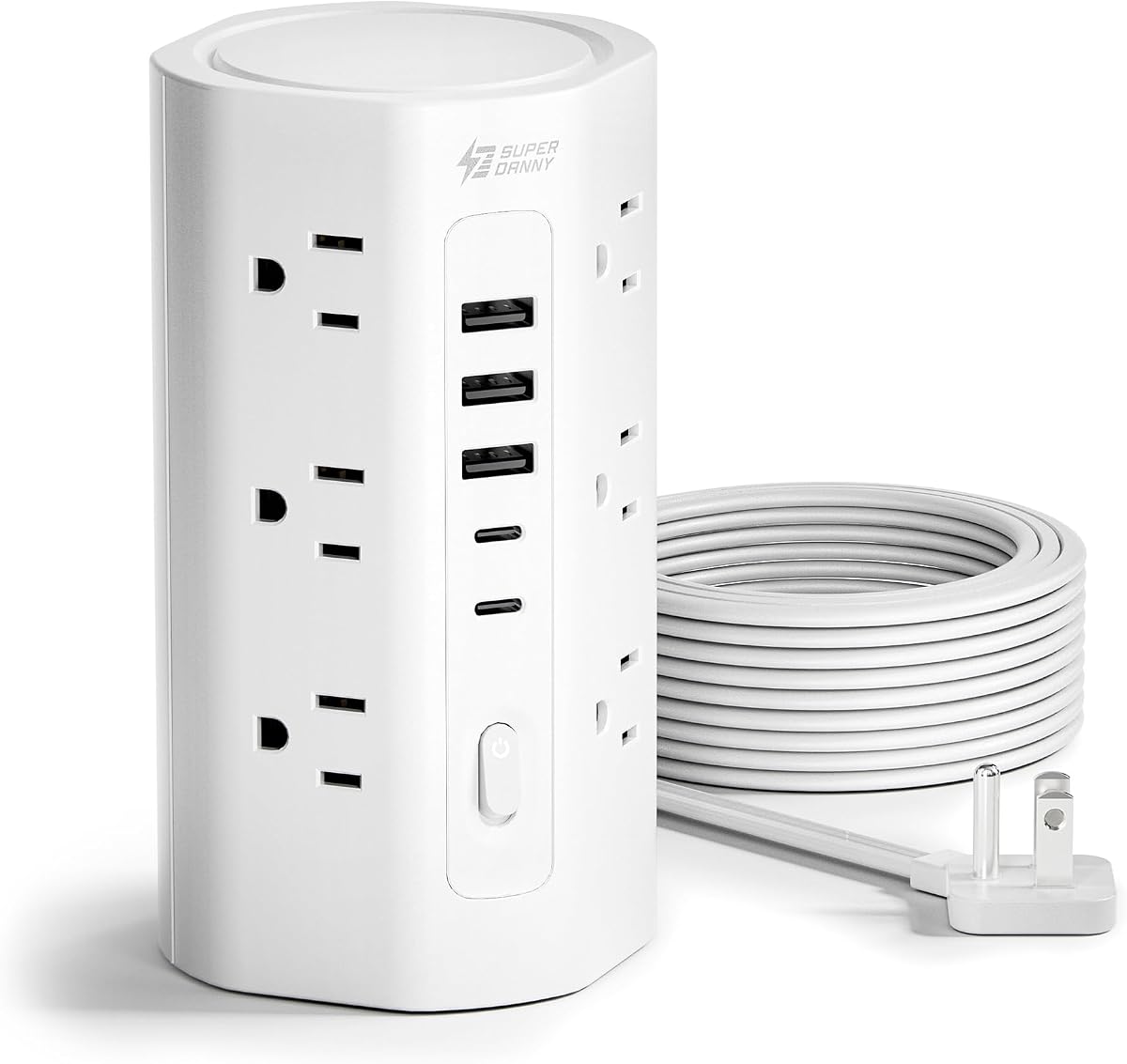
The JACKYLED Power Strip Tower Surge Protector stands out with its robust build and versatile port configuration. With a rating of 4.7, it offers a balanced solution for managing multiple devices in a compact vertical space.
We may earn a commission when you buy through this link, at no additional cost to you.
This tower features 12 AC outlets with 2.2 inch spacing, ensuring bulky adapters do not interfere with neighboring plugs. The inclusion of 6 USB ports, including 2 USB-C, simplifies charging for phones and tablets without extra bricks.
The retractable cord is a unique feature that helps keep floors tidy by allowing you to roll the extension cord away when not in full use. Individual switches on each layer provide granular control over power delivery to specific devices.
Ideal for home offices or gaming setups, this tower protects your electronics with 1050J surge protection and comprehensive safety features. Its design prioritizes organization and safety, making it a top recommendation for users needing reliability.
Individual switches on each layer allow you to turn off specific sections, reducing energy waste when devices are not in active use.
Built-in overload and short-circuit protection automatically cuts power during voltage surges, safeguarding connected electronics from damage.
We may earn a commission when you buy through this link, at no additional cost to you.
This Power Strip Tower delivers excellent value by offering 12 AC outlets and 4 USB ports at a competitive price. With a 4.7 rating, it proves that budget-friendly options can still provide strong performance and safety features.
We may earn a commission when you buy through this link, at no additional cost to you.
The 2000-joule surge protection is a standout feature, offering superior defense against power spikes compared to many competitors. The 0.31-inch flat plug allows the tower to sit flush against walls, saving valuable space behind furniture.
Users appreciate the wide outlet spacing which accommodates large adapters without blocking adjacent sockets. The 6FT extension cord provides flexibility in positioning the tower without running short on reach.
A great choice for dorms or small offices, this tower balances cost and functionality effectively. It is ideal for users who need maximum outlet count without compromising on essential surge protection.
With 2000 joules of protection, this model shields sensitive electronics from voltage spikes better than many standard power strips in this category.
The ultra-thin plug fits snugly against walls, reducing protrusion and allowing furniture to sit closer to the wall without obstruction.
We may earn a commission when you buy through this link, at no additional cost to you.
The TenTrend Power Strip Tower is engineered for users with high-power devices, offering a total output of 230W. With a 4.5 rating, it balances capacity with safety features to manage demanding charging tasks efficiently.
We may earn a commission when you buy through this link, at no additional cost to you.
Color-coded USB ports help users quickly identify which ports support fast charging for laptops versus tablets. Two orange USB-C ports provide 65W output, ideal for powering laptops while simultaneously charging smaller accessories.
The compact design occupies minimal desk space, making it perfect for tight workstations where every inch matters. It includes built-in overcurrent and overheat protection to ensure safety during extended charging sessions.
Best for users prioritizing USB power over AC outlets, this tower excels in fast charging capabilities. It is a premium choice for tech-heavy setups requiring robust power delivery for multiple devices.
With up to 65W on specific USB-C ports, you can power laptops and tablets efficiently without needing bulky external adapters.
Color-coded ports simplify connection management, allowing users to plug devices into the correct fast-charging slots instantly.
We may earn a commission when you buy through this link, at no additional cost to you.
This kakyanill Power Strip Tower combines a 6ft retractable cord with a vertical layout to minimize clutter. Rated at 4.5, it offers a practical solution for spaces where cord management is a priority.
We may earn a commission when you buy through this link, at no additional cost to you.
The tower supports 17 devices simultaneously with 9 AC outlets and 8 USB ports. The retractable base allows you to store the cord when not needed, keeping floors clear of tripping hazards.
The ultra-slim plug fits behind furniture, while the angled design prevents bottom outlet blocking. Safety is ensured through a fire-resistant ABS shell and a built-in circuit breaker for overload protection.
Ideal for living rooms or bedrooms, this tower solves the issue of dangling cords with its retractable mechanism. It is a solid choice for those seeking a balance of port count and neat cable management.
Rotating the tower body retracts the cord into the base, eliminating floor clutter and reducing the risk of accidental tripping.
The ABS shell is rated to withstand extreme heat, adding a layer of fire safety to the device during power surges.
We may earn a commission when you buy through this link, at no additional cost to you.
The Kakyanill 115W Charging Station focuses on fast charging efficiency with dedicated 65W PD USB-C ports. With a 4.5 rating, it is designed for users who need rapid charging speeds for laptops and phones simultaneously.
We may earn a commission when you buy through this link, at no additional cost to you.
It features two 65W USB-C ports and four 20W ports, allowing for flexible power distribution. The 6ft retractable cord keeps the workspace clean, while anti-slip rubber feet ensure stability on smooth surfaces.
Built-in safety indicators and reset switches provide user-friendly control over power distribution. The compact four-sided design occupies minimal space while organizing multiple cables effectively.
Best for power users needing USB-C delivery, this tower supports high-wattage charging without bulky bricks. It is recommended for professionals who rely on their devices remaining topped up throughout the day.
With 65W on key USB-C ports, this station supports laptop charging alongside other devices, reducing the need for dedicated power bricks.
Anti-slip rubber feet keep the tower firmly in place, preventing sliding during plugging or unplugging of heavy adapters.
We may earn a commission when you buy through this link, at no additional cost to you.
This TenTrend Flat Plug Power Strip stands out with an ultra-thin 0.27 inch plug and a 10-foot extension cord. Rated at 4.7, it solves the challenge of reaching distant outlets while maintaining a slim profile.
We may earn a commission when you buy through this link, at no additional cost to you.
The 10-foot pure copper cord offers exceptional reach, making it ideal for rooms where wall outlets are hard to access. The tower itself supports 20 devices simultaneously with 12 AC outlets and 8 USB ports.
Safety is highlighted by fire-resistant ABS+PC materials and built-in overload protection. The on/off switch allows for easy power cutoff when leaving the room, contributing to energy efficiency.
Best for large rooms or areas with distant power sources, this tower offers unmatched cord length. It is highly recommended for users who need to position devices far from the wall socket.
The 10-foot pure copper cord provides significant reach, allowing flexible placement in large rooms without extension cords.
At 0.27 inches thick, the flat plug sits flush against the wall, minimizing visual clutter behind furniture.
We may earn a commission when you buy through this link, at no additional cost to you.
The Anker Desktop Charger is a compact solution tailored for desktops and desks where space is at a premium. With a 4.7 rating, it brings Anker's reputation for quality and safety to the charging tower category.
We may earn a commission when you buy through this link, at no additional cost to you.
While it has fewer AC outlets, it excels in USB-C power delivery with up to 100W on single ports. This makes it ideal for charging high-power laptops alongside tablets and phones without needing a full tower.
The 8-point safety system ensures protection against overvoltage and short circuits. Its lightweight design means it can be easily moved without tipping, making it versatile for different desk setups.
Best for small workspaces, this charger offers a sleek, reliable alternative to bulkier towers. It is recommended for users prioritizing brand trust and high-power USB charging over sheer outlet count.
Up to 100W single port support allows charging of laptops and tablets efficiently without bulky wall adapters.
Despite its compact size, the weighted base ensures the unit remains stable during use without tipping easily.
We may earn a commission when you buy through this link, at no additional cost to you.
This 10FT Tower Power Strip features wide-spaced outlets to accommodate bulky adapters without blocking neighboring sockets. With a 4.5 rating, it is designed for practicality in homes where large plugs are common.
We may earn a commission when you buy through this link, at no additional cost to you.
The tower includes a dedicated 20W PD USB-C port for fast iPhone charging. Its weighted, non-slip base prevents tipping, providing stability even when multiple heavy adapters are plugged in simultaneously.
With 1800 joules of surge protection, it offers robust defense against power surges. The 10-foot flat cord ensures flexibility in positioning while maintaining a clean, streamlined look against walls.
Ideal for families or offices with mixed device sizes, this tower ensures no outlet is wasted. It is recommended for users needing reliable, stable charging with ample room for large plugs.
1.5-inch wide-spaced outlets ensure large adapters fit without blocking adjacent sockets, maximizing usable capacity.
A weighted bottom prevents tipping when heavy plugs are inserted, keeping the tower steady on any surface.
We may earn a commission when you buy through this link, at no additional cost to you.
This 6FT Power Strip Tower offers a slim design that fits easily in tight spaces. Rated at 4.7, it combines a high outlet count with safety features to keep desktops organized and devices protected.
We may earn a commission when you buy through this link, at no additional cost to you.
The 0.30-inch plug allows the tower to sit flush against walls, saving room behind furniture. It supports 16 devices simultaneously, balancing AC outlets and USB ports for versatile connectivity.
Safety is addressed with 1800J surge protection and automatic shutdown during overloads. The reset/off switch provides easy control, helping users save energy by cutting power when not in use.
Best for small desks or nightstands, this tower maximizes space efficiency without sacrificing capacity. It is recommended for users seeking a reliable, compact power hub for everyday devices.
The 0.30-inch plug sits flush against walls, minimizing intrusion into small spaces behind furniture.
The reset/off switch allows quick power cutoff during surges, protecting devices and saving energy.
We may earn a commission when you buy through this link, at no additional cost to you.
The 10Ft Tower Power Strip is built for reach and reliability with a 10-foot flat cord. With a 4.7 rating, it provides extensive coverage for devices far from the wall outlet.
We may earn a commission when you buy through this link, at no additional cost to you.
It features 12 AC outlets and 5 USB ports, supporting up to 17 devices at once. The 45-degree right-angle plug keeps bottom outlets accessible while fitting tightly against the wall.
Safety is ensured with 1700J surge protection and V-0 fire-retardant casing. The 3-year maintenance plan adds peace of mind, showing confidence in the product's durability.
Best for large living areas or RVs, this tower offers the longest cord length among many competitors. It is recommended for users needing to place charging hubs far from electrical sockets.
The 10-foot flat cord allows flexible placement in distant areas, keeping cables neat and preventing tripping.
A 3-year maintenance plan covers potential issues, ensuring long-term support for your charging needs.
We may earn a commission when you buy through this link, at no additional cost to you.
Selecting the right charging tower involves assessing your specific device requirements and the physical space available. This section outlines the key factors to consider for an informed decision.
The number of AC outlets determines how many devices you can plug in simultaneously. Look for towers with wide outlet spacing to ensure large adapters do not block neighboring ports. If you have many bulky plugs, a tower with 1.5 to 2.2 inches of spacing is essential.
Prioritize models with wide spacing to maximize the usability of all available outlets without interference.
Modern towers offer USB ports to charge phones and tablets without bricks. Check for USB-C ports with Power Delivery (PD) if you need to charge laptops. Total USB wattage matters when multiple devices draw power simultaneously.
Ensure the tower has enough USB-C and USB-A ports to match your daily charging needs.
Surge protection protects your electronics from voltage spikes. Ratings range from 300J to 2000J; higher is generally better for expensive devices. Ensure the tower includes overload and short-circuit protection for added safety.
Look for a high joule rating to safeguard your devices against electrical surges.
The extension cord length determines how far you can place the tower from a wall outlet. Standard lengths are 5 to 6 feet, but some models offer 10 feet for large rooms. Retractable cords help keep floors tidy but require manual operation.
Choose a cord length that matches your room layout to avoid the need for additional extension cords.
Flat plugs sit closer to the wall, allowing furniture to be placed nearby. A 45-degree angled plug prevents bottom outlets from being blocked. This design is crucial for tight spaces behind desks or beds.
Prioritize a flat plug design to save space behind furniture.
Fire-resistant materials like ABS or PC casing add a layer of safety against overheating. Check for certifications like UL or FCC to ensure the product meets safety standards. Overheat protection features shut down the unit if it gets too hot.
Verify safety certifications and fire-resistant materials for peace of mind.
Individual switches per layer or outlet allow granular control over power usage. This helps save energy when devices are not in use. Some towers also include safety indicator lights to show power status clearly.
Look for individual switches to manage power efficiently.
The tower should fit your workspace without tipping. Anti-slip rubber feet at the base prevent sliding on smooth surfaces. Consider the height and footprint to ensure it does not obstruct your view or workflow.
Ensure the tower has anti-slip feet to prevent sliding and tipping.
Place the tower on a stable surface away from water or heat sources to ensure safety. Keep the vents unobstructed to prevent overheating during extended use.
Regularly inspect the cord and plug for signs of wear or fraying. If you notice damage, stop using the unit immediately and replace it to avoid electrical hazards.
Unplug the tower during thunderstorms or when leaving home for extended periods. Use the built-in switches to turn off devices when not in use to save energy and extend device lifespan.
Check if your laptop requires USB-C Power Delivery and verify the tower supports the necessary wattage. Models with 65W or 100W USB-C ports are ideal for most laptops. Ensure the AC outlets match your power brick plug type.
Flat plugs are safer in tight spaces because they fit flush against the wall, reducing the risk of bending or damaging the cord. They also prevent furniture from putting pressure on the plug, which can cause wear over time.
Most towers are designed for low-wattage electronics like phones and lamps. Avoid plugging heaters or high-wattage kitchen appliances into a standard tower as it may overload the circuit. Check the maximum wattage rating before connecting heavy loads.
Avoid yanking the cord forcefully when retracting. Rotate the base smoothly to wind the cord. Keep the cord away from sharp edges or heat sources to prevent fraying or damage to the internal wiring.
Yes, most towers come with built-in surge protection. You do not need an external protector unless you require a higher joule rating. Using an external one in series is generally unnecessary and may interfere with grounding.
No, daisy-chaining towers into one outlet can overload the circuit. Always plug towers directly into a wall socket. This ensures safety and prevents tripping circuit breakers due to excessive current draw.
The JACKYLED, TenTrend, and kakyanill models lead the pack for their balanced features and reliability. They offer a range of solutions for those needing USB power, flat plugs, or long cords.
Prioritize surge protection and cord length based on your specific layout. A tower with wide outlet spacing will ensure you get the most out of every socket.
Verify the latest model features before buying as manufacturers frequently update specs. Current availability may vary, so check the product details for the most accurate information.