
Kasa Smart Light Bulbs
4.5Editor score
16 million colors and tunable white
Energy monitoring and scheduling features
No hub required for easy setup
This guide compares the top smart light bulbs for Google Home to help you find the best options for color, brightness, and seamless voice control integration.
Smart lighting has transformed how we interact with our homes, offering convenience and ambiance at the touch of a voice command. Finding the right bulbs for Google Home requires understanding compatibility features and brightness levels to ensure a seamless experience throughout your living space.
We evaluated ten leading smart bulbs based on connectivity options color range and ease of setup with Google Assistant. Our analysis covers everything from budget-friendly single packs to premium multi-color sets designed to integrate smoothly with your existing smart home ecosystem.
Each pick highlights specific strengths like music sync or energy monitoring to help you decide based on your unique needs. Prices and availability can change frequently so please verify current details on the product pages before making your final purchase decision today.
4.5Editor score

4.6Editor score

4.5Editor score
This side-by-side comparison highlights the key specifications and capabilities of each smart bulb to help you identify the perfect fit for your Google Home setup quickly.



The Govee Smart Light Bulbs offer a fantastic entry point into smart lighting with their impressive color range and intuitive controls. With a rating of 4.6 stars users praise the vivid hues and the ability to sync lights with music for dynamic parties or events.
We may earn a commission when you buy through this link, at no additional cost to you.
These bulbs shine with features like music sync which uses your phone microphone to detect sound and adjust colors in real time. You can also control them via Google Home voice commands or the Govee Home App to set schedules and scenes easily.
One trade-off is that music sync requires microphone permissions on your phone which might concern some privacy focused users. Additionally the bulbs only work on 2.4GHz WiFi networks which is standard but worth noting if you have a dual band router.
This option is ideal for anyone wanting colorful ambiance without spending a fortune. Whether you are hosting a gathering or just relaxing the Govee bulbs provide reliable performance and easy integration with your Google Home ecosystem.
The music sync feature turns your space into an interactive light show by reacting to audio beats detected by your phone.
Google Home integration allows hands free operation so you can adjust brightness or colors without leaving your seat.
We may earn a commission when you buy through this link, at no additional cost to you.
Kasa Smart Light Bulbs deliver exceptional value with a 2 pack that covers multiple rooms without breaking the bank. Their 4.5 star rating reflects consistent performance and user satisfaction with the color accuracy and brightness levels provided.
We may earn a commission when you buy through this link, at no additional cost to you.
A standout feature is the energy monitoring capability which lets you track real time usage to manage costs effectively. You can control these bulbs via Google Home voice commands or the Kasa app to set schedules that match your daily routine.
The main limitation is the reliance on 2.4GHz WiFi which is common but can cause setup issues if your network is not configured correctly. Also while there is no hub required you must stay connected to the internet for remote access features.
This choice is perfect for budget conscious shoppers who still want full smart features. Whether you need lighting for a kitchen or living room the Kasa bulbs offer dependable control and energy insights at a very competitive price.
Monitor your power consumption to identify savings opportunities and optimize your lighting habits over time.
Set timers and routines to automate your lighting so your home feels welcoming whenever you arrive.
We may earn a commission when you buy through this link, at no additional cost to you.
The Philips Hue Essential Smart LED bulbs bring premium quality and reliable performance to your Google Home setup. With a 4.5 star rating users appreciate the consistent color output and the ability to dim smoothly for any atmosphere.
We may earn a commission when you buy through this link, at no additional cost to you.
These bulbs support a wide range of voice assistants including Google Home and Alexa ensuring flexibility in your smart home choices. The included preset scenes and color options allow you to customize your space easily through the Hue app or voice.
While these bulbs work without a bridge initially adding one unlocks advanced features like home security and content syncing. This modular approach means you can start small and expand your system as your needs grow over time.
Ideal for users invested in the Philips ecosystem these bulbs offer long term value and reliability. Whether you want simple voice control or a full smart home lighting system the Hue Essentials provide a solid foundation.
Add a Hue Bridge later to unlock advanced automation and sync your lights with entertainment content seamlessly.
Adjust brightness from full power down to very low levels for perfect ambiance during movie nights or reading.
We may earn a commission when you buy through this link, at no additional cost to you.
Linkind Smart Light Bulbs stand out for their dual WiFi and Bluetooth connectivity which ensures reliable control even when your internet hiccups. Users report a 4.5 star rating driven by the ease of voice control and the vibrant lighting effects available.
We may earn a commission when you buy through this link, at no additional cost to you.
You can set these up with Google Home to use voice commands for turning lights on or off and changing colors. The AiDot app offers extensive customization including music sync and over one hundred preset scenes for any occasion or mood.
The Bluetooth backup allows you to control lights locally without an internet connection which is great for areas with weak WiFi signals. However initial setup requires both Bluetooth and 2.4GHz WiFi which might take a few minutes to configure correctly.
This option is great for those who need flexibility in how they connect to their lights. Whether you are at home or away the Linkind bulbs keep you in control with robust connectivity and creative lighting options.
Use Bluetooth to adjust your lights locally even if your internet connection is temporarily unavailable.
Access over one hundred preset scenes to instantly transform your room for parties reading or relaxation.
We may earn a commission when you buy through this link, at no additional cost to you.
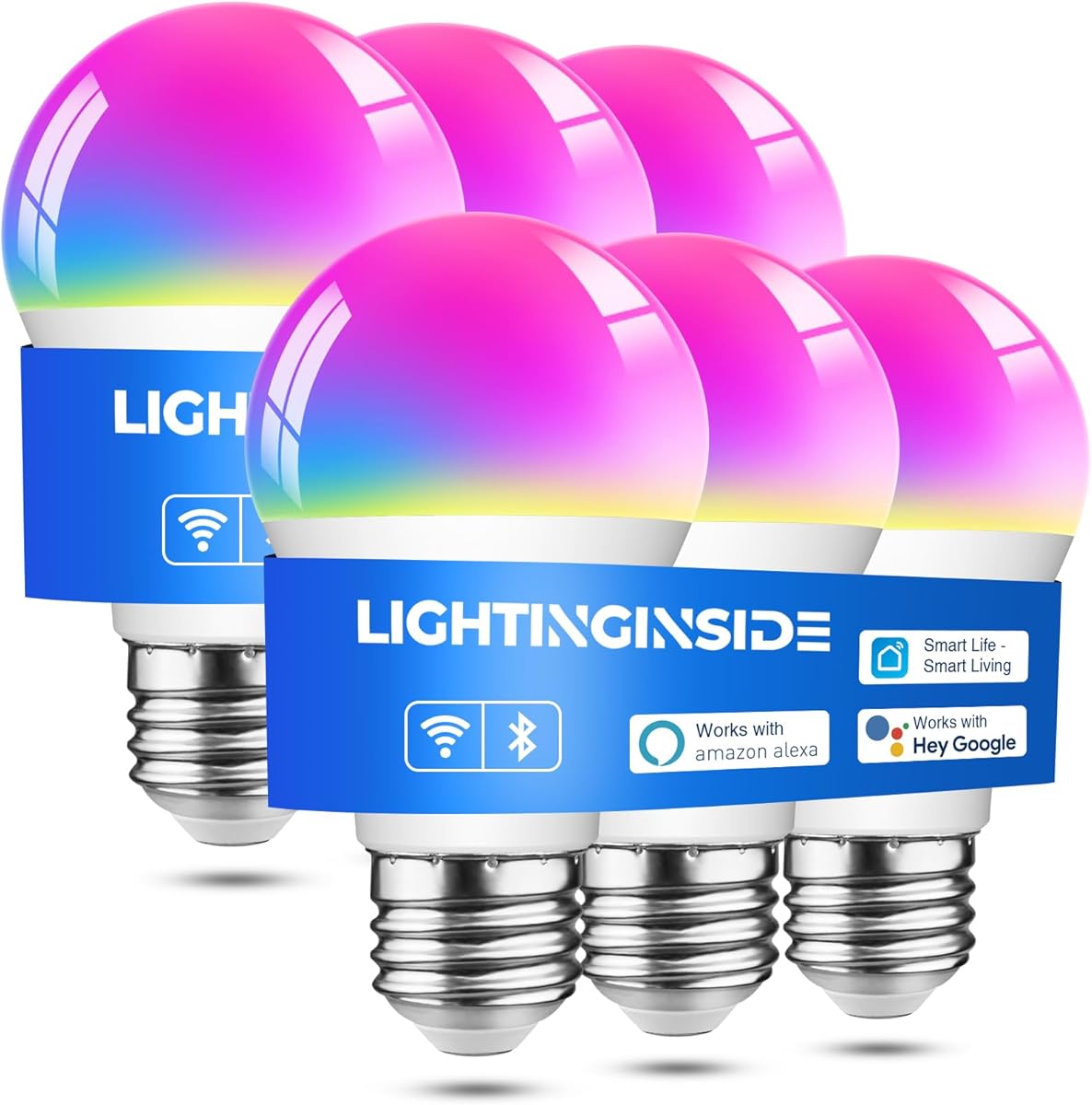
The Lightinginside Smart Light Bulbs offer a generous 6 pack solution for outfitting an entire home affordably. With a 4.4 star rating customers highlight the fast setup process and the ability to control lights even when WiFi is down.
We may earn a commission when you buy through this link, at no additional cost to you.
These bulbs integrate with Google Home via the SmartLife app allowing voice commands for basic functions like dimming or color changes. The dual BLE and WiFi connection ensures quick pairing and local control without relying solely on the cloud.
Music mode lets you sync the lights to your favorite tracks creating an immersive environment for social events. While the brand is less known than some competitors the feature set is robust and the price per bulb is highly competitive.
Ideal for large homes or rentals needing multiple lights quickly this pack provides excellent coverage. You get reliable smart features and voice control without needing multiple hubs making it a practical choice for whole house automation.
Get six bulbs in one box to cover multiple rooms without buying individual units separately.
The upgraded chip reduces setup time significantly so you can start using your lights immediately.
We may earn a commission when you buy through this link, at no additional cost to you.
DAYBETTER A19 E26 Smart Light Bulbs provide a straightforward way to add color changing lighting to your Google Home system. Rated 4.3 stars they are appreciated for their quick setup process and responsive voice control capabilities.
We may earn a commission when you buy through this link, at no additional cost to you.
You can control these bulbs remotely using the DAYBETTER app or via Google Assistant for hands free adjustments. The bulbs support RGB colors and tunable white light giving you flexibility for different times of day or activities.
While they lack hub compatibility which might limit integration with broader systems they are perfect for standalone upgrades. The music sync feature adds a fun dynamic to your lighting but requires phone microphone permissions to function properly.
This choice is suitable for users who want simplicity and affordability. Whether you need a night light or a fun accent the DAYBETTER bulbs offer solid performance and easy integration with your voice assistant.
Use both WiFi and Bluetooth to ensure fast pairing and stable control within your home network.
Switch between warm and cool white tones to match the time of day or your current activity.
We may earn a commission when you buy through this link, at no additional cost to you.
Linkind Smart Light Bulbs focus on tunable white light with high color rendering for accurate and comfortable illumination. Their 4.4 star rating reflects user satisfaction with the brightness quality and the convenience of voice control via Google Home.
We may earn a commission when you buy through this link, at no additional cost to you.
These bulbs allow you to adjust color temperature from warm to cool which helps reduce eye strain during different tasks. You can schedule them to turn on at dawn or off at night to automate your daily lighting routines seamlessly.
The Bluetooth local control ensures you can still adjust lights even if the internet is down which adds reliability. However unlike other models this version does not support RGB colors making it better for functional lighting than decorative effects.
Ideal for bedrooms or kitchens where accurate color is important these bulbs deliver consistent performance. If you prioritize quality white light over color effects the Linkind tunable bulbs are a strong choice for your Google Home setup.
Restores true colors of furniture and decor making it ideal for reading or working environments.
Set automated routines to simulate sunrise or sunset for a natural and energy efficient lighting cycle.
We may earn a commission when you buy through this link, at no additional cost to you.
OREiN Matter Smart Light Bulbs offer future proof connectivity with the Matter protocol ensuring compatibility across different smart home systems. With a 4.4 star rating users value the security features and the ease of connecting to Google Home directly.
We may earn a commission when you buy through this link, at no additional cost to you.
These bulbs support millions of colors and tunable white allowing you to customize your environment easily. The Matter standard means you can control them via the Google Home app without needing a third party hub if your hub supports Matter.
Security is enhanced through standard cryptographic algorithms protecting your data from unauthorized access. Music sync adds a dynamic layer for entertainment though it relies on your phone microphone for detecting audio cues and rhythms.
This option is ideal for early adopters who want interoperability and security. If you plan to expand your smart home with devices from different brands the Matter compatibility makes these bulbs a versatile and smart long term investment.
Enjoy seamless integration across different platforms without being locked into one specific ecosystem.
Standard encryption protocols keep your data safe and secure within your local network environment.
We may earn a commission when you buy through this link, at no additional cost to you.
Linkind Matter Smart Light Bulbs provide broad compatibility by supporting Apple Home Alexa and Google Home through Matter certification. Their 4.5 star rating highlights the convenience of controlling lights across multiple ecosystems without switching apps.
We may earn a commission when you buy through this link, at no additional cost to you.
You get access to millions of colors and over one hundred preset scenes allowing for detailed customization of your home ambiance. The music sync feature brings an immersive element to your space by reacting to the beats of your favorite songs.
While these bulbs offer robust features setup can be slightly more complex than non Matter bulbs due to pairing protocols. However the flexibility gained by working with different platforms makes the extra effort worthwhile for many users.
Ideal for mixed device households these bulbs ensure everyone can control the lights regardless of their preferred platform. Whether you use Google Assistant or Siri the Linkind Matter bulbs adapt to your needs seamlessly and reliably.
Connect to any Matter certified hub to manage your lights without relying on a single vendor app.
Choose from millions of colors and preset scenes to match any mood or occasion instantly.
We may earn a commission when you buy through this link, at no additional cost to you.
Kasa Smart Light Bulbs Dimmable focus on high quality soft white light ideal for functional spaces like kitchens or offices. With a 4.4 star rating users appreciate the high CRI which ensures true color representation and the smooth dimming capabilities.
We may earn a commission when you buy through this link, at no additional cost to you.
You can control these bulbs via Google Home to turn them on or off or adjust brightness hands free. The app also tracks energy usage so you can monitor consumption and optimize your lighting habits effectively.
While these bulbs do not offer color changing features they excel in providing consistent and comfortable lighting. The smooth dimming allows for precise control from 1 to 100 percent giving you perfect light levels for any task.
This choice is best for those who prefer simplicity and color consistency. If you need reliable white light with smart controls and energy tracking the Kasa dimmable bulbs are a practical and high performing solution for your home.
Ensure accurate color representation which is essential for detailed tasks and visual comfort.
Keep tabs on power usage to identify savings opportunities and manage your household costs.
We may earn a commission when you buy through this link, at no additional cost to you.
Selecting the right smart bulb involves balancing features connectivity and cost to fit your specific needs.
Most smart bulbs connect via 2.4GHz WiFi but some offer Bluetooth for local control without internet. This hybrid approach ensures you can still operate lights if your network goes down which is a key reliability factor.
Look for dual connection options like WiFi plus Bluetooth to guarantee seamless operation in all scenarios and conditions.
Ensure the bulb explicitly lists Google Home support so you can use voice commands for control. Some bulbs require specific apps to link voice control so check setup steps carefully before purchase.
Choose bulbs that integrate directly with Google Home without needing extra hubs or complex workflows.
Decide if you need RGB color changing or just tunable white light. Color bulbs offer more versatility for mood lighting but white only bulbs are often brighter and more cost effective for daily use.
Pick color options for entertainment areas and white only for functional spaces like kitchens or offices.
Smart LED bulbs consume significantly less power than traditional incandescent ones. Look for high CRI ratings and low wattage equivalents to save on electricity bills over the lifespan of the bulb.
Select bulbs that highlight energy savings and long lifespans to maximize return on your investment.
Setup complexity varies with some requiring multiple steps or app downloads before voice control works. Opt for bulbs with QR code setup or straightforward pairing instructions to save time during installation.
Choose products with simple setup processes to avoid frustrating initial configurations.
The companion app should offer scheduling scene selection and remote control. Advanced features like music sync or energy monitoring depend heavily on the app so ensure it is user friendly and regularly updated.
Verify the app offers the features you need before relying on them for your daily lighting routines.
If you install multiple bulbs ensure they support group control for synchronized operation. This allows you to manage rooms or floors with a single command enhancing convenience and automation potential.
Look for group control capabilities to streamline management of multiple lighting zones.
Check the warranty length and brand reputation for customer support. Reliable brands often offer better assistance if bulbs fail or have connectivity issues which protects your investment long term.
Choose brands with solid warranties and support to ensure longevity and problem resolution.
To start install the bulb in any standard E26 socket and ensure it is powered on. Download the recommended app and follow on screen instructions to connect to your 2.4GHz WiFi network.
Link the bulb to your Google Home account via the app integration settings. This allows you to assign names to each bulb and control them using voice commands like turn on the living room light.
Maintain your bulbs by keeping them clean and avoiding excessive heat sources. Reset the bulb if connectivity issues arise by turning it off and on five times or using the reset option in the app.
Most bulbs require WiFi for remote control and updates but some have Bluetooth backup for local use. If your internet is down you might still control them via Bluetooth if supported by the app. Always check if dual connectivity is available for offline scenarios.
Generally no because smart bulbs already have built-in dimming. Using physical dimmer switches can cause flickering or damage. Instead use the app or voice commands to adjust brightness levels safely.
You can link the bulb to multiple assistants if it supports universal protocols like Matter. For non Matter bulbs you typically link them via their app to Google Home or Alexa independently. Check compatibility for cross platform use.
Smart LED bulbs usually last around 25000 hours which translates to years of normal use. This longevity makes them more cost effective than traditional bulbs. Proper installation and ventilation will help maximize this lifespan.
Smart devices can be vulnerable to hacking if not updated. Choose brands that support regular OTA updates and strong encryption. Change default passwords on your network and ensure your router firmware is current to minimize risks.
Yes remote control works via the internet using the dedicated app. This requires a stable WiFi connection at home and data on your phone. Some bulbs also offer local control via Bluetooth for nearby access.
Most bulbs listed here do not require a hub as they connect directly to WiFi. Some advanced systems might need one for full automation but basic control works without it. Check product specifics for hub requirements.
We explored ten top bulbs for Google Home covering everything from budget packs to premium Matter enabled options. Each model offers unique strengths so whether you need color syncing or simple white light there is a fit for your needs.
Prioritize connectivity and compatibility when selecting a bulb to ensure smooth voice control and remote access. Look for features like dual WiFi Bluetooth connection and energy monitoring to enhance your smart home experience.
Always check current pricing and availability since offers change frequently. By choosing the right bulb you can enjoy seamless integration with Google Home and transform your living space efficiently.