
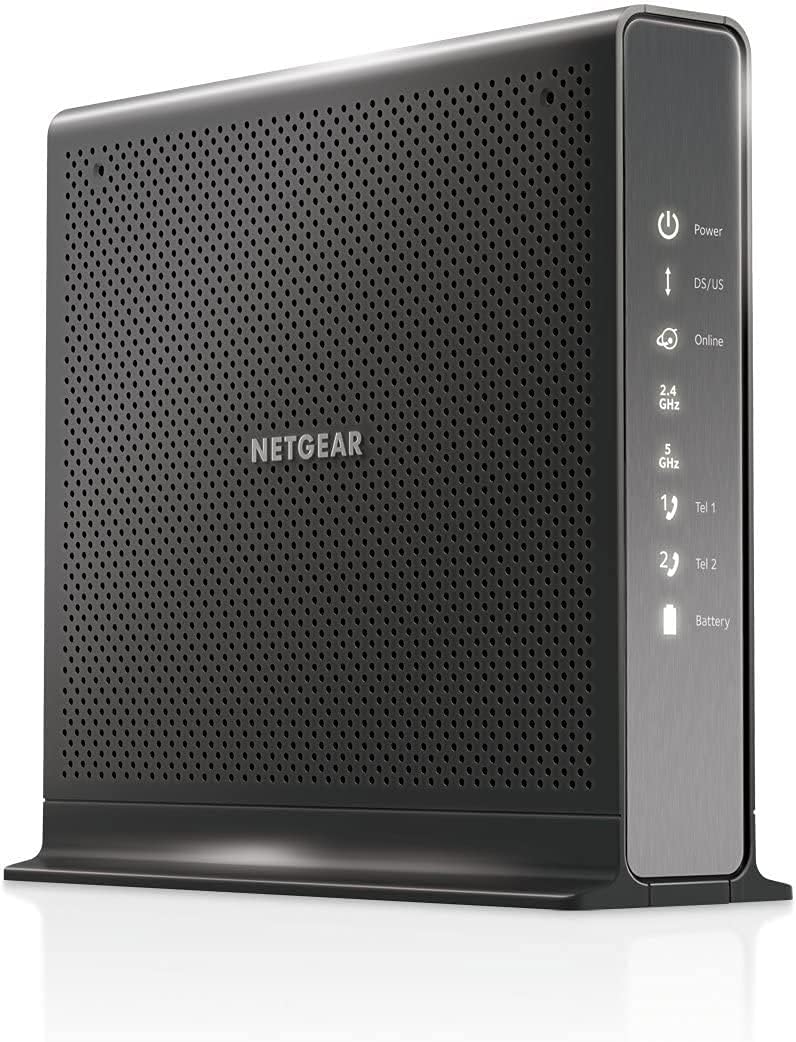
NETGEAR CM500V
4.2Editor score
Compatible with Xfinity Voice
Supports up to 300 Mbps
Saves rental fees
This guide compares the top 10 cable modems with phone ports for 2026 to help you save on rental fees and keep your landline service active with high speed
Finding a cable modem with phone ports allows you to keep your home landline while enjoying high speed internet without paying monthly rental fees to your provider. These devices combine modern networking technology with voice over IP support for reliable communication. They are essential for households that rely on traditional phone services alongside streaming and gaming.
We evaluated ten top rated models based on compatibility with major providers like Xfinity and Cox, supported internet speeds, and voice feature quality. Each unit was reviewed for ease of setup, build quality, and overall performance in real world home environments. This list helps you choose the right hardware for your specific internet plan and needs.
Every product pick includes detailed specifications, pros and cons, and expert insights to guide your purchase decision. Keep in mind that pricing and availability can change frequently based on market conditions and promotions. We recommend verifying current stock and deals before finalizing your order to ensure you get the best value possible today.
4.2Editor score

4.0Editor score

4.1Editor score
This side by side comparison highlights the key specifications and capabilities of each recommended cable modem with phone functionality to help you decide quickly based on your internet speed and voice service needs.



This modem stands out as the top choice for users seeking both high speed internet and reliable phone service. It holds a solid rating from verified buyers who appreciate its performance and stability during peak usage hours.
We may earn a commission when you buy through this link, at no additional cost to you.
Built for the fastest multi-gig speeds available on cable networks, it ensures your household keeps up with increasing bandwidth demands. Voice support includes enhanced features like caller ID and conference calling for up to two telephone lines.
While the price is higher than budget options, the investment pays off through substantial savings on monthly rental fees over time. The lack of voice compatibility with other providers is a minor trade-off for Xfinity subscribers.
Ideal for Xfinity users needing top tier performance, this modem delivers on speed and reliability. We recommend it for anyone serious about maximizing their home internet and phone infrastructure simultaneously.
The DOCSIS 3.1 technology supports download speeds up to 2.5Gbps, ensuring you never bottleneck your connection.
Enhanced call features work directly through the modem for a streamlined and cost effective home phone experience.
We may earn a commission when you buy through this link, at no additional cost to you.
The CM500V offers an excellent entry point for those wanting to save money without sacrificing voice service. It receives high praise for its reliability and ease of use among budget conscious consumers looking for a quality modem.
We may earn a commission when you buy through this link, at no additional cost to you.
Designed for cable plans up to 300 Mbps, it handles everyday streaming and browsing with ease. Voice support covers two telephone lines with standard features like call forwarding and ID.
While it lacks the speed headroom of newer models, it meets the needs of many average households efficiently. The primary downside is being locked into older standards which may limit future upgrades.
Perfect for casual users on a budget, this modem provides great value and essential functionality. It is a smart choice if your internet plan does not require maximum speed capabilities right now.
Save up to one hundred sixty eight dollars annually on equipment rental fees with this reliable and affordable modem.
Connect to any standard WiFi router to extend wireless coverage throughout your home without compatibility issues.
We may earn a commission when you buy through this link, at no additional cost to you.
The CM1150V combines premium build quality with advanced networking features for demanding users. It earns strong marks for stability and speed consistency even when multiple devices are actively using the network.
We may earn a commission when you buy through this link, at no additional cost to you.
With DOCSIS 3.1 and four Gigabit Ethernet ports, it offers flexibility for wired connections and aggregation options. Voice support includes enhanced features for a clear and functional home phone experience.
The higher price point reflects its robust feature set and long term reliability. Users may find the limited provider compatibility restrictive if they plan to switch internet services in the future.
Recommended for power users who need multiple wired connections and high speed internet, this modem excels. It is a premium solution that justifies its cost through performance and dependability over time.
Four Gigabit ports with link aggregation allow you to combine connections for faster wired network throughput.
Certification by Comcast ensures seamless activation and consistent performance with Xfinity internet and voice plans.
We may earn a commission when you buy through this link, at no additional cost to you.
This combo unit merges a modem and router into a single powerful device for simpler home networking. Users appreciate the convenience of managing both internet and wireless functions from one system.
We may earn a commission when you buy through this link, at no additional cost to you.
With WiFi 6 and DOCSIS 3.1, it supports faster speeds and better device handling. While it lacks built-in phone ports, it remains a top choice for those prioritizing wireless performance.
The all-in-one form factor reduces clutter but may require additional hardware for voice service. The price is justified by the advanced router capabilities included in the unit.
Best suited for households needing robust WiFi coverage and high-speed internet, this unit delivers value. Consider it if you do not strictly require built-in voice phone capabilities.
Combine modem and router functions to reduce cables and simplify your home network infrastructure significantly.
WiFi 6 technology ensures efficient data handling for multiple connected devices simultaneously without lag.
We may earn a commission when you buy through this link, at no additional cost to you.
The Motorola MT7711 brings together modem and router functions along with voice support for a complete solution. It receives positive feedback for its comprehensive feature set and effective wireless coverage.
We may earn a commission when you buy through this link, at no additional cost to you.
It supports up to two phone lines and offers AC1900 WiFi speeds for standard home use. Power boost amplifiers help maintain strong signals across larger spaces effectively.
Being a 3.0 device it may not keep up with the fastest new internet tiers. It is also strictly limited to Xfinity plans which reduces flexibility for other users.
Ideal for those wanting a single box solution with voice support, this modem offers convenience. Check your plan speed needs before buying to ensure it matches your requirements.
Eliminate multiple devices by using this all-in-one unit that handles internet and voice service efficiently.
High performance amplifiers boost signal strength for better connectivity in hard to reach areas.
We may earn a commission when you buy through this link, at no additional cost to you.
The T25 delivers strong performance with modern DOCSIS 3.1 technology at a mid-range price point. Reviewers highlight its straightforward setup and stable performance as key selling points for regular households.
We may earn a commission when you buy through this link, at no additional cost to you.
It supports two voice ports for home phones and handles speeds up to 800 Mbps comfortably. The SURFboard Central app simplifies activation and management for most users.
Lack of router functionality means you need a separate unit for WiFi which adds to the cost. The speed cap may restrict future upgrades depending on your area's internet plans.
Best for users needing reliable 3.1 performance without the highest speed costs, this modem fits well. It balances features and price effectively for most average Xfinity subscribers today.
Download the app to activate your modem quickly without needing to call customer support for setup.
DOCSIS 3.1 provides better security and lower lag for gaming and streaming compared to older models.
We may earn a commission when you buy through this link, at no additional cost to you.
This modem router combo is widely recognized for its versatility across different cable providers. It holds good ratings for its ability to handle various internet plans with stable performance.
We may earn a commission when you buy through this link, at no additional cost to you.
It supports speeds up to 800 Mbps and includes AC1900 WiFi for strong wireless coverage. While it lacks voice ports, it serves general networking needs reliably for many users.
The absence of voice functionality means you will need a separate solution for telephone service. However, the broad provider compatibility makes it a flexible choice for switching ISPs.
Recommended for general users not needing phone service, this combo offers great convenience. It balances performance and ease of use well for most households needing internet and WiFi.
Compatible with major providers like Xfinity and Cox giving you flexibility to change internet service easily.
Beamforming+ boosts range and signal strength to reduce dead spots in your home effectively.
We may earn a commission when you buy through this link, at no additional cost to you.
This unit integrates modem, router, and voice into one box simplifying home setup significantly. It is well rated for its ability to handle both internet and phone tasks with minimal friction.
We may earn a commission when you buy through this link, at no additional cost to you.
Supporting two phone lines and AC1900 WiFi it covers essential home needs effectively. The design helps keep your network compact and manageable for smaller households.
It does not include a battery backup for voice during power outages which is a drawback. The speed cap may also limit performance for faster internet plans available in some areas.
Suitable for households wanting a single box solution with voice support this unit is reliable. It serves well as a central hub for Xfinity internet and voice service.
Reduce cable clutter by combining internet and voice functions into one single device for your setup.
Includes caller ID and conference calling to ensure clear and functional phone communication.
We may earn a commission when you buy through this link, at no additional cost to you.
The CM3000 is designed for users seeking the highest possible speeds on cable networks. It earns high marks for its advanced technology that supports multi-gigabit download and upload capabilities.
We may earn a commission when you buy through this link, at no additional cost to you.
With link aggregation and mid/high-split tech it provides robust wired connectivity for demanding users. While it lacks voice, it is a powerful choice for internet-only households.
The need for a separate router and lack of voice ports are trade-offs for top speed. It is an investment in performance that benefits heavy streamers and gamers significantly.
Best for power users needing top tier internet speeds this modem is unmatched. Pair it with a quality router to fully utilize its potential capabilities in your home.
Revolutionary mid/high-split technology unlocks download speeds up to 2.5Gbps for maximum performance.
Link aggregation allows combining ports for faster wired connections to computers and devices.
We may earn a commission when you buy through this link, at no additional cost to you.
This refurbished option offers a cost effective way to get a modem router and phone combo. It is popular for its value and ability to meet standard home connectivity needs well.
We may earn a commission when you buy through this link, at no additional cost to you.
It provides two phone lines and basic WiFi for internet plans up to 600 Mbps. The high channel count ensures stable connections even with multiple devices active.
The lack of Gigabit ports and older WiFi standards limit its performance for newer devices. It remains a viable budget choice for users with moderate internet requirements.
Ideal for cost conscious buyers needing voice support this unit saves money effectively. Check condition ratings carefully when buying renewed items to ensure satisfaction.
Renewed units provide a lower price point for those willing to accept refurbished hardware.
Provides enough speed and range for streaming and browsing in average households.
We may earn a commission when you buy through this link, at no additional cost to you.
Selecting the right cable modem with phone requires understanding your provider and speed needs.
Always confirm the modem is certified by your internet service provider. Xfinity and Cox have specific approved lists. Models not approved may fail activation or limit features.
Check the provider list before purchasing to ensure your modem will work with your service.
Match the modem's DOCSIS standard and speed rating to your internet plan. DOCSIS 3.1 is needed for speeds above 500 Mbps. Lower tiers use 3.0 which is cheaper but limited.
Choose a modem that supports your current speed to avoid bottlenecks in your network.
Look for modems that support enhanced voice features like caller ID and conference calling. Some models offer more reliable call quality for home business needs. Voice ports vary by model.
Verify the number of supported lines and voice features match your household requirements.
Consider the number and speed of Ethernet ports for wired connections. Gigabit ports ensure fast data transfer for PCs and consoles. More ports offer better flexibility for multiple devices.
Select a modem with enough ports to connect your essential wired devices directly.
Decide between a modem router combo or separate units. Combos save space but limit upgrade flexibility. Separate units allow better customization of network features.
Choose based on whether you value convenience or advanced network control more.
Calculate rental fees savings over time to justify the purchase. Buying your own modem usually pays for itself in one to two years. Avoid ongoing rental charges where possible.
Invest in a quality modem to reduce monthly costs and gain hardware control.
Opt for DOCSIS 3.1 if available to prepare for future speed upgrades. Newer tech supports higher bandwidth and better efficiency. Older modems may need replacing sooner.
Prioritize newer technology standards to extend the lifespan of your modem.
Check warranty terms and manufacturer support policies. Reputable brands offer better customer service and return options. Good support ensures help if technical issues arise.
Choose brands with strong support records to ensure peace of mind after purchase.
Start by connecting the modem to your cable outlet and power source. Plug in your Ethernet cables and phone lines securely. Turn on the device and wait for lights to stabilize indicating it is online.
Use the manufacturer app or web interface to activate your modem. Follow the prompts to register the device with your internet service provider. This step ensures your account is linked to the new hardware.
Place the modem in a ventilated area away from heat sources to maintain performance. Avoid placing it inside cabinets where airflow is restricted. Regularly restart the device monthly to keep it running smoothly.
No cable modems only work with coaxial cable connections. DSL requires different telephone line technology. Ensure you select the correct type for your home service.
Most modems work with any standard router via Ethernet. Check for specific requirements. Using a compatible router ensures optimal wireless performance.
No not all modems include voice ports. Only models designed for voice services have them. Check the specs carefully to find phone functionality.
Saving depends on your rental fee but averages around $150 annually. Over time this adds up significantly. Buying your own hardware reduces monthly bills.
DOCSIS 3.1 is the latest cable modem technology. It supports faster speeds and better efficiency. It is ideal for high speed internet plans.
Voice may not work without a backup battery. Some modems support battery options. Check if your unit supports backup power for emergencies.
Our top picks highlight the best options for various needs from budget to premium. The CM2050V leads with speed while the CM500V offers savings for casual users.
Prioritize provider compatibility and speed needs when selecting your modem. Investing in the right hardware ensures long term satisfaction and cost savings.
Prices and availability change so always check current deals before buying. Ensure the selected modem matches your current and future internet plans.