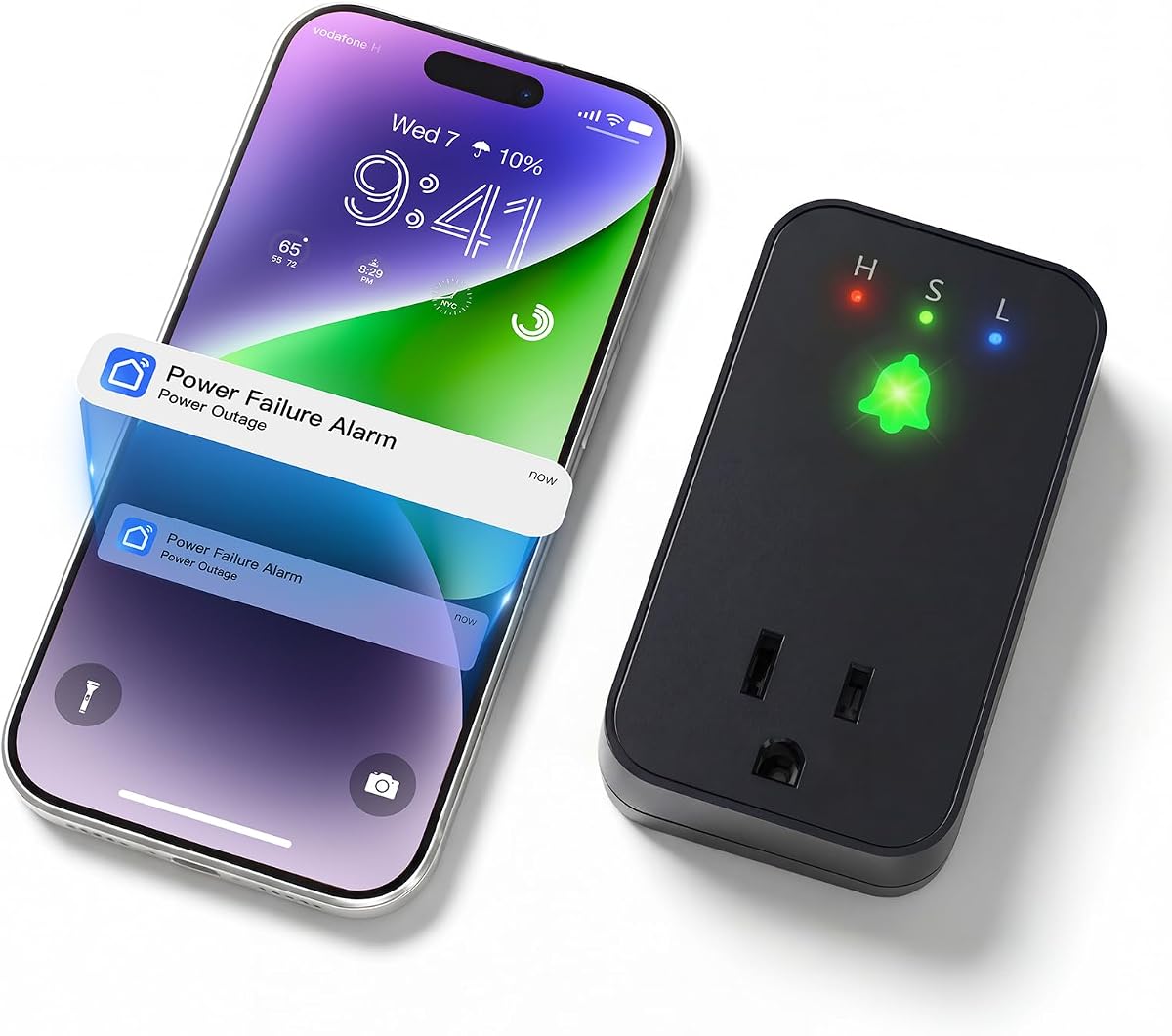
Power Failure Alarm WiFi Freezer
4.4Editor score
Affordable smart monitoring
Extended power outlet design
Adjustable volume settings
This guide compares the best power outage notification device options available in October 2026 to help you choose reliable alerts for your home or business.
Power outages can happen unexpectedly, leaving you in the dark and potentially causing damage to valuable appliances. A reliable power outage notification device ensures you are informed immediately when electricity fails. These smart monitors connect to your WiFi network to send alerts directly to your smartphone or email address.
We evaluated ten top-rated models based on their detection speed, alert methods, and overall reliability. Each product was assessed for ease of setup, battery backup duration, and compatibility with smart home ecosystems. Our goal is to provide a clear comparison to help you find the right fit for your specific needs.
Each pick below highlights key strengths and potential trade-offs to consider before buying. Look for models with loud sirens and multiple notification channels for maximum peace of mind. Remember that product availability and pricing can change, so always check the latest details before purchasing.
4.4Editor score

4.4Editor score

3.5Editor score
The following table provides a side-by-side comparison of all ten products reviewed in this guide to help you quickly identify the key specifications and features that matter most to your setup.




The WiFi Power Outage Alarm Detector stands out as a reliable choice for homeowners seeking direct notifications. With a rating of 4.4 stars, it is praised for its ability to send SMS and email alerts without requiring third-party apps. This device detects power failures in as little as three seconds and ensures you stay informed through multiple channels.
We may earn a commission when you buy through this link, at no additional cost to you.
Its standout feature is the elimination of subscription fees while maintaining direct SMS text capabilities. Many competitors limit text alerts or require paid tiers. This unit supports up to two phone numbers and four email addresses. Additionally, it features an integrated 85 dB audible alarm that works even without WiFi connectivity for local warnings.
One trade-off is the dependency on a 2.4GHz WiFi network for remote alerts. If your router only supports 5GHz, you will need to adjust your network settings. However, the local alarm ensures you are still alerted even if internet connectivity is lost during a storm. This dual-layer approach provides robust protection.
This device is ideal for families who need reliable alerts for critical appliances like freezers or medical equipment. The lack of subscription costs makes it a cost-effective long-term solution. If you want immediate text notifications without hidden fees, this model is a top recommendation for your home security setup.
This device sends direct SMS and email alerts without requiring any monthly fees or app logins.
An integrated loud siren sounds during power outages even when the WiFi connection is unavailable.
We may earn a commission when you buy through this link, at no additional cost to you.
The Power Failure Alarm WiFi Smart is designed to ensure you never miss a power outage due to its powerful local alarm. Rated at 4.3 stars, it uses the latest buzzer technology to produce a 110dB sound. This model connects via WiFi to the Smart Life app for free push notifications to your phone.
We may earn a commission when you buy through this link, at no additional cost to you.
A major strength is the extended socket feature which allows you to plug other appliances into the device itself. This saves outlet space while maintaining power flow to connected devices. The alarm volume is adjustable with three levels to suit your environment. It can run for up to 12 hours on battery power during an outage.
However, advanced features like direct text messages require a subscription fee within the app. This might be a drawback for users seeking free SMS alerts. The setup process involves downloading the specific app referenced on the product page. Ensure you follow the video guide to avoid configuration issues during installation.
This unit is best for those who prioritize a loud local siren and smart home integration. If you want to monitor fridges or sump pumps via an app, it delivers value. Just be aware that premium notification features will cost extra beyond the base price. It is a strong contender for smart home users.
The alarm uses upgraded buzzer technology to produce a loud sound that cannot be missed.
The device includes an extra outlet on its surface so you can plug in other appliances.
We may earn a commission when you buy through this link, at no additional cost to you.
This Power Failure Alarm WiFi Freezer offers excellent value for buyers on a budget. With a 4.4 rating, it provides essential monitoring features without a high cost. The device connects to WiFi to send notifications through the Smart Life or Tuya apps. It is specifically marketed for monitoring freezers and critical home appliances.
We may earn a commission when you buy through this link, at no additional cost to you.
Its compact design includes an extended socket that does not block adjacent outlets. The alarm features a 110dB siren with three adjustable volume levels. You can set the alarm to run for up to 12 hours before requiring a manual reset. This duration is sufficient for most short to medium power outages.
The main limitation is that text message alerts require a subscription fee within the app. Free notifications are limited to app push alerts. This is typical for budget smart devices but may limit remote monitoring if you do not have your phone nearby. Still, the local alarm ensures you are alerted at home.
For homeowners looking for a cost-effective way to protect their freezer or aquarium, this is a great choice. It delivers the core functionality of power monitoring and loud alerts at a lower price point. If free SMS is not a priority, this unit saves money while keeping your assets safe during storms.
This unit provides essential power monitoring features at a budget-friendly price for average homeowners.
The built-in extended socket prevents outlet blockage allowing you to plug in other devices easily.
We may earn a commission when you buy through this link, at no additional cost to you.
This model differentiates itself with the ability to remotely cancel alerts through the app. Rated at 4.1 stars, it allows users to stop the alarm sound from their phone if it is disturbing pets or children. It connects to WiFi and uses the Smart Life app for notifications. It is suitable for fridges, freezers, and aquariums.
We may earn a commission when you buy through this link, at no additional cost to you.
The device includes two expandable sockets which helps reduce cable clutter. This is useful when you need to plug in multiple appliances at once. The alarm has three different siren sounds and three volume levels to customize the alert experience. It can remain active for up to 10 hours on battery power.
One downside is the slightly lower customer rating compared to other models. Some users may find the app dependency cumbersome if they prefer simple hardware buttons. Like many devices in this category, text message alerts require an in app subscription. Be sure to check the app requirements before purchasing.
Choose this device if you need to control the alarm remotely or have multiple devices to monitor. The dual socket design adds practical value for crowded power strips. If you want flexibility in alarm management and are comfortable with apps, this is a solid option for your home network.
You can cancel the alarm notification remotely through the app to avoid disturbing family or pets.
Two expandable sockets allow you to connect more devices without needing extra extension cords.
We may earn a commission when you buy through this link, at no additional cost to you.
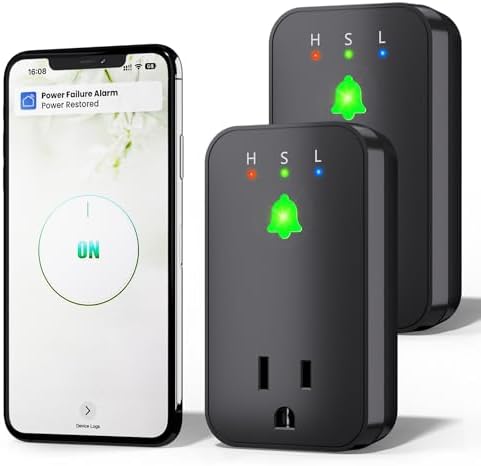
This 2-pack bundle allows you to monitor multiple areas of your home simultaneously. Rated at 4.3 stars, it is a smart choice for larger houses with several critical appliances. Each unit connects to WiFi and supports the Smart Life app for notifications. You can place one in the kitchen and another in the basement for example.
We may earn a commission when you buy through this link, at no additional cost to you.
Each alarm features a 110dB siren and an extended power socket. The battery backup lasts up to 12 hours ensuring alerts continue during extended outages. Buying a pair is more cost-effective than purchasing two separate units individually. This ensures consistent monitoring across different rooms in your home.
Like similar models, text alerts require a subscription through the app. This means you rely primarily on push notifications for remote updates. If you are not subscribed, you must be at home to hear the alarm. However, the volume is loud enough to alert anyone in the immediate vicinity.
This set is perfect for families who want comprehensive coverage for their freezer, sump pump, and furnace. The convenience of having two devices ready out of the box is a strong selling point. If you need to protect multiple zones without multiple orders, this bundle is the most efficient solution.
The 2-pack allows you to monitor multiple rooms or critical appliances simultaneously for complete protection.
Purchasing two units together offers better value than buying them individually for full home monitoring.
We may earn a commission when you buy through this link, at no additional cost to you.
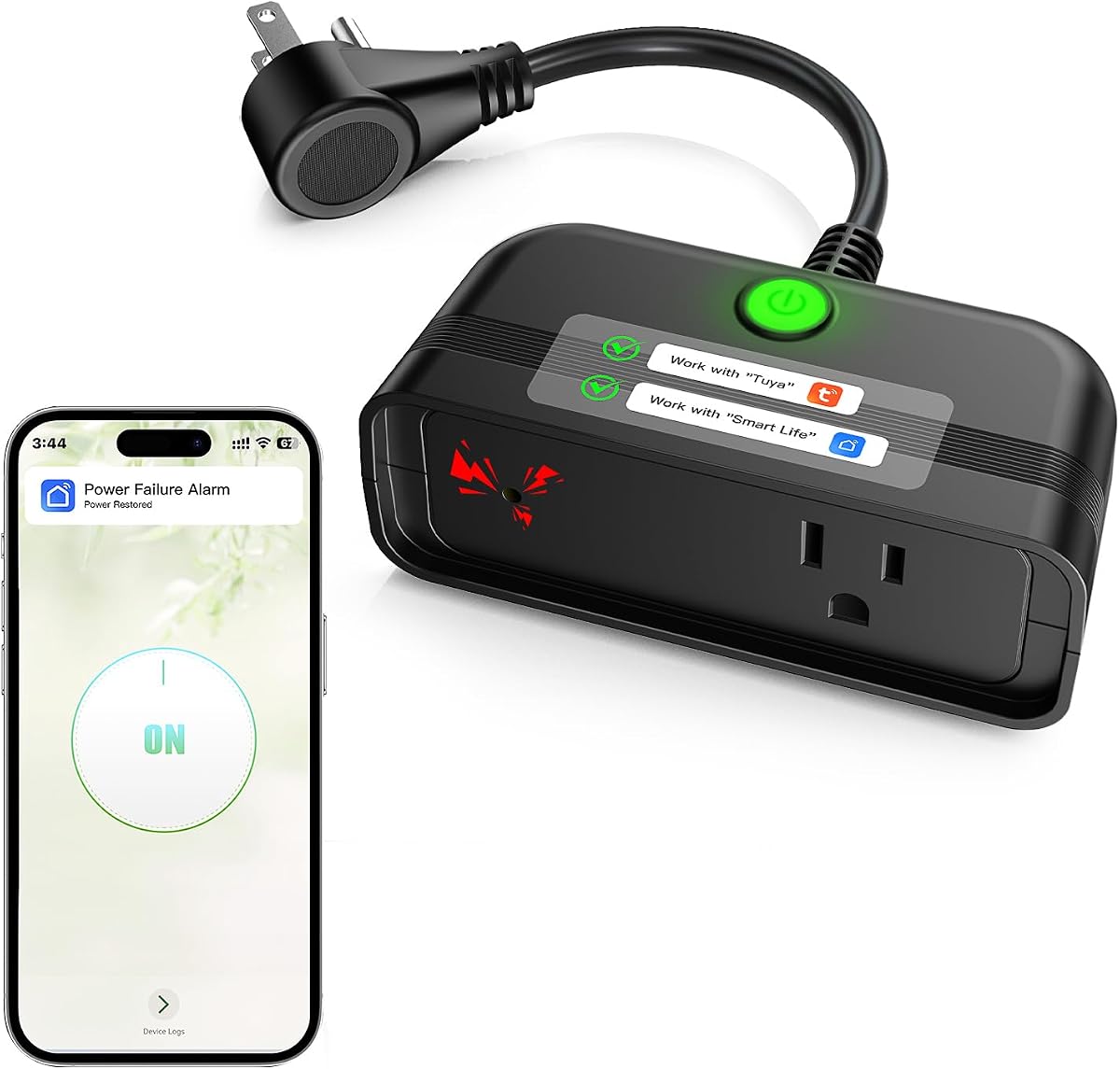
This outdoor version is built to withstand weather conditions while monitoring power supply. Rated at 4.3 stars, it is ideal for monitoring irrigation systems, outdoor lights, or ponds. It connects to WiFi to send alerts via the Smart Life app. The alarm is loud enough to be heard from inside the house if nearby.
We may earn a commission when you buy through this link, at no additional cost to you.
The device includes a mounting hole for wall installation to keep it off the floor. This helps protect it from water accumulation and keeps your space tidy. The alarm sounds at 110dB and has an LED indicator for visual confirmation. Battery backup lasts up to 12 hours to cover typical outage durations.
Text message features require a subscription which might limit remote alerts if you do not pay. For outdoor use, it is important to note that extreme weather could eventually affect the casing. Ensure the device is installed in a sheltered area if possible to maximize longevity. The local alarm works regardless of app status.
Choose this unit for your garage, patio, or garden pump systems. It provides peace of mind for outdoor assets that need power to function. If you have a critical irrigation system that could dry out in an outage, this device ensures you get notified immediately to prevent damage.
The device is upgraded with a weatherproof design suitable for outdoor monitoring of irrigation and lights.
A built-in mounting hole allows you to hang the device securely to keep it safe from the ground.
We may earn a commission when you buy through this link, at no additional cost to you.
The Power Pal is unique in that it does not require an app for setup. Rated at 3.5 stars, it offers a simple plug and play experience. It monitors power within the location and sends notifications via text or email directly. This is convenient for users who dislike downloading additional applications on their phone.
We may earn a commission when you buy through this link, at no additional cost to you.
Its compact design ensures it does not block adjacent outlets which is a common issue with bulky smart plugs. It works as a standalone monitor even without any other devices plugged into it. This flexibility allows you to use it as a dedicated outlet sensor for power checks. It integrates with Cloud Services if needed.
One trade-off is the lower customer rating which may indicate reliability issues. Some users might find the setup less intuitive despite the app-free promise. The lack of a dedicated app interface means fewer customization options compared to smart home hubs. However, for basic alerts, it delivers on its primary function.
If you want a basic power monitor without smart app dependencies, this is a strong choice. It is best for seniors or tech cautious users who prefer simplicity. While it lacks advanced features, the direct email and text alerts provide essential peace of mind for critical equipment monitoring.
You can set up the device without downloading any specific application or creating an account online.
The slim profile allows the device to sit without blocking other nearby power outlets.
We may earn a commission when you buy through this link, at no additional cost to you.
This Freezer Power Outage Alarm boasts a high rating of 4.5 stars indicating strong user satisfaction. It is optimized for monitoring freezers and aquariums using the Smart Life app. The device sends free push notifications to your phone when power is lost. It features a loud 110dB alarm to alert you locally.
We may earn a commission when you buy through this link, at no additional cost to you.
The extended socket design helps you save outlet space while keeping your device powered. The alarm can be manually canceled or will stop automatically when power is restored. Battery backup lasts up to 12 hours to ensure you are notified during long outages. It supports 2.4GHz WiFi for reliable connectivity.
Direct text message alerts are not free and require an in app subscription. This is standard for this category but may limit remote users. The high rating suggests the device performs well in real world scenarios. It is a dependable option for those who want consistent alerts for critical appliances.
If your priority is protecting expensive food or livestock feed, this unit provides excellent value. The loud alarm ensures you are alerted even if you are asleep. With a 4.5 rating it is one of the most trusted options in the lineup. Consider this for your kitchen or utility room setup.
This model holds a strong 4.5 star rating indicating high reliability in customer feedback.
An extra outlet on the device helps you save valuable wall outlet space for other plugs.
We may earn a commission when you buy through this link, at no additional cost to you.
This Smart Power Outage Alarm is rated at 4.5 stars for its dual warning system. It sends push notifications via the Smart Life app and includes a loud siren with LED warnings. This ensures you are alerted both remotely and locally. It is compact and connects easily to standard outlets without a hub.
We may earn a commission when you buy through this link, at no additional cost to you.
The device features a 110dB alarm and a flashing red LED for visual alerts. This is useful in noisy environments where sound alone might be missed. The alarm can run for 12 hours on battery power before needing manual intervention. It resets only when power is restored or you press the cancel button.
One consideration is that you must perform a manual reset after power is restored. This prevents false alarms but adds a step to your process. Text message alerts require a subscription which may limit remote options. The visual LED is a nice touch for identifying issues at a glance.
Select this model if you want a comprehensive alert system for your basement or office. The combination of sound and light helps ensure you never miss an event. With its high rating and solid battery backup it is a strong contender for protecting valuable assets.
This unit combines a loud siren with a flashing LED light to ensure you are alerted clearly.
The device connects directly to your WiFi network without needing an additional central hub.
We may earn a commission when you buy through this link, at no additional cost to you.
This Freezer Power Outage Alarm is designed for simple monitoring of critical appliances. Rated at 3.9 stars, it connects via WiFi to the Smart Life app for alerts. The device triggers a loud 110dB alert and LED flash for 60 seconds to confirm the power loss. It switches to battery power automatically.
We may earn a commission when you buy through this link, at no additional cost to you.
The alarm can stay active for 12 hours on battery power. It flashes the LED for one minute then provides a beep reminder every minute. This ensures you are reminded of the issue even after the initial siren stops. It includes an extended socket for plugging in your appliance directly.
Manual cancellation is required to stop the alarm which ensures you acknowledge the alert. Text message features require a subscription which may be a downside for some. The adjustable volume allows you to set a level that is not too loud at night. It is straightforward and functional.
If you need a simple way to monitor your freezer without complex settings, this is a good option. It covers the basics with a loud alarm and battery backup. Just be aware of the subscription costs for text alerts. For budget conscious buyers this is a practical choice.
The device switches to battery power immediately when the main power supply is interrupted.
The built-in socket lets you plug in your freezer or pump directly without extra cords.
We may earn a commission when you buy through this link, at no additional cost to you.
Choosing the right power outage notification device requires careful consideration of several factors to ensure it meets your specific needs and setup requirements.
Consider how you want to be alerted during a power outage. Most devices offer app push notifications which are free. However, direct SMS or email alerts often require a subscription. Decide if you need remote text messages or if app alerts are sufficient for your situation.
Look for models that offer multiple channels like text email and local sirens to ensure you are notified regardless of your phone status.
Battery backup is essential for ensuring the device continues to function during a power outage. Most models offer between 10 to 12 hours of battery life. This should cover typical short outages. However, long storms may require a longer duration or a backup generator.
Select a device with at least 12 hours of battery life to ensure you stay informed during most weather events.
Many smart devices only support 2.4GHz WiFi networks. If your router broadcasts only 5GHz, you will need to adjust your settings. Ensure your network supports 2.4GHz to avoid connection issues during setup or operation.
Check your router settings to confirm it supports 2.4GHz before purchasing to ensure smooth connectivity.
A loud local alarm is crucial for alerting people in the immediate vicinity. Look for models with 110dB or higher sirens. This ensures you can hear the alarm even if you are in another room or if the house is noisy.
Prioritize models with adjustable volume and loud sirens to ensure the alarm is always heard clearly.
Some devices block adjacent outlets which can be inconvenient. Look for models with an extended socket that does not block other plugs. This design helps maximize your available power space.
Choose a device with an extended socket to avoid blocking other outlets and save power strip space.
Some devices require specific apps to function while others work without apps. Decide if you are comfortable downloading a Smart Life app or prefer a plug and play option. Check reviews for app reliability.
Ensure the app required for setup is reliable and easy to use on your phone for smooth monitoring.
Many devices offer free app alerts but charge for SMS text messages. Consider the ongoing costs when choosing a model. Some units have no fees for text messages which is a significant long term benefit.
Look for models with no subscription fees for text alerts to save money over the long term.
Simple plug and play setups are preferable for most users. Avoid complex wiring or installation. Check if the device requires manual resets after power outages which can be a hassle.
Opt for devices with straightforward plug and play setup and minimal manual intervention for ease of use.
To set up your device, plug it into a standard 120V AC outlet. Download the required app on your smartphone and create an account. Connect the device to your WiFi network following the in-app guide.
Ensure the device is placed near critical appliances like freezers or medical equipment. Check the battery level regularly and replace it if needed. Keep the device in a dry location to avoid damage.
Test the alarm by unplugging the device or turning off the power. Verify you receive notifications. Reset the device by pressing the cancel button if needed to confirm it is working properly.
Most devices offer free app push notifications. Text message alerts often require a subscription. Check the product details for specific subscription costs for SMS alerts.
Local alarms will still sound even without WiFi. Remote notifications like texts or app alerts require WiFi to function. You will need a backup power for your router for remote alerts.
Yes, devices with no app requirements can work without a smartphone. Some models rely on text or email directly. Check the setup requirements for the specific model.
Most units provide 10 to 12 hours of battery backup. This covers short to medium outages. For longer power cuts you may need an external generator.
Yes, it works with most standard appliances. Just plug your appliance into the device. It is ideal for freezers aquariums and sump pumps.
Most devices reset automatically when power returns. Some may require a manual press of the cancel button. Check the specific manual for your model.
You can buy multiple units to monitor different rooms. Some bundles include two devices for home use. This allows you to check multiple zones easily.
Our top picks include models with direct SMS alerts and budget friendly options with loud sirens. Each device offers unique strengths to fit different home needs.
Prioritize models with multiple notification channels and long battery life for best results. Ensure your WiFi supports 2.4GHz for reliable connections.
Remember to check current prices and availability before purchasing. Prices may vary and stock can change. Always compare features to find the right fit for your home.