
AI Drawing Projector for Kids
4.4Editor score
AI generates custom outlines
Built-in speaker with sound
No SD cards required
Discover the top AI Drawing Projector models of 2026. This guide compares features, ease of use, and artistic capabilities to help you choose the perfect
Artificial intelligence is transforming how children and adults approach creative projects today. An AI Drawing Projector blends traditional sketching with modern technology to turn ideas into traceable outlines instantly. These devices help users build confidence while drawing realistic images without needing prior artistic experience or complex software skills.
We evaluated ten leading models based on resolution, connectivity, app integration, and safety features. Our analysis focuses on how each device handles photo conversion, voice commands, and projection quality across different surfaces. We also considered battery life, portability, and the variety of built-in patterns available for ongoing creative growth and learning.
Each pick below highlights specific strengths for different age groups and skill levels. From toddler-friendly devices to professional-grade projectors for artists, there is an option for every creative need. Please note that pricing and availability may change, so always verify current details before purchasing your next art tool.
4.4Editor score

4.8Editor score

4.0Editor score
This side-by-side comparison highlights the core specifications and unique capabilities of each model. Whether you need a simple tool for kids or a high-resolution projector for professional art, these details will guide your decision.




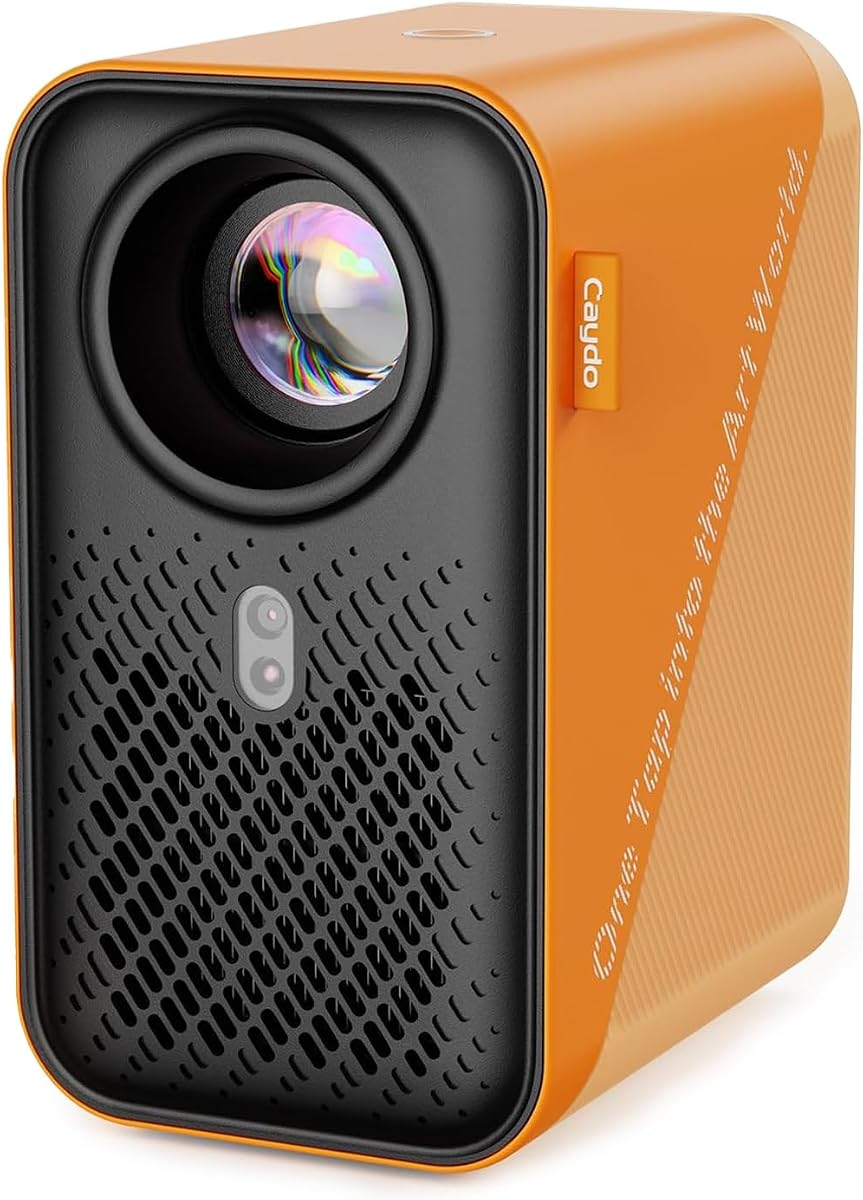

This compact projector introduces young creators to the magic of artificial intelligence at an accessible price point. With a 4.4 rating, it stands out as an excellent gift for children ages five to twelve. The device focuses on simplicity, allowing kids to type ideas and watch them transform into traceable images instantly.
We may earn a commission when you buy through this link, at no additional cost to you.
Its standout feature is the ability to turn favorite photos into art. Whether tracing a family pet or a special moment, the AI generates clean outlines that children can color and personalize. The built-in speaker enhances learning by speaking numbers and words when learning packs are selected, adding an educational layer to play.
While it lacks wireless connectivity, the included USB cable ensures stable performance during use. The 50 built-in pictures provide immediate fun, and optional packs expand the library without needing SD cards. The trade-off is the need for a power source, but this keeps the device lightweight and focused on drawing rather than streaming.
Parents seeking a straightforward, safe introduction to creative technology will find this model ideal. It balances affordability with enough features to spark imagination and build drawing confidence over time.
Learning packs engage children with sound effects and educational content, reinforcing vocabulary while they trace and color.
Turning personal photos into drawings helps kids connect emotionally with their art, making the creative process more meaningful.
We may earn a commission when you buy through this link, at no additional cost to you.
The Caydo T3 Joy leads our list with a stellar 4.8 rating, offering a blend of safety and creativity perfect for young artists. Designed for ages four and up, it features an adorable sloth design that immediately appeals to children. The device includes 120 built-in patterns across fun themes like space and animals, ensuring variety from day one.
We may earn a commission when you buy through this link, at no additional cost to you.
Its key strength lies in the Caydo App integration, which unlocks endless possibilities beyond built-in content. Kids can upload photos or type ideas like a superhero puppy, and the AI generates clean outlines instantly. The step-by-step guidance breaks drawings into manageable parts, helping beginners build confidence without feeling overwhelmed by complex lines.
Safety is a priority, with SGS certified RG0 blue light protection. The projector shines downward onto paper, away from eyes, and adjustable timers encourage healthy breaks. While some features require app connection, the robust offline content and reliable performance make it a standout choice for families seeking a safe, engaging creative tool.
This model is perfect for parents who value both artistic development and child safety. It grows with the child, offering room to explore advanced features as skills improve.
Downward-facing projection and certified blue-light filters protect sensitive eyes during long creative sessions.
Breaking images into simple steps teaches patience and technique, turning drawing into a structured learning experience.
We may earn a commission when you buy through this link, at no additional cost to you.
For serious artists, the Caydo P3 delivers professional performance with its native 1080P resolution and 400 ANSI lumens brightness. This ensures crisp, vivid images even in well-lit rooms. With a 4.0 rating, it caters to those needing precision and flexibility in their workflow, featuring a built-in drawing assistant with zoom and grid tools.
We may earn a commission when you buy through this link, at no additional cost to you.
Its ability to transfer images via QR code or USB makes it versatile for remote or offline studio work. The exclusive drawing assistant offers modes like Gridify and Sketchify, adapting to various styles. Dual-band WiFi 6 and Bluetooth 5.4 enhance connectivity for streaming or audio, making it a comprehensive entertainment and art device.
The 30,000-hour lamp life promises longevity, reducing maintenance costs over time. However, its price and feature set are best suited for dedicated creators rather than casual users. The auto-focus and keystone correction ensure sharp projection regardless of surface angle.
Artists seeking a high-end, durable tool for both art and media will find immense value here. It bridges the gap between a drawing assistant and a full home entertainment projector.
Built-in tools like grids and artistic modes streamline complex projects, saving hours of manual setup time.
WiFi 6 and Bluetooth 5.4 ensure fast data transfer and seamless audio pairing for an immersive creative environment.
We may earn a commission when you buy through this link, at no additional cost to you.
The Caydo T3 AI Drawing Projector is a versatile companion for kids, rated 4.6 for its balance of creative tools and entertainment. It features native 720P resolution with built-in WiFi and Bluetooth, allowing it to double as a movie or music player after drawing sessions. This versatility makes it a gift that keeps providing value long after the initial drawing fun.
We may earn a commission when you buy through this link, at no additional cost to you.
Its AI capabilities include instant photo-to-outline conversion, perfect for creating personalized portraits or gifts. The safe light design shines downward, protecting eyes while ensuring clear images. Auto-brightness adjusts to room conditions, and timer settings help manage usage time responsibly.
While not as high-resolution as the P3, the T3 offers excellent value for families wanting a multi-functional device. The step-by-step guidance supports skill growth, and the 5 built-in themes provide variety. It is ideal for kids ready to move beyond basic toys into more interactive learning.
This projector is perfect for households where entertainment and education share the same screen. It keeps kids engaged with creative projects and downtime entertainment alike.
Switching to streaming mode turns a drawing tool into a movie projector, maximizing utility for family movie nights.
Turning photos of friends or pets into drawings makes for unique, heartfelt presents that kids can make themselves.
We may earn a commission when you buy through this link, at no additional cost to you.
Targeting older kids and teens, the Flycatcher smART Sketcher boasts a 4.7 rating for its advanced voice and text input features. It allows users to describe what they want to draw verbally, and the AI generates high-resolution outlines. This hands-free approach makes the process feel more intuitive and modern, appealing to tweens and hobbyists.
We may earn a commission when you buy through this link, at no additional cost to you.
Its precision is ideal for detailed, realistic images rather than cartoonish outlines. The device projects onto various surfaces like canvas or fabric, expanding creative possibilities. The included 30-image inspiration cartridge jumpstarts creativity, while the app offers broader libraries. It focuses purely on the drawing aspect, keeping kids off screens while they create.
While it relies on the free app for input, this simplifies hardware complexity. Users can trace family photos or holiday memories, preserving moments in tangible art. The larger projection area compared to previous models provides room for complex projects.
This projector is perfect for students or teens developing serious artistic skills. It bridges the gap between digital imagination and physical artwork seamlessly.
Speaking a description allows for rapid prototyping of ideas without typing, speeding up the creative flow.
Supporting canvas, fabric, and paper lets artists experiment with different mediums using the same tool.
We may earn a commission when you buy through this link, at no additional cost to you.
Rated 4.5, this Art Projector distinguishes itself with app-free web control via a QR code, simplifying setup for iOS and Android users. It offers dual-band WiFi for real-time tracing, ensuring low latency when mirroring phone sketches. This model supports both online and offline use, making it reliable for remote locations or areas with poor internet.
We may earn a commission when you buy through this link, at no additional cost to you.
Its manual focus adjustment provides precise control over image sharpness. The adjustable stand accommodates various angles and surfaces, from horizontal canvases to vertical walls. This versatility is great for architectural plans or decorative projects like cookies, where accuracy is key.
While it lacks high-end features like auto-focus, the straightforward operation appeals to artists who prefer control over automation. The FCC ID certification ensures safety and performance standards are met for home use.
Ideal for professionals or students needing a reliable, no-fuss tool for tracing complex designs. It removes barriers like app installations, focusing purely on functionality.
Controlling settings via browser eliminates the need to install software, saving space and time for quick sessions.
Working without internet ensures creativity isn't interrupted by connectivity issues, useful for workshops or travel.
We may earn a commission when you buy through this link, at no additional cost to you.
This model aims to reduce latency with an upgraded 5G dual-band chip, offering a smoother tracing experience than standard 2.4G devices. Rated 3.5, it maintains the convenience of app-free web control and offline modes. It is engineered for versatility, allowing seamless switching between studio and remote work environments.
We may earn a commission when you buy through this link, at no additional cost to you.
The sturdy adjustable mount provides flexibility for any workspace, ensuring the projector stays stable during use. Its FCC ID certification guarantees safety compliance. While the rating suggests some user friction, the technical specs offer a solid foundation for artists seeking better connection stability.
Focus adjustment remains manual, which may require patience but ensures precise control. It transforms mobile photos into tangible art on various surfaces, making it a practical tool for hobbyists or educators on a budget.
Best for users prioritizing connection speed and simplicity over advanced auto-features. It balances cost with modern wireless capabilities effectively.
Faster data transfer means less lag when mirroring intricate sketches from a phone or tablet in real-time.
A stable, adjustable mount ensures consistent projection angles, essential for precise architectural or cookie decorating tasks.
We may earn a commission when you buy through this link, at no additional cost to you.
The Caydo P2 Art Projector offers robust features for artists, rated 3.8 for its reliability and functional design. With native 1080P resolution, it delivers clear images. Its unique selling point is the exclusive drawing assistant with four modes: Gridify, Sketchify, Comicize, and Monochromize, allowing creative adaptation to different art styles.
We may earn a commission when you buy through this link, at no additional cost to you.
Offline functionality is key here; once images are loaded via QR or USB, drawing tools work without internet. This ensures uninterrupted workflow in basements or remote studios. Auto-focus and keystone correction quickly lock clarity, saving setup time. Dual-band WiFi and Bluetooth 5.4 support audio streaming or pairing with external speakers.
While brightness is lower than the P3, it remains effective for indoor studio use. The rotating base eliminates the need for extra stands. It serves as a dedicated art tool that transitions well into home entertainment.
Perfect for artists needing versatile artistic modes and offline reliability. It balances technical performance with creative flexibility for diverse projects.
Switching modes like Comicize or Sketchify adapts the projector to different art styles, expanding creative options.
Drawing tools function without internet, ensuring work continuity even in areas with poor connectivity.
We may earn a commission when you buy through this link, at no additional cost to you.
Rated 3.8, the Caydo P1 balances portability with performance, featuring a fully sealed optical core to prevent dust and maintain image quality over its 10,000-hour lamp life. It includes an exclusive drawing app with tools like zoom and grids, simplifying the creative process. Auto screen-fit ensures precise scaling without manual adjustment.
We may earn a commission when you buy through this link, at no additional cost to you.
Its versatility shines with multiple screen mirroring options like EShare and AirPlay, though copyrighted content cannot be mirrored. Bluetooth 5.0 allows two-way audio transmission for standalone speaker use. The projector supports 4K video playback, making it a dual-purpose entertainment and art device.
The compact design makes it easy to move between rooms or studios. Users can transfer images via USB or QR codes quickly. While brightness is moderate, it is sufficient for standard indoor lighting.
Best for hobbyists and artists needing a portable, all-in-one solution. It combines reliable technical features with a user-friendly interface for seamless use.
Protecting internal optics from dust extends the projector's lifespan and keeps image quality sharp over years of use.
Automatic scaling removes guesswork, ensuring images fit perfectly on any surface without manual tweaking.
We may earn a commission when you buy through this link, at no additional cost to you.
Rounding out the list, this Art Projector focuses on simplicity and reliability with a 3.7 rating. It uses a web-based interface accessible via QR code, avoiding the need for app downloads. The FCC-certified WiFi ensures stable connections, and setup takes under 30 seconds. It is lightweight and portable, ideal for quick sessions or travel.
We may earn a commission when you buy through this link, at no additional cost to you.
Its versatile applications include cookie decorating, architectural sketches, and education. The adjustable focus button and stand allow quick customization for different surfaces. It supports both online and offline modes, ensuring flexibility regardless of internet access.
While it lacks advanced auto-features, it serves well for straightforward tracing tasks. The affordable nature and ease of use make it accessible for beginners or casual users. It transforms digital images into tangible masterpieces without complexity.
Ideal for anyone seeking a no-fuss tool for creative enhancement. It prioritizes ease of use and portability for daily projects.
Getting started in under 30 seconds means more time creating and less time configuring settings or connecting devices.
Teachers can use it to project historical maps or diagrams, helping students trace and understand complex visuals easily.
We may earn a commission when you buy through this link, at no additional cost to you.
Selecting the right AI Drawing Projector depends on your specific needs, skill level, and desired features. This guide outlines key factors to consider.
Consider who will primarily use the device. Models like the Caydo T3 Joy are designed for children ages 4+, featuring step-by-step guidance and simplified interfaces. For teens and adults, tools like the smART Sketcher offer advanced features like voice input and high-resolution projection. Matching the device complexity to the user ensures engagement without frustration.
Choose a model that aligns with the user's artistic confidence. Beginners benefit from guided steps and built-in themes, while advanced users prefer customizable controls and detailed output.
Resolution and brightness are critical for clear tracing. Look for native 1080P projectors like the Caydo P3 for professional detail, or 720P options for general use. Brightness measured in ANSI lumens affects usability in different lighting conditions. Higher brightness allows daytime use without needing a dark room.
Prioritize brightness and resolution based on your typical workspace. A well-lit studio needs higher ANSI lumens to maintain image clarity for precise tracing.
Connectivity determines how you send images to the projector. Options include dual-band WiFi for real-time mirroring, QR code scanning, or USB transfers. Some models require apps, while others use web browsers for control. Evaluate your preference for wireless versus wired connections to ensure a smooth workflow.
Check if offline modes are available. If you work in areas with poor internet, a projector supporting offline or USB transfers will prevent workflow interruptions.
Safety is paramount for children. Look for certifications like SGS RG0, which indicates low blue light hazard. Devices that project downward away from eyes reduce strain. Adjustable timers can also encourage healthy breaks during long sessions.
Always verify safety ratings when buying for kids. A projector designed with eye safety ensures comfortable use without risking long-term vision health.
Built-in themes provide immediate fun, but app integration offers endless creativity. Check if the device supports photo uploads, text-to-image generation, or online libraries. Some models like the Flycatcher smART Sketcher focus on custom input, while others include hundreds of pre-set patterns.
Evaluate the longevity of content. A device with expandable libraries grows with your skills, offering new challenges as you progress.
Some projectors require constant power, while others may offer battery options. Corded devices are reliable but limit mobility. If you plan to move the device between rooms or take it to classes, look for lightweight designs and stable stands.
Choose based on your mobility needs. A stationary setup allows for heavier, more powerful units, while portability requires compact, lighter hardware.
Many models double as media players with HDMI, streaming apps, or Bluetooth audio. If you want a multi-purpose device for art and movies, prioritize features like native streaming support or high-quality speakers.
Determine if entertainment features add value. For kids, a projector that also plays cartoons adds significant utility beyond just drawing.
Budget-friendly options offer basic functionality, while premium models provide higher resolution and longevity. Check lamp life ratings; models with 30,000 hours offer better long-term value. Durability matters if the device will be used frequently or by multiple users.
Balance initial cost against long-term use. A slightly more expensive device with better build quality may save money on replacements later.
To get started, place the projector on a flat surface and connect it to power. Scan the QR code on the device to access the web interface or download the required app. Select an image from your library or use the AI feature to generate a new outline based on your description.
Once the image is projected, place paper under the light and adjust the focus until lines are sharp. Use a pencil or pen to trace the outline, working from top to bottom to avoid smudging. If using a step-by-step mode, follow each stage to build the drawing gradually.
After use, allow the projector to cool before storing it. Clean the lens gently with a soft cloth to prevent dust scratches. If the device supports offline modes, ensure files are saved locally to maintain access without internet connections in the future.
Most models allow you to upload photos from your phone to generate traceable outlines. However, clarity depends on image quality and lighting. Some devices offer specific modes to simplify complex photos, making them easier to trace without losing detail.
While some features like app downloads may need internet, many projectors support offline modes. Once images are loaded via USB or QR code, you can trace without an active connection. Always check the specific model for offline capabilities.
Yes, many models are designed with child safety in mind, including downward projection and certified blue-light filters. Always supervise younger children to ensure proper handling and maintain recommended distance during use.
Most projectors work on walls, canvases, easels, or paper. Some advanced models support vertical surfaces like chalkboards. Always test the surface for texture before starting to ensure the projection remains clear and sharp.
Lamp life varies by model. Standard units may offer around 10,000 hours, while premium versions can reach 30,000 hours. This translates to years of regular use before replacement is needed. Check specifications for exact duration.
Higher-end models like the Caydo P3 or P2 offer high resolution and tools suitable for professional work. They support grids, zoom, and precise scaling, making them effective for murals, portraits, and detailed technical drawings.
Whether you are buying for a young child or a professional artist, the top picks cover a wide range of needs. The Caydo T3 Joy stands out for families seeking safety and guided learning, while the Caydo P3 offers professional tools for serious creators.
When deciding, prioritize features that align with your intended use. Look for safety certifications, resolution, and connectivity options that match your workflow. A device with robust offline support can be more practical than one requiring constant internet access.
Remember that prices and models change over time. Verify current availability and warranty details before finalizing your purchase. With the right tool, creativity becomes accessible to everyone regardless of skill level.