
Acer Aspire 16 AI Copilot+ PC
4.2Editor score
Affordable entry point
Snapdragon X processor
120Hz refresh rate
AI laptops with dedicated NPUs are reshaping how we work by accelerating machine learning tasks locally. These devices offer incredible efficiency and speed for creative and professional workflows without relying on the cloud.
We evaluated ten leading models based on their NPU performance, display quality, battery life, and overall value. Our analysis covers everything from budget-friendly options to high-performance machines designed for developers.
Each pick includes detailed specifications, pros and cons, and real-world use cases to help you decide. Note that prices fluctuate frequently so always check the current listing before purchasing your new device.
4.2Editor score

5.0Editor score

5.0Editor score
As an Amazon Associate we earn from qualifying purchases.
This side-by-side comparison highlights the key differences between the top ten AI laptops available today. We examine processors, memory, displays, and specific NPU capabilities to help you choose the right machine.



The ASUS Vivobook S16 stands out as a top contender with its exceptional OLED display and robust AI capabilities. It achieves a perfect rating due to its balanced performance and premium design features.
We may earn a commission when you buy through this link, at no additional cost to you.
Its AMD Ryzen AI 9 processor delivers 50 TOPS of NPU performance ensuring smooth operation for complex AI tasks. The 32GB of RAM allows for seamless multitasking while the OLED screen provides vibrant visuals.
While the price is higher than some competitors the build quality and performance justify the investment for power users. The battery life ensures you can work throughout the day without frequent recharging.
Ideal for creatives and professionals who need high performance in a portable form factor this laptop is a top recommendation. It offers the best blend of display quality and AI processing power.
The 16 inch WUXGA OLED screen offers deep contrast and vivid colors ideal for media consumption and creative work.
With 50 TOPS NPU performance you can run local AI models efficiently without slowing down your system.
We may earn a commission when you buy through this link, at no additional cost to you.
The Acer Aspire 16 AI brings high performance features to an accessible price point making it ideal for budget conscious buyers. It delivers strong AI capabilities without breaking the bank.
We may earn a commission when you buy through this link, at no additional cost to you.
Powered by the Snapdragon X processor it offers 45 TOPS of NPU performance which handles AI tasks efficiently. The 120Hz display ensures smooth visuals for everyday tasks and media consumption.
The main trade off is the limited storage and fewer ports compared to premium models. However for basic AI and productivity tasks this machine is highly capable and reliable.
Students and casual users looking for a capable Copilot PC will find this laptop offers great value. It balances performance and cost effectively for general computing needs.
The Snapdragon X processor delivers excellent power efficiency allowing for long battery life and cool operation.
With Wi-Fi 7 support you get faster connectivity speeds and improved stability for internet dependent tasks.
We may earn a commission when you buy through this link, at no additional cost to you.
The ASUS Zenbook A16 sets a new standard for premium AI laptops with its top tier NPU performance and specs. It is designed for users who demand the absolute best in speed and quality.
We may earn a commission when you buy through this link, at no additional cost to you.
With an 80 TOPS NPU this laptop handles heavy AI workloads with ease while the 48GB of RAM supports extensive multitasking. The 3K OLED touchscreen provides a stunning viewing experience for any task.
The high price reflects the exceptional build quality and performance but it remains accessible for professionals. The included Windows 11 Pro offers additional features beneficial for business users.
If you need maximum power for AI development or creative production this laptop is an excellent investment. It delivers a refined experience that justifies the premium price point.
The Snapdragon X2 Elite Extreme processor provides unparalleled speed for demanding AI and professional applications.
The 2TB SSD offers ample room for large datasets files and applications without needing external drives.
We may earn a commission when you buy through this link, at no additional cost to you.
The Acer Aspire 14 AI offers a solid choice for those preferring Intel processors with its capable AI integration. It delivers reliable performance in a compact and lightweight package.
We may earn a commission when you buy through this link, at no additional cost to you.
Featuring the Core Ultra 7 processor this laptop provides 47 TOPS of NPU power for efficient local AI tasks. The 1TB SSD ensures you have ample storage for projects and files.
While the 14 inch screen is smaller it keeps the device portable for on the go work. The integrated graphics are sufficient for general use but not for heavy gaming.
Ideal for business users or students who prioritize portability and battery life this laptop fits the bill. It balances Intel performance with modern AI features effectively.
Intel Core Ultra Series 2 processors bring advanced AI capabilities directly to the PC platform.
The lightweight aluminum chassis makes it easy to carry around for meetings or daily commutes.
We may earn a commission when you buy through this link, at no additional cost to you.
The NIMO 16 AI Laptop is uniquely designed for developers needing local large language model support with its 128GB memory. It stands out for its specific focus on AI development capabilities.
We may earn a commission when you buy through this link, at no additional cost to you.
With AMD Ryzen AI Max+ 395 it offers 50 TOPS NPU performance alongside a massive 165Hz display. The OCuLink port allows for external GPU expansion further boosting performance.
The price reflects the specialized hardware and memory capacity which is rare in portable laptops. This device targets professionals who need desktop level power in a mobile unit.
For those running heavy local AI models or editing 8K video this laptop is unmatched in its class. It prioritizes raw capability over traditional consumer features.
The 128GB LPDDR5X memory allows for running massive local LLMs without cloud dependency or bottlenecks.
A native OCuLink port enables direct connection to external graphics for high-speed desktop eGPU expansion.
We may earn a commission when you buy through this link, at no additional cost to you.
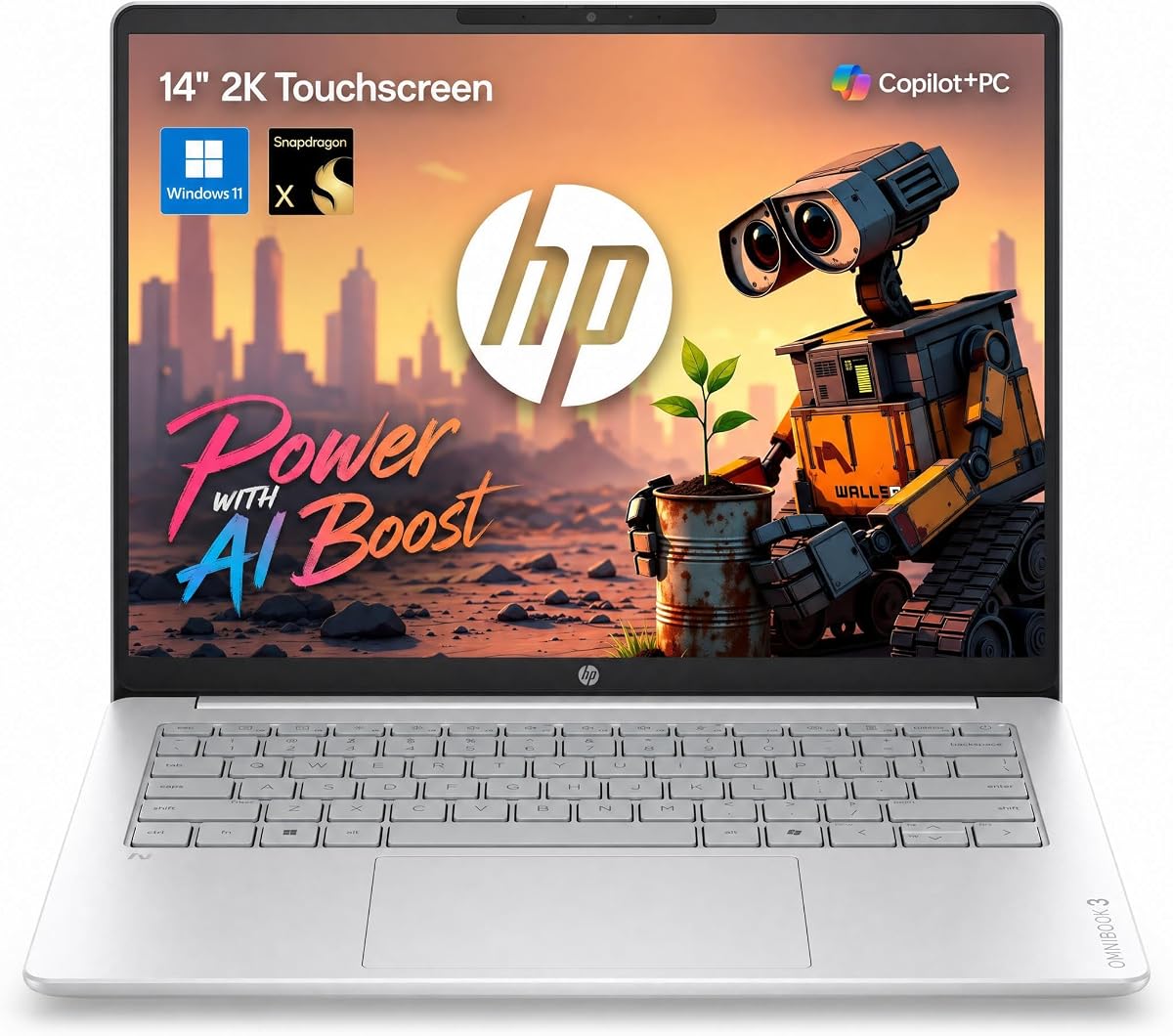
The HP OmniBook 3 14 combines AI performance with a responsive touchscreen for intuitive interaction. It is a great option for those who prefer touch input for navigation.
We may earn a commission when you buy through this link, at no additional cost to you.
Featuring a 2K IPS touchscreen it delivers crisp visuals and accurate colors for creative tasks. The Snapdragon X processor ensures smooth performance for AI and productivity apps.
The 16GB of RAM is fixed which may limit heavy multitasking but is sufficient for most users. Its compact size makes it easy to carry for daily travel.
This laptop is perfect for general users who want a modern AI experience with a touch interface. It offers a balanced feature set at a competitive price point.
The 14 inch 2K IPS touchscreen provides sharp visuals and responsive touch input for intuitive navigation.
At 3.13 lbs this device is ultra lightweight making it easy to carry for travel and commuting.
We may earn a commission when you buy through this link, at no additional cost to you.
The NIMO 17.3 Copilot+ AI Laptop offers a large display ideal for multitasking and productivity. It features a high refresh rate screen suitable for both work and gaming.
We may earn a commission when you buy through this link, at no additional cost to you.
Powered by AMD Ryzen AI 9 HX 370 it delivers 50 TOPS of NPU power for AI tasks. The 144Hz FHD display ensures smooth visuals for dynamic content.
While the screen is large the resolution is lower than 2K options which may affect sharpness. The USB 4.0 support adds versatility for external monitors and storage.
Users needing a larger workspace without sacrificing AI performance will appreciate this model. It balances screen size and portability effectively.
The 17.3 inch widescreen display maximizes productivity with room for split-screen multitasking.
A 144Hz refresh rate delivers fluid motion for gaming and dynamic content on the go.
We may earn a commission when you buy through this link, at no additional cost to you.
The HP Omnibook 16 is designed for business users with its professional design and enterprise features. It includes Windows 11 Pro and ample storage for business data.
We may earn a commission when you buy through this link, at no additional cost to you.
With 32GB of RAM and a 2TB SSD it handles heavy multitasking and data storage needs. The 50 TOPS NPU ensures AI features run efficiently without impacting performance.
The build quality is sturdy and suitable for daily travel to meetings. The backlit keyboard aids in typing during low light conditions.
Professionals looking for a reliable and powerful workstation for office tasks will find this model suitable. It balances performance and business features well.
Windows 11 Pro provides enterprise-grade security and advanced multitasking tools for professionals.
Includes a full-size backlit keyboard and numeric keypad for efficient data entry and typing.
We may earn a commission when you buy through this link, at no additional cost to you.
The Dell 16 Plus offers high-end Intel processing for professionals who need secure and fast systems. It features a modular design and strong security features.
We may earn a commission when you buy through this link, at no additional cost to you.
Powered by the Intel Core Ultra 9 it delivers 48 TOPS of NPU performance for efficient AI tasks. The Thunderbolt 4 port allows for fast data transfer and external display support.
While the NPU is slightly lower than AMD counterparts the overall system performance is high. The Wi-Fi 7 connectivity ensures future-proof internet speeds.
Business users prioritizing Intel platform security and Thunderbolt connectivity will appreciate this model. It provides a reliable environment for professional work.
The Intel vPro Platform provides multilayer security and remote manageability for IT departments.
Thunderbolt 4 port enables ultra-fast data transfer and support for external graphics or displays.
We may earn a commission when you buy through this link, at no additional cost to you.
The HP 16 inch AI Laptop provides strong specs at an affordable price point for general users. It delivers solid performance with essential AI features.
We may earn a commission when you buy through this link, at no additional cost to you.
Featuring Intel Ultra 7 with AI Boost NPU it supports efficient local AI workloads. The 32GB of RAM ensures smooth multitasking for daily applications.
Battery life is average but sufficient for a workday with careful power management. The lightweight design makes it easy to carry for daily use.
This model is ideal for users seeking value without compromising on essential AI capabilities. It balances affordability with performance for everyday tasks.
Intel AI Boost NPU delivers smart multitasking and efficiency for everyday computing tasks.
Wi-Fi 7 ensures ultra stable and fast internet access even in crowded networks for future readiness.
We may earn a commission when you buy through this link, at no additional cost to you.
Selecting the right AI laptop involves understanding specific components that power local intelligence.
The Neural Processing Unit (NPU) is the core of AI acceleration. Higher TOPS (trillions of operations per second) mean faster AI tasks like image generation or real-time translation.
Look for NPUs delivering at least 45 TOPS for smooth Copilot+ experiences.
AI tasks often require significant memory to run locally. Aim for at least 16GB RAM and 512GB SSD for standard use.
For heavy AI work or local LLMs consider 32GB RAM or more to avoid bottlenecks.
Processors vary by brand with Intel, AMD, and Qualcomm offering distinct AI features. Each has unique strengths in power efficiency and AI integration.
Choose a processor that matches your specific workflow needs for best performance.
A high resolution display is essential for creative work and long viewing sessions. Look for 2K or OLED panels for accurate colors.
Prioritize brightness and refresh rate to ensure smooth visuals during video calls.
Portability depends on battery endurance. Modern AI laptops promise 12 to 20 hours but real-world use may vary.
Select a model with fast charging to keep working without interruption on the go.
Ports like USB-C Thunderbolt and HDMI are crucial for external monitors and accessories. Wi-Fi 7 support ensures fast wireless connections.
Ensure the laptop has enough ports to match your existing peripherals and accessories.
To maximize NPU efficiency keep your operating system and drivers updated regularly. This ensures new AI features like Recall are available when released.
Manage power settings to balance performance and battery life. Use Eco mode for light tasks and Performance mode for AI workloads.
Protect the device from heat and dust to maintain NPU longevity. Use a cooling pad during heavy rendering or AI training sessions.
An NPU stands for Neural Processing Unit. It is a dedicated chip designed to handle AI workloads efficiently without using the CPU or GPU. This improves battery life and speeds up local AI tasks.
For standard browsing you may not strictly need an NPU. However for features like real-time translation and generative content it is essential. It ensures these tasks run smoothly and locally.
Copilot+ PC is a Windows designation for laptops with strong AI capabilities including an NPU with 40+ TOPS. It unlocks unique features like Recall and advanced search capabilities for users.
Most AI laptops have soldered memory so RAM upgrades are not possible. It is vital to choose the correct RAM capacity before purchasing your device.
Wi-Fi 7 is not required for AI features but provides faster internet speeds. It improves cloud AI interactions and overall network performance significantly.
Intel, AMD, and Qualcomm all offer strong AI processors. AMD and Qualcomm lead in NPU TOPS while Intel offers strong ecosystem integration and security.
We have reviewed the top AI laptops ranging from budget-friendly options to premium high-performance machines. The ASUS Vivobook S16 remains our top pick for balancing performance and display quality.
When choosing consider your specific needs for NPU power and display size. Gamers may prefer high refresh rates while professionals need strong multitasking capabilities.
Prices and availability change frequently so always check the current listing for the best deals. Your ideal AI laptop is the one that fits your workflow and budget perfectly.