
Dexpt 65W Laptop Charger Replacement for ASUS VivoBook ZenBook Chromebook
4.5Editor score
65W 45W 33W support
Three connector sizes included
Wide input voltage range
This guide compares the best ASUS Vivobook and Zenbook power cord options to help you find the right charger for your laptop with confidence and safety.
Finding the right power cord for your ASUS Vivobook or Zenbook is essential for maintaining optimal performance and battery health. A reliable charger ensures your device stays powered throughout the day without interruptions or safety risks.
We evaluated ten top-rated chargers based on compatibility, build quality, safety features, and user feedback. Each product was assessed for its ability to deliver consistent power while meeting the specific needs of ASUS laptop users.
Each pick includes key details to help you choose the right fit for your model. Prices and availability change frequently, so always verify compatibility and current offers before making your final purchasing decision.
4.5Editor score
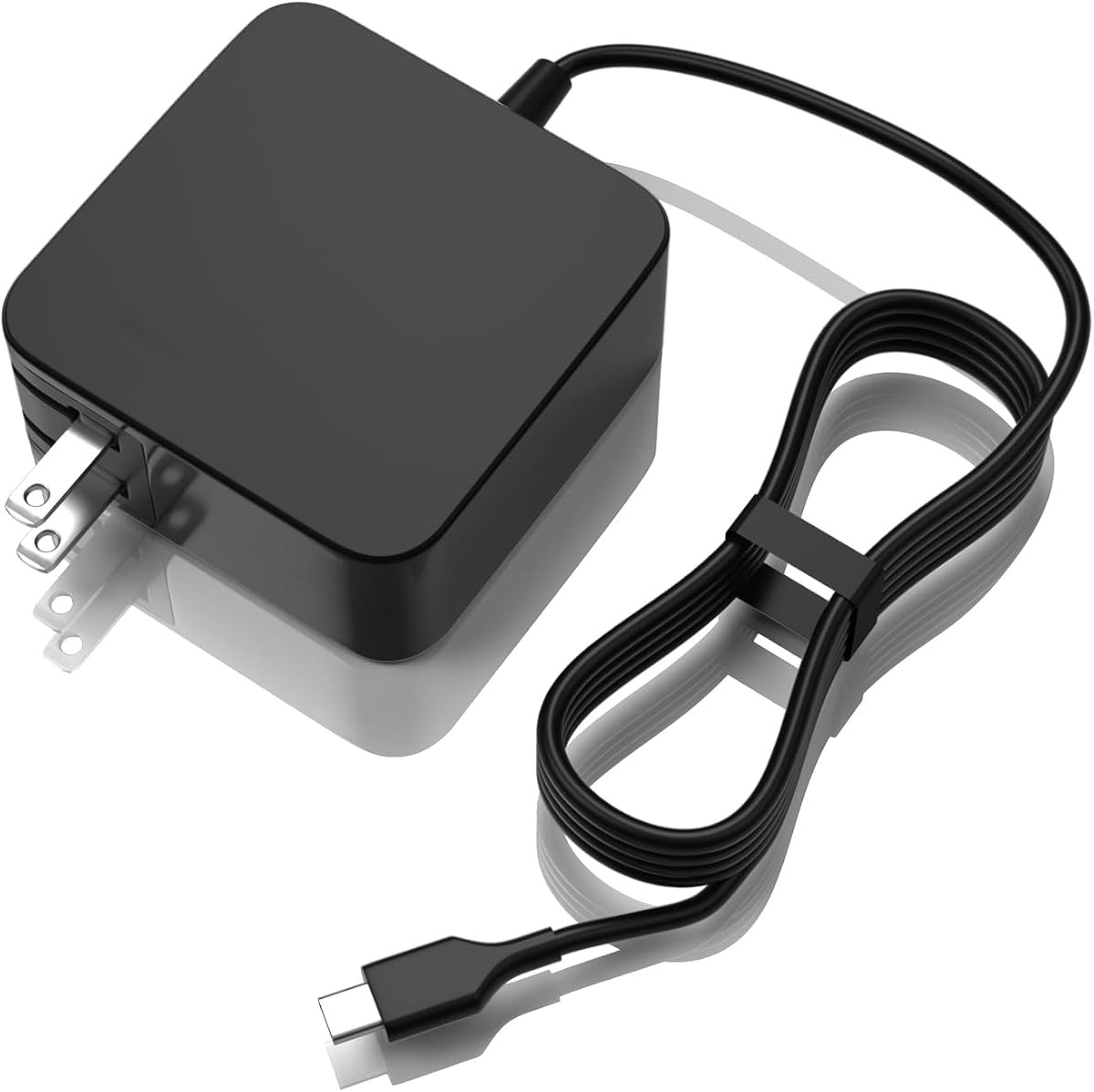
4.8Editor score

4.6Editor score
This side-by-side comparison highlights the key specifications and compatibility of each charger to help you quickly identify the best match for your ASUS laptop model and power requirements.


This charger stands out as the top pick for users needing reliable 90W power. With a 4.8 rating, it delivers consistent performance across Vivobook S and Zenbook OLED series models.
We may earn a commission when you buy through this link, at no additional cost to you.
The 90W USB-C output ensures fast charging while maintaining safety through multiple built-in protections. Its compatibility with ASUS part numbers like ADP-90RE BA makes it a strong replacement choice.
While slightly pricier than 65W options, the higher wattage supports more demanding models without throttling. This is acceptable for users prioritizing speed and full power delivery.
Buyers with Vivobook S 14, 15, or Zenbook 14X OLED should consider this first. It offers the best balance of power, safety, and reliability for premium ASUS laptops.
The 90W output ensures your device charges quickly even during heavy use without throttling performance or causing overheating.
Built-in safeguards protect your device from short circuits, overvoltage, and internal overheating during daily use and travel.
We may earn a commission when you buy through this link, at no additional cost to you.
The Dexpt 65W charger offers excellent value for users with standard ASUS laptops requiring 65W or less. Its 4.5 rating reflects solid performance and compatibility.
We may earn a commission when you buy through this link, at no additional cost to you.
With three included connector sizes, it fits most round barrel port models. The 19V 3.42A output works well for 45W and 33W devices without damage.
While the build is basic and requires tip verification, this cost-saving is reasonable for budget buyers. It serves as a reliable spare or replacement option.
Users with Vivobook, Zenbook, or Chromebook models under 65W should check connector compatibility. This pick balances affordability with essential power delivery.
Priced competitively, this charger provides essential power delivery without breaking the bank for students and casual users.
Included multiple tip sizes ensure compatibility across a wide range of ASUS models with round barrel charging ports.
We may earn a commission when you buy through this link, at no additional cost to you.
This charger delivers premium 90W USB-C power for modern Vivobook and Zenbook models. Its 4.6 rating highlights consistent performance and strong safety certifications.
We may earn a commission when you buy through this link, at no additional cost to you.
The 20V 4.5A output supports fast charging for OLED and high-performance laptops. FCC CE RoHS certification adds confidence for daily use and travel.
While the higher cost and wattage may exceed needs for lighter models, this premium power ensures full performance. The trade-off is worth users needing maximum speed.
Choose this for Vivobook S17X, Zenbook 14X OLED, or similar models. It offers the best premium option for reliable, fast charging and safety.
The 90W USB-C output supports demanding workloads and rapid charging for high-performance Vivobook and Zenbook laptop models.
FCC CE and RoHS certifications ensure compliance with safety standards, reducing risks during daily power and travel.
We may earn a commission when you buy through this link, at no additional cost to you.
The Powseed charger offers versatile tip support with four DC barrel connectors. Its 4.4 rating reflects broad compatibility with classic Vivobook and Zenbook series.
We may earn a commission when you buy through this link, at no additional cost to you.
The 1.8m cable and FCC CE certification provide practical daily use benefits. Short circuit protection adds essential safety for older and newer models.
While connector fit requires checking, the included tips cover many round port devices. The two-year warranty adds value over basic one-year options.
Choose this if your Vivobook or Zenbook uses round barrel ports. It offers solid versatility and safety at a competitive price point.
Four included tips cover a broad range of round barrel connector sizes across Vivobook Zenbook and ExpertBook series.
A two-year warranty provides extra peace of mind for daily use and travel compared to standard one-year options.
We may earn a commission when you buy through this link, at no additional cost to you.
This Superer charger features switchable round connectors for broad round barrel compatibility. Its 4.4 rating highlights consistent power delivery across Vivobook Zenbook and Chromebook models.
We may earn a commission when you buy through this link, at no additional cost to you.
The 19V 3.42A output handles 65W 45W and 33W devices. Built-in short circuit protection and FCC CE certification ensure safe daily use.
While USB-C devices are excluded, the included tips suit classic models. The two-year warranty offers extended peace of mind for home or office use.
Choose this if your device uses round barrel ports. It provides reliable power and long-term warranty support for standard ASUS laptops.
Switchable round tips support multiple connector sizes for classic Vivobook Zenbook and Chromebook models.
A 24-month warranty ensures extended peace of mind for daily use and travel compared to one-year options.
We may earn a commission when you buy through this link, at no additional cost to you.
This Dexpt charger features an LED indicator to show charging status. With a 4.4 rating, it delivers solid power for Vivobook Zenbook and Chromebook round barrel models.
We may earn a commission when you buy through this link, at no additional cost to you.
The 7.5 ft cord provides flexibility for desk setups. Four connector sizes ensure broad compatibility across 65W 45W and 33W devices.
While LED consistency and build vary, the added visibility helps monitor power during use. The price and length make it practical for home or travel.
Select this for round port models needing extended reach. It balances basic power with useful LED feedback and cord length.
An LED light provides visual feedback to confirm when your laptop is actively receiving power during use.
A 7.5-foot cable provides greater reach and placement flexibility around desks and workspaces compared to standard options.
We may earn a commission when you buy through this link, at no additional cost to you.
This Nicpower charger supports a wide range of Vivobook models from 12 to 17 inches. Its 4.4 rating reflects reliable power for round barrel port devices.
We may earn a commission when you buy through this link, at no additional cost to you.
The 19V 3.42A output works with 65W 45W and 33W devices. It fits Vivobook series including Flip and Go models with compatible round tips.
While USB-C and high-wattage models are excluded, this meets needs for many standard Vivobook users. Verification ensures proper fit and performance.
Choose this if your Vivobook uses a round connector. It offers solid power and broad model coverage at an accessible price.
This charger fits numerous Vivobook sizes and styles including Flip Go and standard 14 to 17-inch models with round ports.
Stable 19V output ensures consistent charging across 65W 45W and 33W compatible devices without voltage issues.
We may earn a commission when you buy through this link, at no additional cost to you.
This 45W charger features a fixed 4.0mm round tip for precise fit. Its 4.5 rating reflects strong performance for Vivobook and Zenbook models needing this tip.
We may earn a commission when you buy through this link, at no additional cost to you.
The 6-foot cable and foldable plug make it portable and practical. It supports 33W devices without damage and is ideal for travel or dorms.
While lower wattage limits use to specific models, it provides a reliable fix for those needing exact 4.0mm fit. The compact design suits on-the-go buyers.
Select this for Vivobook E L X or Zenbook UX305 UX330 series. It offers exact tip and cable length for smaller models.
A dedicated 4.0mm tip ensures a snug fit for compatible Vivobook and Zenbook models without compatibility issues.
A foldable plug and 6-foot cable make this ideal for students or professionals needing a portable power option.
We may earn a commission when you buy through this link, at no additional cost to you.
This LAP POW charger provides USB-C charging for Chromebook and Zenbook OLED models. Its 4.4 rating highlights consistent power for devices needing 65W or less.
We may earn a commission when you buy through this link, at no additional cost to you.
The 5.9ft cord and foldable plug add portability. Certified with FCC CE RoHS, it ensures safety for devices like UX325 UX363 and Chromebook C423.
While limited to USB-C devices, it delivers solid performance for modern models. The compact plug suits travel and daily desk use well.
Choose this for Chromebook Flip Zenbook OLED and ExpertBook B9 series with USB-C charging. It offers reliable power and certified safety.
USB-C charging support fits modern Zenbook and Chromebook models requiring this port style for daily power and travel.
FCC CE and RoHS certifications ensure compliance with safety standards for consistent and secure power delivery.
We may earn a commission when you buy through this link, at no additional cost to you.
The EERSY charger offers an impressive 8.8ft cord for extended reach. Its 4.8 rating reflects solid performance across Vivobook Zenbook and Chromebook round port models.
We may earn a commission when you buy through this link, at no additional cost to you.
The 65W 45W 33W output fits devices needing up to 3.42A. It supports Vivobook Flip and Zenbook series with round tips like 4.0mm 4.5mm.
While the long cable may feel bulky, it provides unmatched flexibility for larger desks or workspaces. This suits buyers prioritizing reach.
Select this for Vivobook Zenbook or Chromebook with round connectors. It delivers strong power and extended reach for flexible setups.
An 8.8-foot cord provides exceptional flexibility for large desks or remote wall outlets in workspaces.
Stable 19V output ensures reliable charging across 65W 45W and 33W compatible Vivobook Zenbook and Chromebook models.
We may earn a commission when you buy through this link, at no additional cost to you.
Selecting the right charger requires matching wattage, connector type, and safety features to your specific ASUS laptop model. This section outlines key factors to ensure optimal performance and protection.
Always match the charger wattage to your laptop requirement. Using 65W for a 65W device is ideal; higher wattage supports demanding models while lower wattage may slow charging.
Verify your device needs and choose a charger that meets or exceeds it without overloading the system.
Check if your model uses USB-C, 4.0mm 4.5mm 5.5mm round barrel tips. Each ASUS model has specific ports requiring exact fit for safe power delivery.
Compare plug sizes with your original charger or product images before purchasing to avoid incompatibility.
Most Vivobook and Zenbook models use 19V. Ensure the charger output matches this and amperage (A) meets your device needs.
A charger with equal or higher amp rating ensures stable power without risking damage or slow charging speeds.
Look for FCC CE and RoHS certifications. These guarantee compliance with safety standards and protect against short circuits and overheating.
Certified chargers reduce risks and ensure consistent performance for your device during daily use.
Cord lengths range from 6 to 8.8 feet. Longer cables offer flexibility for desks or remote outlets but may add bulk.
Choose based on your workspace setup. Standard 6-foot cords suit most desks while extended lengths fit flexible seating.
Most chargers include one to two-year warranties. Extended terms provide extra peace of mind against defects or early failures.
Prioritize models with at least one-year coverage to protect your investment and ensure replacement support.
Solid builds resist heat and physical damage. Look for robust materials and connectors that withstand regular travel or desktop use.
Quality construction extends lifespan and maintains consistent charging performance over time.
Modern Vivobook S and Zenbook OLED models may require USB-C 90W chargers. Older round barrel devices need 4.0mm or 4.5mm tips.
Verify your exact model and part numbers to avoid mismatches that could lead to slow charging or incompatibility.
Plug the charger into a grounded outlet and connect the tip to your laptop's power port. Ensure the connection is snug to prevent intermittent charging or port damage during daily use.
Avoid bending the cord at sharp angles and store it loosely when not in use. Excessive tension or coiling can damage internal wiring and reduce the charger lifespan over time.
Keep connectors clean and dry. Periodically check for dust or debris in ports and wipe tips with a soft dry cloth to maintain optimal electrical contact and safety.
Yes, a 90W USB-C charger can safely charge 65W devices. The laptop will draw only the power it needs. Just ensure connector compatibility and voltage matching.
Most older Vivobook models use 4.0mm or 4.5mm barrel tips. Newer S series use USB-C. Check your original charger or product images to confirm before buying.
Higher wattage chargers support faster charging if your device requires it. Ensure voltage matches and connectors fit. Avoid lower wattage for high-power models to prevent throttling.
Not all. Older Zenbook models use round barrel ports. New OLED series use USB-C. Always verify your model number and original charger tip size for correct match.
Yes if voltage and connectors match. Certified third-party chargers from reputable brands work well. Avoid unbranded options lacking safety certifications like FCC or CE.
Most chargers offer one to two-year warranties. Check product details before buying. A solid warranty ensures replacement or refund if the charger fails early.
We highlighted top picks like the 90W USB-C fast charger for high-performance needs and the Dexpt 65W for budget buyers. Each serves different power needs and connector types across Vivobook and Zenbook series.
Prioritize wattage matching, connector fit, and safety certifications. Choosing the right power ensures reliable charging, protects your device, and reduces long-term costs from replacements.
Always verify current prices and compatibility before buying. Chargers and models evolve. Checking details ensures you select a reliable solution tailored to your laptop's power requirements.